Builder Smart Home Packages: Worth It? 2026
Key takeaways
- Builder device bundles typically carry 2–3x markups over retail — a $3,500 package often holds $800–$1,200 in devices.
- The golden rule: buy construction-time infrastructure (prewire, conduit, rough-in) from the builder; buy all devices yourself after closing.
- Get infrastructure itemized separately with wire types, gauges, and exact locations in the contract — 'prewired for' is not a specification.
- Packages are worth it when they sell real rough-in labor at competitive prices, when financed into the mortgage, or when you'd otherwise build nothing.
- Red flags: no itemization, obscure brands, buried subscriptions, no prewire option, and ecosystem lock-in you didn't choose.
The design studio appointment is where new-build budgets go to die, and the smart home package is one of its smoothest killers. Presented as a single line item — “Smart Home Package, $8,500” — it bundles a video doorbell, a thermostat, a few smart switches, and a garage controller at a price that would make an integrator blush. Sometimes the package is genuinely worth it. Often you are paying a steep markup for commodity devices you could buy later for a fraction. This 2026 guide answers the question every buyer asks — is the builder smart home package worth it — and covers what production builders actually include, the markup reality, what to negotiate during construction versus what to add yourself later, and how to tell a good package from a dressed-up upsell.
The core principle: construction-time work and commodity devices are two different purchases, and the builder is the right vendor for exactly one of them. Anything involving wires inside walls, conduit, or structural decisions should happen during the build. Anything that screws in, sticks on, or connects to Wi-Fi should happen after — on your terms, at retail prices.
What builders actually include in 2026
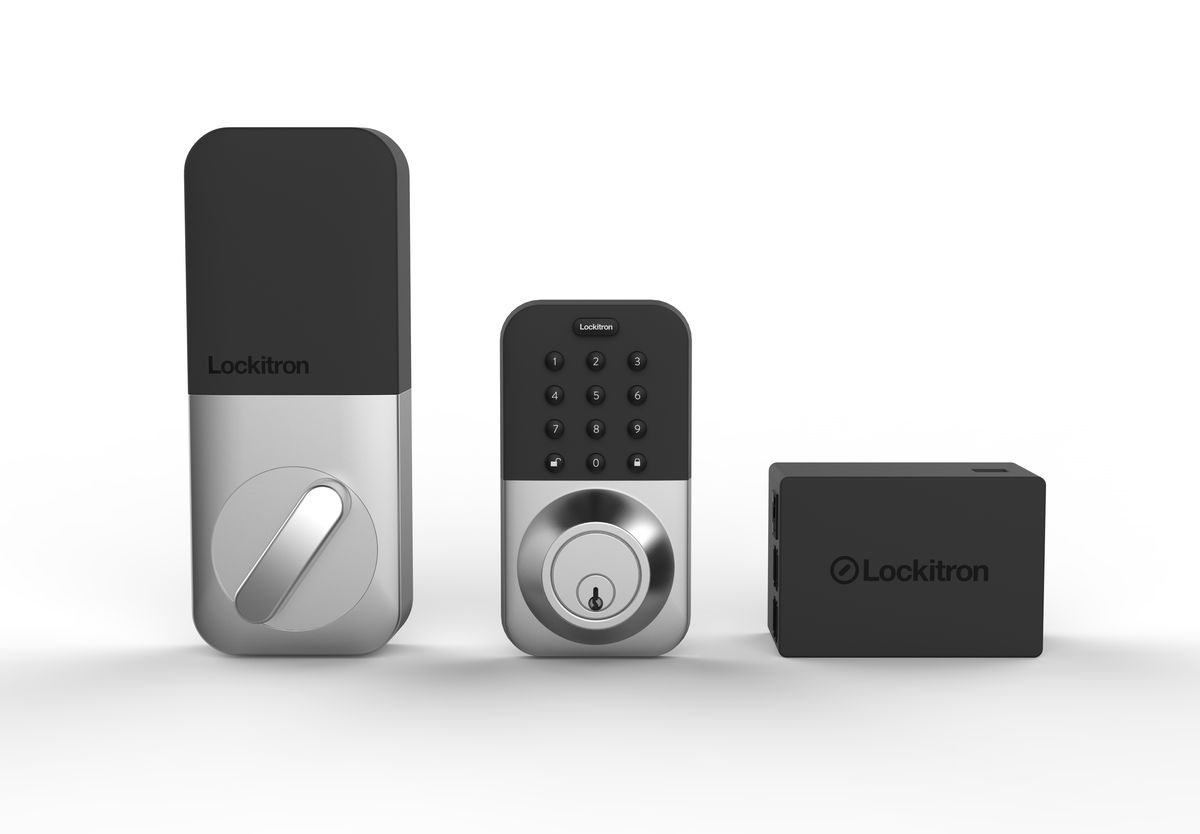
Production builder smart home packages cluster into recognizable tiers. The starter package ($1,500–$4,000) typically bundles a video doorbell, a smart thermostat, a smart garage door controller, and a smart lock — the “check the boxes” set that lets the model home demo voice control. The mid-tier package ($4,000–$10,000) adds smart switches in key rooms, a few more devices, sometimes a basic camera or two, and occasionally a hub. The luxury package ($10,000–$25,000+) on estate homes may include prewire, lighting control, shades, and distributed audio — real infrastructure, and the only tier where the package starts to resemble what an integrator would design.
What’s consistent across tiers: the devices are mainstream brands (Ring, Nest, Ecobee, Schlage, Kwikset), the installation is basic, and the configuration is minimal — devices installed, accounts barely set up, scenes and automations left to you. What’s also consistent: you rarely get to choose the brands. The builder standardized on an ecosystem for install efficiency, and your package is that ecosystem whether you like it or not.
Kasa Smart Plug with Energy Monitoring (EP25 4-Pack)

Automates scheduling and tracks electricity draw on individual plugs
*Affiliate Disclosure: As an Amazon Associate, Elevate Home earns from qualifying purchases. Pricing and availability subject to change.
The markup reality: what the numbers look like
Here is the honest math the design studio won’t show you. A starter package priced at $3,500 commonly contains roughly $800–$1,200 in retail devices: a $200 video doorbell, a $250 thermostat, a $250 smart lock, a $50 garage controller, plus a few switches. The remainder is the builder’s margin, the electrician’s rough-in time, and overhead. That margin isn’t pure profit on nothing — there is real coordination cost in getting trades to install and the warranty to cover it — but production builders mark up smart packages significantly, often 2–3x the device cost.
The mid-tier is where the markup hurts most. A $7,500 package might contain $2,000–$2,500 in devices and a day of electrician time. The same devices bought at retail and installed by a handyman or a low-voltage contractor after closing would run $3,000–$4,000 all-in. The luxury tier is harder to judge because it includes genuine rough-in labor — prewire, panel work, shade pockets — which has real construction-time value. Judge luxury packages on the infrastructure list, not the device list.
There is one more cost hidden in the package: ecosystem lock-in. The builder’s Ring doorbell, Nest thermostat, and Kwikset lock become your ecosystem by default, and ripping out a builder-installed system you don’t like means paying twice. If you have strong platform preferences (Apple Home, Home Assistant, a pro Lutron system), a builder package built on the wrong ecosystem is worth less than zero — it’s demolition.
The golden rule: negotiate infrastructure, buy devices later
This is the sentence that saves you five figures: buy construction-time infrastructure from the builder; buy devices yourself after closing. Infrastructure means anything that requires opening walls, running wire, or making structural decisions: Cat6A drops to every room and TV location, conduit to the patio and pergola, speaker wire for architectural audio, camera drops under eaves, shade power at windows, a network rack location with power and ventilation, EV charger rough-in, and a smart panel or panel space. This work costs a fraction during construction of what it costs as retrofit — sometimes 5–10x less — and much of it is simply unavailable later without drywall surgery.
Devices mean everything else: doorbells, thermostats, locks, switches, cameras, voice assistants, sensors. These install in minutes to an hour each, need no walls opened, and get cheaper and better every year. Buying them from the builder means paying 2026’s markup for 2026’s models installed on the builder’s schedule — when waiting six months would get you the next generation at retail.
How to negotiate it: at the design studio or pre-construction meeting, ask for the low-voltage/infrastructure options list separately from the device packages. Many builders have one — structured wiring packages, prewire bundles — but don’t volunteer it because the device packages carry better margins. If the builder won’t itemize, get the package’s device list in writing and price it at retail before you sign; the gap is your negotiating information. And get every infrastructure promise in the contract with locations specified — “prewire throughout” is not a specification, but “Cat6A to all bedrooms, living room, office, and patio; conduit to pergola location” is.
Is the builder smart home package worth it? When the answer is yes
Fairness requires the other side. Builder packages earn their price in specific situations. If the package includes genuine prewire and rough-in labor — structured wiring, shade pockets, speaker rough-in — the construction-time value is real and hard to replicate later. If you are financing the home, rolling $5,000 of infrastructure into the mortgage at today’s rates costs less per month than paying cash for a retrofit later, and the work is covered by the builder’s warranty. If you value a single throat to choke — one warranty, one call for anything that fails in year one — the package premium buys real convenience.
The luxury tier deserves a closer look rather than an automatic no. A $15,000 package that includes panelized lighting rough-in, whole-home Cat6A, architectural speaker wire, and shade power is selling skilled low-voltage labor during construction — price that labor independently (a low-voltage contractor’s prewire bid for the same plan) and compare. Sometimes the builder’s number is competitive; sometimes it’s double. The device list is the distraction; the wire list is the product.
Also consider your own capacity honestly. If you will never hire the integrator, never run the wire, and never configure the system — if the alternative to the builder package is not a better DIY system but no system — then the package’s convenience premium is buying something real: a working smart home on move-in day. Just know what you paid for the convenience.
Red flags in the design studio
Walk away — or negotiate hard — when you see these. No itemization: a single “Smart Home Package” line with no device list is a margin hiding behind a bundle; insist on the list. Proprietary or obscure brands: mainstream devices get replaced and serviced; the builder’s white-label special doesn’t. Subscription requirements buried in the package: some builder packages include devices whose core features need $10–$30/month subscriptions — ask what works without a subscription and what the five-year subscription cost is. No infrastructure option: a builder selling only device bundles, with no prewire or conduit options, is selling margin, not a smart home. “Prewired for” without specifics: “prewired for surround sound” has meant everything from proper 14-gauge home runs to a single mystery cable; get the wire type, gauge, and locations in writing.
The post-closing playbook: what to add and when
Assume you bought the infrastructure (or the house came with the basics) and skipped the device bundle. The post-closing sequence that gets you a better system for less money:
Week one: network first. Router, a couple of access points on the prewired drops, and the smart home hub. Everything else depends on solid network, and this is a weekend project. Month one: the high-value devices — video doorbell on the existing transformer (check compatibility), smart thermostat (check the C-wire), smart locks, garage controller. Each is an hour or less. Months two to six: the fun layer — smart switches in the rooms you actually use, shades on the worst sun-facing windows, landscape lighting on the prewired transformer location, cameras on the prewired drops. Spread the spending, and each addition lands on infrastructure that was pennies during construction.
Hire a low-voltage integrator for a half-day commissioning session once the devices are in — a few hundred dollars to have a professional unify everything into scenes and automations is the best money in the project. What took you six weekends of tinkering takes them four hours, and the result is a system the whole household can actually use. If the builder’s package included a hub or partial system, have the integrator assess what’s worth keeping before you buy replacements — sometimes the infrastructure is fine and only the configuration needs rescue.
Getting quotes and negotiating: your checklist
Before the design studio appointment: price the builder’s device list at retail (ten minutes with a shopping search), get an independent low-voltage contractor’s prewire bid for comparison if the package includes infrastructure, and decide your ecosystem (sticking with the builder’s ecosystem is fine — just make it a choice, not a default). At the appointment: ask for infrastructure itemized separately, get wire types and locations in writing, ask what subscriptions the devices require, and ask what happens to the warranty if you add your own devices later. Costs are 2026 US market ranges; get itemized local quotes for any post-closing work, and use licensed electricians for panel and circuit work.
The negotiation line that works: “I’ll take the prewire package, and I’ll do devices myself after closing — what’s your best price on infrastructure only?” Builders would rather sell you something than nothing, and infrastructure carries less margin pressure than devices. You get the construction-time value; they get a sale; the devices arrive later at retail, chosen by you.
The builder sells you the house with wires in the walls; the devices are a separate purchase wearing a house-shaped costume. Buy the wires during construction. Buy everything else when you can choose it yourself.
The bottom line
Builder smart home packages in 2026 are worth it when they sell construction-time infrastructure — prewire, conduit, rough-in labor that’s 5–10x cheaper now than as retrofit — and questionable when they’re device bundles at 2–3x retail with ecosystem lock-in attached. Negotiate infrastructure separately, get wire types and locations in the contract, skip the device bundle, and build the system yourself after closing for less money and exactly your ecosystem. The smartest smart home in a new build is the one with great bones and your choice of skin.
Frequently asked questions
Is a builder smart home package worth it in 2026?
Sometimes — when the package is really selling construction-time infrastructure (prewire, conduit, rough-in labor) that's 5–10x cheaper now than as retrofit. Device-only bundles at 2–3x retail with ecosystem lock-in usually aren't. The rule: buy infrastructure from the builder, buy devices yourself after closing at retail.
How much do builders mark up smart home packages?
A starter package priced at $3,500 often contains roughly $800–$1,200 in retail devices — the rest is builder margin, trade coordination, and overhead, i.e., a 2–3x markup on the devices. The markup is steepest on device-only bundles; packages with real prewire labor are harder to judge and sometimes competitive. Always price the device list at retail before signing.
What smart home infrastructure should I get during construction?
Cat6A drops to every room and TV location, conduit to the patio/pergola, speaker wire for architectural audio, camera drops under eaves, shade power at windows, a network rack location with power, and EV charger rough-in. Get wire types, gauges, and exact locations in the contract — 'prewired for' without specifics is not a specification.
What smart home devices should I buy after closing instead?
Anything that screws in, sticks on, or connects to Wi-Fi: video doorbells, thermostats, smart locks, switches, cameras, voice assistants, sensors. They install in minutes, need no walls opened, and get cheaper and better every year. Buying them from the builder means paying today's markup for today's models on the builder's schedule.
What are red flags in a builder smart home package?
No itemization (a single bundle line with no device list), proprietary or obscure device brands, buried subscription requirements ($10–$30/month for core features), no infrastructure/prewire option offered, and vague 'prewired for' language without wire types and locations. Insist on specifics in writing.
What's the best order to add smart home devices after closing?
Network and hub first (week one), then the high-value devices — doorbell, thermostat, locks, garage controller (month one), then switches, shades, lighting, and cameras over the following months on the prewired infrastructure. Finish with a half-day professional commissioning session (a few hundred dollars) to unify everything into scenes the whole household can use.
Keep reading

New Construction
Smart Home Prewire Guide: New Builds 2026
Smart home prewire new construction guide 2026: full Cat6A, speaker, camera, and conduit plan, builder negotia…
Retrofit
Retrofit Smart Home Without Rewiring: 2026
Smart home without rewiring retrofit guide 2026: RadioRA 3 wireless lighting, battery shades, sensors, room-by…
Ownership
Does Smart Home Tech Add Resale Value? 2026
Does smart home increase home value in 2026? What appraisers credit, what buyers pay for, infrastructure vs ga…
Lighting Control
Smart Lighting Control Cost Per Room: 2026
Smart lighting control cost per room in 2026: Caseta vs RadioRA 3 vs HomeWorks budgets, keypads vs dimmers, an…

Transfer Equipment
100A vs 200A Automatic Transfer Switch
100 amp vs 200 amp transfer switch: service-entrance vs subpanel topology, when each is required, costs, and l…

Pillar 01 · Energy Resilience
10kWh vs 13.5kWh vs 20kWh Home Battery: Which Size Is Right? (2026)
10kWh vs 13.5kWh vs 20kWh home battery compared: usable capacity, backup runtime, solar pairing, and which tie…