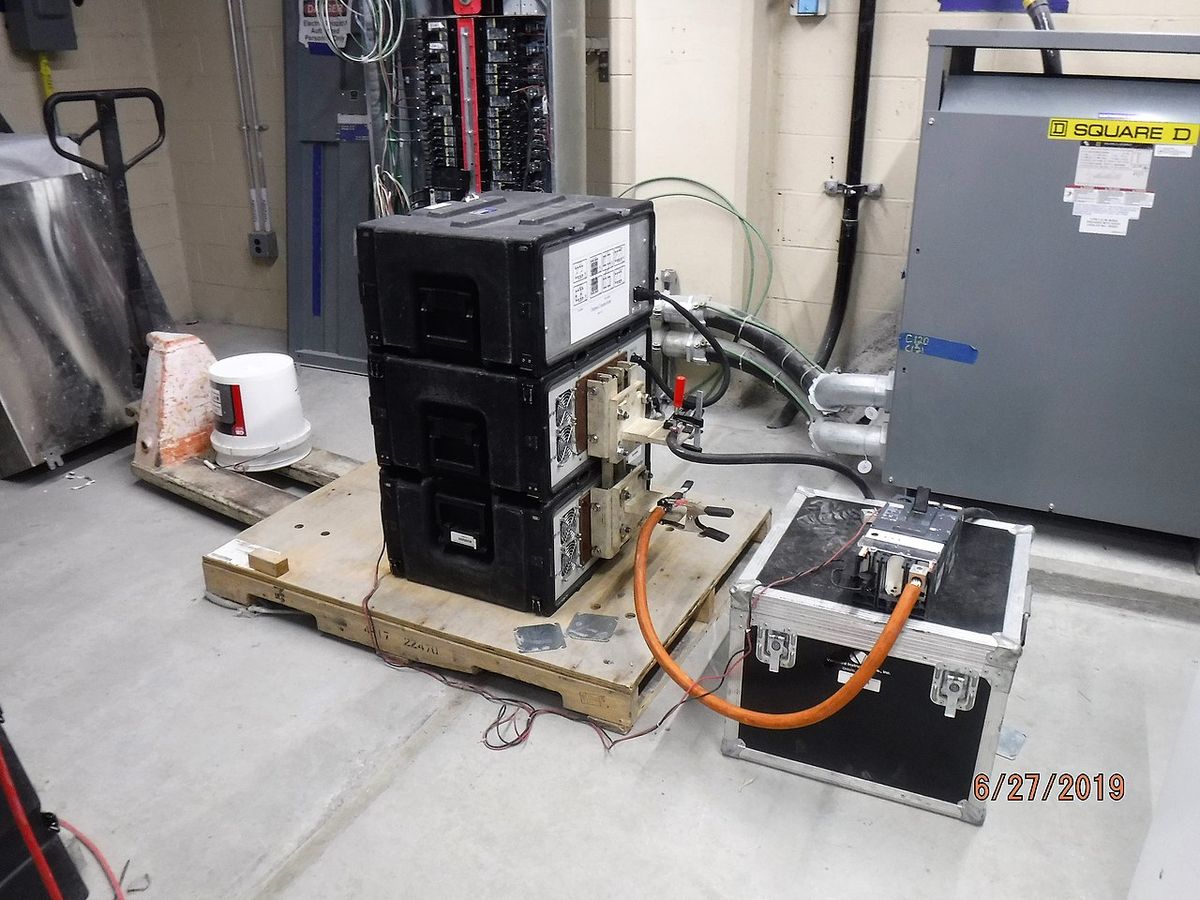
Generator Load-Shedding Modules Explained
Key takeaways
- A load-shedding module watches generator frequency and temporarily drops lower-priority large loads when demand threatens supply, restoring them in staged priority order.
- Modules attack demand peaks, not averages — letting a 22 kW generator serve a home whose unmanaged worst case would demand 26 kW.
- Four modules (~$600–$1,200+ installed) typically cost far less than the $2,000–$4,000+ step from a 22 kW to a 26 kW installed package.
- Priority design is the art: essentials stay unconditional; AC zones stage, dryers and water heaters shed, pools and EV chargers lock out.
- Modules manage overlap, not deficit — if un-sheddable essential load alone exceeds the generator, no module fixes it; size up the generator.
Your home doesn’t use electricity evenly — it spikes. The air conditioner starts, the well pump kicks on, the dryer is already running, and for thirty seconds your house wants far more power than it averages. A generator load shedding module is the device that lets a sensibly sized generator survive those spikes: it watches the generator’s output, and when demand threatens to exceed supply, it temporarily drops lower-priority loads — the dryer, the second AC — so the essentials never blink. It is the reason a 22 kW generator can back up a house that a spreadsheet says needs 26 kW.
This guide explains how load-shedding modules work, the priority and staging logic inside them, what they cost and how they install, the limits of what they can do, and the 22-vs-26 kW buying decision they unlock. Costs are 2026 US market ranges; get itemized local quotes.
The problem modules solve: peaks, not averages
Size a generator to your home’s average load and it will be far too small; size it to the theoretical maximum — every major appliance running at once — and you’ll buy far more generator than you need. Real homes live between those extremes: a base load of a few kilowatts punctuated by motor-starting surges (an AC compressor can draw 3–5x its running watts for a second or two) and occasional overlaps (dryer + water heater + AC on a hot laundry day). Without management, the generator must be big enough for the worst plausible overlap — which is how buyers end up pushed from a 22 kW unit to a 26 kW unit “just to be safe,” spending thousands for capacity they use a few hours a year.
Load-shedding modules attack the peaks instead of the generator size. By ensuring large loads never overlap beyond what the generator can handle — delaying one, dropping another, restoring them in priority order — they shave the peak the generator must serve. The generator gets sized to the managed peak rather than the unmanaged worst case. That’s the entire economic logic, and it’s sound: managed peaks are predictable, measurable, and repeatable in a way that “everything at once” isn’t.
Reliance Controls PB30 30-Amp Generator Power Inlet Box

Weatherproof exterior connection box for safe generator hookup
*Affiliate Disclosure: As an Amazon Associate, Elevate Home earns from qualifying purchases. Pricing and availability subject to change.
How a generator load shedding module actually works
The most common residential modules — Generac’s Smart Management Modules (SMMs) being the widely installed example, with similar offerings from other manufacturers — are self-contained, wire-free devices that install at the load (near the AC disconnect, the water heater breaker, the dryer circuit). Each module controls one large 240V load and continuously senses the generator’s condition through its frequency: when a generator is overloaded, its engine bogs and frequency sags. The module’s logic is beautifully simple — frequency dropping means “shed load now.”
The choreography, using the common 4-priority staging as the example: when utility power fails and the generator takes over, all managed loads start disabled. After a stabilization delay (about five minutes in the classic implementation), Priority 1 loads are enabled; then Priority 2, 3, and 4 in staged intervals — so large motors never start simultaneously. If the generator overloads later (frequency sagging below roughly 58 Hz for a few seconds, in the documented implementations), all managed loads drop, and the staging sequence restarts — with the load that caused the trip locked out for about 30 minutes before it’s tried again. When utility power returns, everything re-enables. No user intervention, no app required, no central controller to fail — each module is autonomous, which is why installers trust them.
Modules also offer a lockout mode: a load can be set to never run on generator power at all — the electric dryer, say, or the pool heater — which is the simplest load management of all. And status LEDs on the module show which priorities are currently enabled, so a quick glance at the panel tells you what the generator is carrying.
Priorities in practice: what gets shed first
Priority assignment is the art of the installation, and it should reflect how your household actually lives through an outage. The standard hierarchy:
| Priority | Typical loads | Rationale |
|---|---|---|
| 1 (highest) | Main AC or heat pump, well pump | Comfort and water; restored first after stabilization |
| 2 | Second AC zone, electric water heater | Important but can wait minutes; cycled as capacity allows |
| 3 | Electric dryer, oven | Deferrable; shed first under stress |
| 4 / lockout | Pool heater, hot tub, EV charger, shop loads | Locked out on generator; pure utility loads |
The key insight: unmanaged essentials — refrigerator, freezer, furnace blower or air handler, lighting, outlets, sump pump, medical devices — stay on the generator unconditionally. Only the big, deferrable 240V loads get modules. A well-designed priority map means the household barely notices management happening: the dryer pauses mid-cycle during the AC’s start, then resumes. The common installation mistake is managing too little (leaving two AC zones unmanaged to fight over capacity) or managing the wrong loads (putting the well pump at low priority on a home with livestock water needs). Walk the priority map with your installer against a real outage day, not a spreadsheet.
The 22-vs-26 kW decision, worked
A concrete priority example helps. Take a two-story suburban home on a 22 kW unit: Priority 1 goes to the upstairs AC (sleeping comfort), Priority 2 to the downstairs AC, Priority 3 to the electric water heater, Priority 4 to the dryer — and the pool pump and EV charger are locked out entirely. On a hot outage afternoon, the upstairs AC runs, the downstairs AC stages on fifteen seconds later, the water heater waits its turn, and the dryer pauses mid-cycle if both ACs are running. The homeowner experiences cool bedrooms and hot water; the generator experiences a polite, orderly queue instead of a stampede.
Here’s where modules earn their keep — the most common sizing dilemma in residential standby. Take a 3,500-square-foot all-electric-leaning home: load analysis shows 21 kW of managed essential load, two 4-ton AC zones (~7 kW running each, ~20 kW+ starting each), electric dryer (5 kW), water heater (4.5 kW). Unmanaged worst case: everything overlapping pushes past 30 kW — the “buy the 26 kW” answer, and even that’s tight without staging.
With four smart modules (~$150–$300+ each installed in 2026 markets): the AC zones are staged so they never start together, the dryer and water heater shed whenever the generator strains, and the managed peak the generator must actually serve drops into the low 20s kW — squarely in a 22 kW unit’s capability (roughly 22,000W on propane / 19,500W on natural gas for the common 22 kW class). The 22 kW unit plus modules typically costs $1,500–$3,000+ less installed than stepping to 26 kW — and burns less fuel every exercise cycle and outage hour for the life of the unit. That’s the decision the modules unlock: buy the generator for the managed peak, not the unmanaged panic case.
The honest boundary: modules manage overlap, not deficit. If your essential, un-sheddable load alone exceeds the generator — say, 24 kW of must-run on a 22 kW unit — no module fixes that; you need the bigger generator. Modules are a peak-shaving tool, not a capacity-creation tool. Your installer’s load analysis should show the managed peak explicitly — if it doesn’t, ask.
Installation, compatibility, and cost
Modules install at the load location — beside the AC disconnect, at the panel for the dryer circuit — in weather-rated enclosures where needed, and wire into the generator’s control scheme. Generac’s SMMs come in 50-amp (model 7000) and 100-amp (7006) versions, with up to 8 modules per system; other manufacturers’ standby lines have their equivalents, and some ATS models integrate load-management relays directly. Compatibility is brand-and-model specific — confirm the module works with your generator and transfer switch before buying, and have the licensed electrician do the installation as part of the standby project (retrofitting modules later costs more in labor than bundling).
Cost-wise, modules are the cheapest kilowatts in standby power: roughly $150–$300+ per module installed in 2026 markets, so a four-module setup adds on the order of $600–$1,200+ to the project — against the $2,000–$4,000+ step from a 22 kW to a 26 kW installed package. They also modestly reduce lifetime fuel and exercise costs, since the smaller generator sips less. Any quote that jumps you a generator size without pricing the module alternative is a quote worth questioning.
What modules can’t do (limits worth knowing)
Retrofitting modules onto an existing standby installation is entirely possible — the modules wire into the existing generator and panel — but it costs more in labor than bundling them into the original project, since the electrician is opening finished work twice. If you’re buying new, decide the module count during quoting; if you already own the generator and are hitting overload trips, a retrofit of two to four modules is often the fix that avoids upsizing the whole unit.
Four honest limits. First, they don’t create capacity — as above, the un-sheddable base load must fit the generator with margin. Second, they add a failure point — small, well-proven, but real; a failed module can leave its load permanently shed (annoying) or permanently enabled (defeating the staging). Quality installation and the annual service check mitigate this. Third, they’re brand-ecosystem devices — mixing module brands with generator brands is a compatibility question, not a given. Fourth, they manage electricity, not expectations — a household that insists on running the dryer, both AC zones, and the oven simultaneously during an outage will experience shedding as “the generator isn’t working,” when it’s working exactly as designed. Set expectations at install: managed backup means everything important always works, not everything simultaneously.
Verdicts: who needs modules, and how many
- Two modules: the gas-heat home with one AC zone and an electric dryer — stage the AC start, shed the dryer under stress. The classic 22 kW suburban setup.
- Four modules: the larger home with two AC zones plus electric water heating or a dryer — full staging and shedding, the configuration that makes 22 kW do a 26 kW job.
- Six to eight: estates with three-plus managed loads (multiple AC zones, pool equipment on generator, shop) — or homes where the owners want granular priority control rather than lockouts.
- Zero modules (lockouts instead): the genuinely essential-loads-only home — gas heat, gas water, one small AC — where the un-sheddable load fits the generator with margin and everything big simply stays on utility-only lockout.
Next steps: specifying modules in your quote
When getting standby quotes, ask each bidder for two numbers: the generator size they recommend with load management and without — and the module count, priority map, and installed module cost in the managed version. Verify the load analysis shows the managed peak the generator is sized to, confirm module compatibility with the specific generator and ATS models quoted, and make sure permits cover the module installations. Then tape the priority map inside the panel door next to the outage procedure. Done right, load-shedding modules are invisible — the dryer pauses, the AC stages, the lights never flicker, and the generator you bought is the generator you needed.
Frequently asked questions
What is a generator load shedding module?
A device that monitors the generator's output (usually via frequency) and temporarily disconnects lower-priority large loads — dryers, second AC zones, water heaters — when demand threatens to exceed the generator's capacity. Loads are restored in priority order once capacity frees up. It lets a smaller generator serve a bigger home by shaving demand peaks.
How much do load-shedding modules cost?
Roughly $150–$300+ per module installed in 2026 markets, so a typical four-module setup adds about $600–$1,200+ to the project. Compare that against the $2,000–$4,000+ cost of stepping from a 22 kW to a 26 kW installed package — modules are usually the cheaper path. Costs are 2026 US market ranges; get itemized local quotes.
Can load management let me buy a 22 kW instead of 26 kW?
Often, yes. By staging large loads so they never start simultaneously and shedding deferrable loads under stress, modules drop the peak the generator must serve into the low-20s kW — squarely in a 22 kW unit's capability. The honest boundary: modules manage overlap, not deficit — if your un-sheddable essential load alone exceeds 22 kW, you need the bigger generator.
Which loads should get priority, and which get shed?
Essentials stay unconditional: refrigeration, furnace/air-handler blower, lighting, outlets, sump pump, medical devices. Only big deferrable 240V loads get modules — typically AC zones at high priority, then water heaters and dryers, with pool heaters, EV chargers, and shop loads locked out from generator power entirely.
Do load-shedding modules work with any generator?
They're brand-and-model specific — confirm compatibility with your exact generator and transfer switch before buying. Generac's Smart Management Modules (50A and 100A versions, up to 8 per system) are the widely installed example; other standby manufacturers offer equivalents, and some ATS models integrate load relays directly. Have your licensed electrician verify the pairing.
What's the downside of load-shedding modules?
They add a small, well-proven failure point — a failed module can leave its load stuck shed or stuck enabled — and they can't create capacity where the base load exceeds the generator. They also require the household to accept managed backup: everything important always works, but not everything simultaneously. Annual service checks catch most issues.
Keep reading
Generator Sizing
22 kW vs 24 kW vs 26 kW Generators
22kW vs 24kW vs 26kW generator compared: natural gas derating, HVAC starting surges, load-management modules, …

Transfer Equipment
100A vs 200A Automatic Transfer Switch
100 amp vs 200 amp transfer switch: service-entrance vs subpanel topology, when each is required, costs, and l…
Generator Guides
Whole House Generator Sizing Calculator: 2026
Whole house generator sizing calculator for 2026: load inventory, starting vs running watts, managed loads, 22…
Generator Sizing
Generators & Heat Pump Startup Surges
Will a generator run a heat pump? Locked-rotor amps, surge math by tonnage, soft starters that cut inrush 60–8…

Pillar 01 · Energy Resilience
10kWh vs 13.5kWh vs 20kWh Home Battery: Which Size Is Right? (2026)
10kWh vs 13.5kWh vs 20kWh home battery compared: usable capacity, backup runtime, solar pairing, and which tie…

Storm Resilience
2026 Storm Season Grid Preparedness Guide
2026 hurricane season power outage preparedness: NOAA outlook, checklists for battery and generator owners, fu…