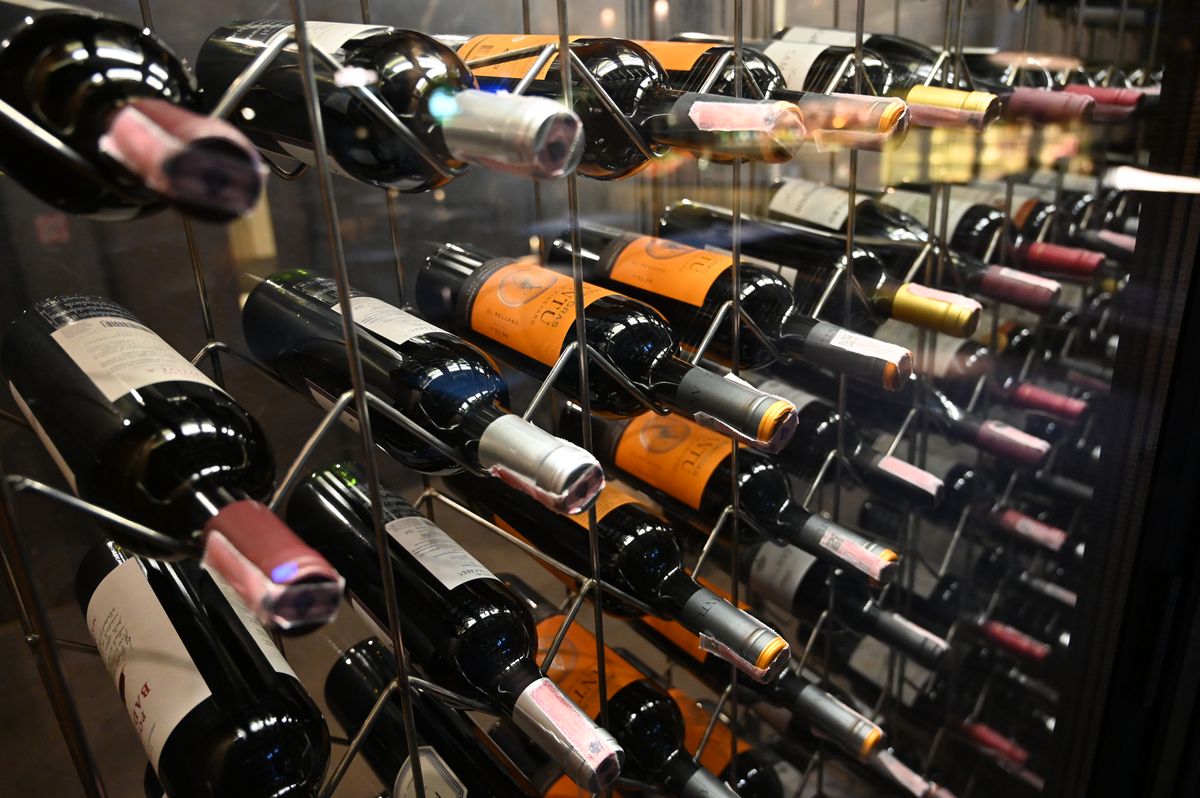
Wine Cellar Monitoring Sensors: 2026 Guide
Key takeaways
- The target is roughly 55°F and 60–70% relative humidity, but stability matters more than exact numbers — rapid swings age wine prematurely.
- Start with two sensors at minimum: one in the warmest racking zone at bottle height and one near the cooling unit's airflow, to see the full range.
- Build alerts with escalation — text first, then email, then a second contact — and test them before trusting the collection to the system.
- Probe-style sensors beat ambient-only readings in cellars; verify the sensor against a calibrated reference before relying on its numbers.
- Total monitoring cost is typically $100–$600 for serious DIY setups; size the investment to the collection's value, not the room size.
A wine cellar fails silently. The cooling unit drifts, a door seal wears, humidity drops through winter — and the first sign is a case of cooked bottles you were saving for a decade. A $60 wine cellar temperature humidity monitor with a working alert chain is the cheapest insurance a serious collector can buy, yet most cellars still run on blind trust in equipment that was sized and installed years ago.
This guide covers what to monitor (temperature and humidity, plus the secondary factors that matter), which sensor hardware actually works inside concrete and below-grade cellars, where to place sensors so readings are honest, how to design alerts that wake someone up instead of getting filtered to spam, how monitoring ties into your cooling unit and smart home, and what all of it costs in 2026. It assumes you already have — or are planning — a real cellar with active cooling, not a wine fridge under the stairs.
Why cellars fail, and why sensors are the backstop
Every failure mode of a wine cellar is invisible until it is expensive. Refrigeration units lose refrigerant slowly and run longer to compensate; by the time the cellar feels warm, temperatures may have been elevated for weeks. Condensate drains clog and humidity creeps. Door seals on cellar doors compress with age and leak conditioned air every time the HVAC cycles. None of these announce themselves — there is no smoke, no alarm, no puddle in most cases.
Collectors sometimes assume the cooling unit’s own display is monitoring enough. It is not. The display shows what the unit thinks the room near its sensor is doing, not what the bottles in the far corner are experiencing. A dedicated monitoring layer answers a different question: what conditions are the bottles actually living in, right now, and has anything changed since yesterday? That independence from the cooling equipment is exactly the point — when the cooling unit is the thing failing, you cannot ask it to report its own failure.
Size the seriousness to the collection. A drinking cellar holding a few thousand dollars of wine does not need the same apparatus as a five-figure investment collection, but both benefit from at least one reliable sensor with alerts. The rule of thumb used by cellar professionals: if you would be upset to lose any single bottle to heat damage, you need monitoring.
Kasa Smart Plug with Energy Monitoring (EP25 4-Pack)

Automates scheduling and tracks electricity draw on individual plugs
*Affiliate Disclosure: As an Amazon Associate, Elevate Home earns from qualifying purchases. Pricing and availability subject to change.
The targets: temperature, humidity, and the secondary factors
The long-standing consensus for aging wine is approximately 55°F (about 13°C) with relative humidity in the 60–70% range. Stability matters more than the exact figure — a cellar that holds a steady 58°F year-round treats wine better than one that oscillates between 52°F and 62°F with the seasons. Rapid swings accelerate chemical reactions in the bottle and can push corks outward; slow drift is tolerable.
Humidity deserves as much attention as temperature because its failure mode is slower and sneakier. Below about 50% sustained humidity, corks can dry and shrink, breaking the seal that protects the wine. Above roughly 80%, you invite mold on labels and corks and corrosion on capsule tops. Neither extreme ruins a bottle overnight — that is precisely why monitoring matters. Months of low humidity quietly degrade seals long before anyone notices.
Two secondary factors are worth knowing about, though neither needs its own sensor. Light — especially UV — damages wine, so cellar lighting should be on timers or motion and never left blazing. Vibration from nearby mechanical equipment or construction can disturb sediment and, in theory, accelerate aging; it is a placement consideration for the cellar itself rather than a monitoring problem. Temperature and humidity sensors cover the failures that actually happen.
Sensor hardware: choosing a wine cellar temperature humidity monitor
Cellars are hostile environments for wireless signals — concrete walls, below-grade rooms, and steel racking attenuate WiFi and Bluetooth badly. Choose the signal path before the sensor brand. Bluetooth-only sensors are fine only if a gateway or phone stays within range, which is rarely true in a cellar. WiFi sensors work if the cellar has reliable coverage, which many do not. The robust answers are dedicated gateways that bridge Bluetooth sensors to your network over a wired or stronger wireless link, or long-range radios such as Z-Wave and LoRa that punch through concrete far better than WiFi.
Within those constraints, three tiers dominate in 2026. Entry-level consumer sensors (roughly $50–$100 per sensor) from brands like SensorPush, Govee, and SwitchBot measure temperature and humidity, log history to an app, and send alerts through a phone app or a dedicated gateway. Mid-tier options add external probes — a thin cable places the sensing element inside a bottle-level zone or even inside a water-filled “simulated bottle” so readings reflect wine temperature rather than air temperature, which lags and smooths the way real bottles do. Professional and service-based monitoring (several hundred dollars in hardware plus optional annual service fees) adds cellular backup, redundant sensors, and human escalation: if you are traveling and the cellar goes warm, a person calls you.
Accuracy specifications matter less than consistency, but they are worth checking: look for ±0.5°F and ±3% RH or better. The more important discipline is calibration — verify any new sensor against a known reference (a calibrated handheld meter, or a simple ice-water check for temperature) before trusting it. A sensor that reads 2°F high forever is worse than useless; it is a false confidence machine.
Placement: where readings tell the truth
Sensor placement is the difference between data and decoration. Air stratifies: the warmest air in a cellar sits high and near the door; the coolest pools low and near the cooling unit’s discharge. A single sensor stuck next to the cooling unit will report beautiful numbers while the top shelf near the door quietly bakes.
The minimum viable layout is two sensors. Place the first at bottle height in the warmest zone — typically the upper racks farthest from the cooling unit or nearest the door — because that reading is your worst case, and the worst case is what damages wine. Place the second near the cooling unit’s airflow to confirm the equipment is actually delivering cold air. In large or L-shaped cellars, add a third sensor in the zone holding your most valuable bottles. Avoid mounting sensors directly in the cooling unit’s discharge stream (you will read the unit, not the room), on exterior walls with poor insulation, or inside enclosed display cases that do not represent the main cellar.
Height matters: bottle height, not ceiling height. A sensor on the ceiling of a cellar with high racking measures air your wine never touches. And keep sensors away from lighting fixtures, which radiate heat directly onto anything nearby and corrupt readings.
Alerts that actually save wine
A sensor without a working alert is a weather station for a room nobody visits. Design the alert chain with escalation in mind. The first alert should go to the person who can act — usually the homeowner — via push notification and text message, since push alone gets buried. Set thresholds with hysteresis: alert when temperature exceeds 60°F and do not clear until it falls below 58°F, so a reading hovering at the boundary does not spam forty notifications.
Then add the part most people skip: a second contact and a stale-data alarm. If the homeowner is on a two-week trip, alerts need somewhere else to go — a spouse, a cellar maintenance company, a trusted neighbor with a key. And configure an alert for the sensor going silent: if no reading arrives for a few hours, treat that as an emergency, because a dead sensor and a dead cooling unit look identical from the outside, and the sensor is the thing that would tell you which one it is.
Test the entire chain before trusting it. Trigger a threshold deliberately — warm the sensor in your hand, watch the alert fire, confirm every recipient receives it. An untested alert system is a wish, not a plan. Re-test annually and after any network changes.
Tying monitoring to cooling and the smart home
Most dedicated cellar cooling units (WhisperKOOL, CellarCool, Breezaire, and similar lines) include some form of alarm output or optional WiFi monitoring module. At minimum, wire or configure the cooling unit’s own fault alarm as a separate alert path from your independent sensors — the two systems cross-check each other. If the independent sensor says the cellar is warm and the cooling unit claims everything is fine, you know which one to investigate first.
Deeper integration is possible but should be layered carefully. Home automation platforms like Control4, Savant, or Home Assistant can ingest sensor data and build dashboards, historical graphs, and conditional logic — for example, flashing hallway lighting if the cellar exceeds 62°F, or automatically escalating to the cellar service company after an hour with no acknowledgment. That is genuinely useful in a large home where the cellar is out of sight. What automation should not do is control the cooling unit’s core operation — let the unit’s own thermostat run the compressor; use automation for alerting, trending, and secondary responses only.
One caution about smart-home bridging: every cloud dependency in the alert path is a failure mode during an internet outage. Local-first architectures (sensors reporting to a local hub that can send alerts through multiple paths, including cellular) are meaningfully more robust for a function whose whole job is catching equipment failure. Ask your integrator how alerts behave with the internet down before you rely on them.
Power outages and redundancy
Monitoring is only as reliable as its power and connectivity. Put the sensor gateway, the network switch it depends on, and ideally the cellar’s internet path on a small UPS — a few hundred volt-amps keeps low-power network gear alive for hours. Some professional monitoring services include cellular backup specifically so alerts survive a broadband outage.
Redundancy thinking extends to the sensors themselves. Two sensors in different zones do not just map the cellar better; they cross-validate. If one sensor reports 70°F and the other reports 55°F, you have a sensor or placement problem. If both climb together, you have a cellar problem. For investment-grade collections, that distinction is worth the price of the second sensor many times over.
Also consider what happens during a multi-day power outage. A well-insulated cellar drifts slowly — often just a few degrees per day — which is reassuring, but only if you can watch it happen. Battery-backed sensors with cellular alerts are the only configuration that keeps reporting through a blackout. If your area loses power for days at a time, this moves from nice-to-have to essential, and it pairs naturally with whole-home battery or generator planning.
2026 cost ranges: what protection costs
Monitoring is one of the cheapest projects in the smart-home world relative to what it protects:
| Component | Typical 2026 range |
|---|---|
| Consumer sensor (temp + humidity, e.g. SensorPush, Govee) | $50–$100 per sensor |
| Dedicated gateway for out-of-range cellars | $80–$150 |
| External probe / simulated-bottle setup | $20–$60 add-on |
| Small UPS for gateway + network gear | $60–$150 |
| Professional monitoring hardware + cellular | $300–$800 hardware, optional annual service |
| Smart-home integration (dashboard, escalation logic) | $500–$2,000 via integrator, if not DIY |
A solid two-sensor setup with a gateway and UPS lands around $250–$500 in 2026 US pricing. Professional monitored service runs higher but includes human escalation — the thing that matters when you are on another continent. Costs are 2026 US market ranges; get itemized local quotes.
Compare any of these figures to the value at risk. A single case of heat-damaged Barolo can exceed the cost of the most elaborate monitoring setup ever proposed. The economics are not close, which is why the absence of monitoring in expensive cellars is one of the hobby’s stranger blind spots.
Next steps: from blind trust to verified storage
Start this weekend: buy two sensors and a gateway appropriate to your cellar’s signal reality, place them at bottle height in the warmest and coldest zones, and run them for a week before changing anything. That week of baseline data often reveals surprises — a warm corner, a humidity dip at night, a cooling cycle that runs far longer than it should.
Then build the alert chain: thresholds with hysteresis, two contacts minimum, stale-data alarms, and a deliberate test of the whole path. If the collection justifies it, get quotes for professional monitoring with cellular backup and human escalation — and if the cellar itself needs cooling work, that baseline data makes the conversation with your cellar contractor dramatically more productive. Verified storage is not a luxury add-on to a wine cellar. It is what makes the cellar a cellar instead of a nicely decorated room full of hope.
Frequently asked questions
What temperature and humidity should my wine cellar hold?
Most wine-storage authorities cite roughly 55°F (about 13°C) with 60–70% relative humidity as the long-term target, with stability mattering more than the exact number. Small, slow seasonal drift is normal; rapid swings of several degrees within a day are what age wine prematurely. If you keep investment bottles, aim for the target and hold it — storage is about removing variability, not chasing perfection.
How many sensors do I need in a wine cellar?
Start with two: one at bottle height in the warmest zone of the cellar and one near the cooling unit's airflow, so you see the full range. Add a third in the most valuable racking zone if the collection is large or the cellar is split across rooms. More sensors are cheap insurance against discovering a dead zone months too late.
My cellar has no WiFi signal. What are my options?
A dedicated cellular gateway (SensorPush G1-style) is the most common answer, since cellars are often concrete or below grade with poor WiFi. LoRa-based systems from vendors like SensorStrips or professional monitoring services offer even longer range. The rule: never rely on a signal path you haven't tested for a week before trusting it with the collection.
Can I integrate monitoring with my cooling unit or smart home?
Many modern cellar cooling units offer dry-contact alarm outputs, WiFi modules, or integration with platforms like Control4 or Home Assistant. You can tie a sensor's high-temperature alert to a notification chain and, in more advanced setups, to an automated check of the cooling unit's status. Start simple — reliable alerts first, integration second.
Is professional monitoring overkill, or worth it for a serious collection?
For a drinking cellar worth a few thousand dollars, a single $50–$100 sensor is enough. For a five-figure or larger collection, the math flips: professional monitoring, redundant sensors, and a backup alert path cost a few hundred dollars total. Size the monitoring investment to the collection's value, not to the cellar's square footage.
Can I just use a cheap indoor thermometer instead of a dedicated sensor?
For casual curiosity, yes — but not for protection. Cheap thermometers lack logging, so you can't see trends; lack alerts, so a failure at 2 a.m. goes unnoticed; and are often inaccurate by several degrees. A proper sensor's value isn't the display — it's the history and the alert that reaches you when something changes.
Keep reading
Luxury Details
Digital Shower Systems Guide: 2026
Digital shower system Kohler DTV+ vs Moen U guide 2026: installation requirements, costs ($4k–$15k+), and whet…

Luxury Details
Hidden & Mirror TVs: 2026 Guide
Mirror TV hidden TV guide: mirror TV costs, artwork TVs, TV lift mechanisms, picture trade-offs, and 2026 room…

Luxury Details
Smart Fireplace Control Guide: 2026
Smart fireplace control guide for 2026: safe relay options for gas fireplaces, auto-off interlocks, voice cont…
Outdoor Smart
Smart Pergola & Louver Control: 2026
A 2026 guide to motorized pergola control smart home integration: rain and wind sensors, louver wiring, costs …

Transfer Equipment
100A vs 200A Automatic Transfer Switch
100 amp vs 200 amp transfer switch: service-entrance vs subpanel topology, when each is required, costs, and l…

Pillar 01 · Energy Resilience
10kWh vs 13.5kWh vs 20kWh Home Battery: Which Size Is Right? (2026)
10kWh vs 13.5kWh vs 20kWh home battery compared: usable capacity, backup runtime, solar pairing, and which tie…