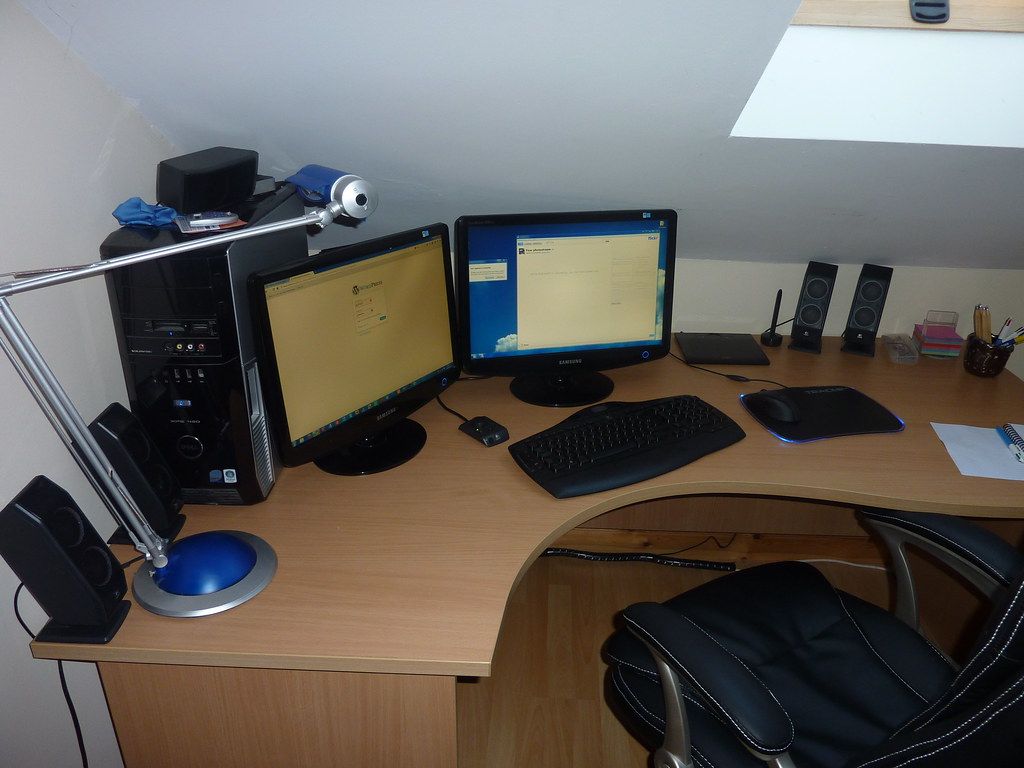
Accessible Home Office Design: Aging in Place
Key takeaways
- Set ergonomics by measurement — elbow height for the desk, eye height for the monitor, feet-flat for the chair — and lower the screen for progressive-lens wearers to avoid the chin-up neck trap.
- Buy a sit-stand desk only with an electric frame, memory presets, and adequate capacity ($600–$1,500); add an anti-fatigue mat and expect 15–30 minutes of standing per hour.
- Layer lighting for aging eyes: even ambient, high-CRI task lamp, controlled daylight — and always light your face from the front on video calls.
- Treat room acoustics before buying gear: rug, curtains, bookshelves, panels, and a door that closes; then add a quality mic — audio matters more than camera.
- Wire the desk with Ethernet, add receptacles via a licensed electrician, and keep a small UPS ($100–$250) so short outages don't drop you mid-presentation.
The home office you set up in a weekend in 2020 was designed for a younger body than the one sitting in it now. Accessible home office design for seniors is not about medical equipment in the corner — it is about an office that fits a 55-plus professional the way a good suit fits: desk height that meets your elbows, light that meets aging eyes, acoustics that flatter a video call, and a sit-stand setup that still works when knees and backs have opinions. The professionals who thrive working from home into their sixties and seventies do not have more discipline. They have better rooms.
This guide covers the five systems of an accessible home office — ergonomics and desk setup, lighting for aging eyes, acoustic comfort, the video-call backdrop, and sit-stand that works long term — plus layout, power, and connectivity details, and 2026 cost ranges. Every cost figure is a 2026 US market range — get itemized local quotes before you commit.
Accessible home office design for seniors: ergonomics first
Ergonomics is not a chair purchase; it is a geometry problem with four numbers. Your elbows should rest at roughly 90 degrees with shoulders relaxed — which sets desk height, typically 28 to 30 inches for most adults but personal to your torso. Your eyes should meet the top third of the monitor at arm’s length — which sets monitor height and distance. Your feet should rest flat with thighs roughly parallel to the floor — which sets chair height and whether you need a footrest. And your wrists should float straight, not bent up or down — which sets keyboard position.
For aging bodies, two of these matter more than the marketing suggests. First, the chair: look for adjustable lumbar support, a seat pan that does not press behind the knees, armrests that actually reach desk height, and — underrated — a chair that is easy to get out of. Seat height adjustability with a simple lever, a stable five-star base, and a bit of seat tilt make standing up dignified rather than athletic. Expect to spend $400–$1,200 for a chair worth sitting in eight hours a day; this is not the line item to economize.
Second, monitor size and position. Aging eyes benefit enormously from a larger display — 27 inches minimum, 32 or ultrawide for document-heavy work — mounted on an arm so height, distance, and tilt adjust in seconds. Text scaling in the operating system (125–150%) does more for comfort than squinting at a dense 4K desktop; set it on day one. Bifocal and progressive-lens wearers should know the classic trap: a monitor placed too high forces the chin up to find the reading zone. Lower the screen so the reading portion of the lens meets it naturally — your neck will thank you by Thursday.
Moen Home Care 24-Inch Stainless Steel Concealed Screw Grab Bar (8724)

Supports up to 500 lbs with SecureMount anchoring in showers and tubs
*Affiliate Disclosure: As an Amazon Associate, Elevate Home earns from qualifying purchases. Pricing and availability subject to change.
Desk heights and the sit-stand question, honestly assessed
Sit-stand desks are genuinely useful — and genuinely oversold. The honest version: alternating between sitting and standing through the day reduces the stiffness and back complaints of long sessions, but only if the transitions are effortless and both positions are ergonomically correct. A sit-stand desk used only in sitting mode is an expensive fixed desk; one with a wobbly frame at standing height is worse than none.
What to buy: an electric frame with memory presets (one button to your sitting height, one to standing — if it takes thirty seconds of holding a button, you will stop switching), a lifting capacity that covers monitors plus arms plus everything on the desk, and a top deep enough (28–30 inches) that the monitor sits at proper distance in both positions. Anti-collision sensors matter in a home office with pets, grandchildren, or a chair tucked underneath. Quality electric frames with tops run $600–$1,500 in 2026; the frame is the part that must not fail, so buy the frame from a reputable maker and the top can be simpler.
For standing to work long term, add the accessories that make it sustainable: an anti-fatigue mat (thicker and denser than the kitchen kind), supportive footwear or a foot rail to shift weight, and realistic expectations — most people settle at 15–30 minutes of standing per hour, not hours on end. A perching stool or drafting-height chair gives a third position between sitting and standing, which is where many older professionals actually land. And keep a conventional chair in the room: some days the body votes for sitting, and the office should honor that without guilt.
Lighting for aging eyes: the most underrated upgrade
Vision changes are the quiet tax on working from home after 55: the lens yellows, contrast sensitivity drops, and the eye needs more light — often twice as much as at 30 — to do the same work comfortably. The typical home office, lit by a single overhead fixture and a window behind the monitor, is an eye-strain machine. Fixing light is the highest-comfort-per-dollar upgrade in this guide.
The accessible lighting formula has three layers. Ambient: even, glare-free general light — ceiling fixtures with diffusers, or indirect light bounced off walls and ceiling, at a warm-to-neutral temperature. Avoid a single bright downlight over the desk; it creates harsh shadows and screen glare. Task: an adjustable desk lamp with a high color-rendering index (CRI 90+) positioned to the side of the dominant hand, washing the work surface without reflecting in the screen. For reading paper documents — still a reality in finance, law, and medicine — task light is non-negotiable. Natural: daylight is excellent light, but control it: position the desk perpendicular to windows (never with a window directly behind you on video calls, never facing into glare), and add adjustable blinds or sheer shades so brightness stays manageable through the day.
For video calls specifically, the rule is light the face, not the background: a soft light source in front of you, at or slightly above eye level — a window in front, a ring or panel light, or simply the task lamp redirected. Backlit faces (window behind) turn you into a silhouette; overhead-only light carves shadows under the eyes. People over 55 are judged on video by presence and clarity — good lighting is career equipment, not vanity.
Acoustic comfort: the room should sound like an office, not an echo
Hard home-office surfaces — bare walls, wood floors, big windows — create the echo-chamber effect every video participant recognizes: the hollow, distant sound that reads as unprofessional and forces you to repeat yourself. Acoustic treatment is invisible on camera and transformative on calls.
The practical treatment plan: a rug under the desk area (which also warms the room visually), curtains or shades on windows, bookshelves with actual books along one wall (the single best-looking acoustic treatment ever invented), and upholstered furniture where it fits. For persistent echo, fabric acoustic panels — now available in designs that read as art — on the wall behind or beside the desk tame reflections. A door that closes, ideally solid-core, separates work sound from household sound in both directions; it is also the boundary that tells the household you are at work.
On the equipment side, a decent USB microphone or a headset with a good mic matters more than camera upgrades — audio quality determines how competent you sound. Noise-reducing software handles the dishwasher and the leaf blower; it cannot fix a room that echoes. Treat the room first, then buy the mic.
The video-call backdrop: presence by design
Your backdrop is your professional headshot, broadcast forty hours a week. The accessible version accounts for reality: you may take calls standing, sitting, or perching, so the backdrop must work at multiple camera heights. Keep the camera at eye level in every position — a monitor arm, a laptop stand, or a small adjustable tripod — because the chin-up laptop angle is unflattering at every age and worse with time.
Design the backdrop deliberately: bookshelves, art, or a clean architectural wall — something with depth and personality but not clutter. Avoid the window-behind-you silhouette, the open door with household traffic, and the blank wall that reads as a holding cell. Plants, warm wood, and soft lighting photograph well and signal established competence. If the room must multitask (guest room, gym corner), a folding screen or curtain track creates an instant professional background that vanishes after hours.
Accessibility details that read as polish: a large-print clock visible without turning, good task lighting for reading notes on camera, and a setup where water, reading glasses, and documents are within reach without leaving frame. The goal is a broadcast position where you never have to scramble — calm on camera is a competitive advantage.
Layout, power, and connectivity: the infrastructure
Place the desk to face the door or the room — the command position — rather than facing a wall with your back to the entrance; it reduces the startle reflex and looks better on camera. Allow 36 inches of clear passage behind the chair for easy entry and exit, and keep the floor route to the door free of cables and clutter — a trip in the office counts the same as one anywhere else.
Power is a project, not an afterthought: a sit-stand desk, two monitors, a lamp, chargers, and a printer want more outlets than a bedroom wall provides. Have a licensed electrician add a dedicated circuit or at minimum additional receptacles where the desk lives — daisy-chained power strips under a height-adjustable desk are a fire and trip hazard. Cable management (a tray under the desk, sleeves on the moving cables) keeps the sit-stand mechanism from eating cords.
Connectivity: wire the desk with Ethernet if at all possible — video calls on Wi-Fi through two walls are the number-one source of “can you hear me?” A mesh node or access point in or near the office is the fallback. And plan backup power honestly: a small UPS ($100–$250) keeps the modem, router, and laptop alive through short outages so a flicker does not drop you mid-presentation; whole-home battery backup is the larger answer for outage-prone regions.
Comfort details that compound: air, movement, and the long day
The accessible office accounts for the whole working day, not just the seated hour. Temperature control matters more with age — a room that runs warm causes drowsiness, one that runs cold stiffens joints. A dedicated thermostat zone, a quiet space heater or fan, and control over the vent beat suffering through the house’s compromise setting.
Build movement into the room: space to stand and stretch without rearranging furniture, a walking pad under the sit-stand desk for those who want one (with the honest caveat that typing quality drops while walking — use it for calls and reading), and the printer or files placed to require standing and walking a few steps. Hydration within reach, a real lunch break away from the desk, and a door that closes at day’s end — the office should support the workday’s rhythm, not just its posture.
Finally, design for the eyes’ future, not just their present: high-contrast, large-text defaults; a second pair of readers at the desk; screen settings (dark mode, reduced glare, blue-light filtering in the evening) configured once and left alone. Small frictions, removed permanently, are what make a room feel designed for you rather than merely occupied by you.
2026 cost ranges
| Work item | Typical 2026 range |
|---|---|
| Quality ergonomic chair | $400–$1,200 |
| Electric sit-stand desk (frame + top) | $600–$1,500 |
| 27–32″ monitor + arm | $350–$900 |
| Layered lighting (task lamp + ambient upgrades) | $200–$800 |
| Acoustic treatment (rug, panels, curtains) | $300–$1,500 |
| Electrical: added circuit/receptacles (licensed) | $400–$1,500 |
| Mic/headset + webcam + UPS | $250–$700 |
| Complete accessible office setup | $2,500–$7,000+ |
Costs are 2026 US market ranges; get itemized local quotes.
Spend in this order if the budget is phased: chair, lighting, monitor arm and scaling, then the sit-stand desk, then acoustics and backdrop. The first three change daily comfort immediately; the rest compounds it.
“Nobody works from home for decades on discipline. They do it on rooms that fit — light that meets their eyes, a chair that meets their back, and a door that closes.”
Next steps: getting quotes
Start with measurements: your seated elbow height, eye height, and the room’s dimensions — bring them to every purchase. Test chairs in person where possible; backs are personal. For electrical work (added circuits, receptacles), get two to three itemized quotes from licensed electricians with permits where required. Phase the build if needed — chair, light, and monitor first — and live with each layer before adding the next. Costs are 2026 US market ranges; get itemized local quotes.
Frequently asked questions
What are the right desk and monitor heights for a comfortable setup?
Measure, don't guess: seated elbow height sets desk height (typically 28–30 inches), eye height sets monitor position (top third of screen at eye level, arm's length away), and feet-flat/thighs-parallel sets chair height. Progressive-lens wearers should lower the monitor so the reading zone meets it naturally — the classic neck-pain trap is a screen placed too high.
Is a sit-stand desk worth it after 55?
They're genuinely useful if transitions are effortless — electric frame, memory presets, one-button switching — and both positions are set up correctly. They're oversold if bought as expensive fixed desks. Budget $600–$1,500 for a quality electric frame and top, add an anti-fatigue mat, and expect 15–30 minutes of standing per hour, not hours.
How should I light a home office for aging eyes?
Aging eyes often need roughly twice the light of younger eyes, so layer it: even glare-free ambient light, an adjustable high-CRI task lamp to the side, and controlled daylight (desk perpendicular to windows, adjustable blinds). For video calls, light your face from the front — never sit with a window directly behind you.
How do I fix echo and bad sound on video calls?
Treat the room before buying gear: rug under the desk, curtains or shades, bookshelves with books, and fabric acoustic panels where echo persists. A solid-core door that closes separates work sound from household sound. Then add a decent USB mic or headset — audio quality matters more than camera upgrades.
What backup power does a home office need?
A UPS ($100–$250) keeps modem, router, and laptop alive through short outages so a flicker doesn't drop you mid-call. For longer or frequent outages, whole-home battery backup is the larger answer. Either way, wire the desk with Ethernet if possible — Wi-Fi through walls is the top cause of dropped calls.
How often should I reassess my home office ergonomics?
Do a quick check annually and after any change — new chair, new monitor, surgery, or a new ache that wasn’t there before. Bodies change gradually, and a setup that was perfect two years ago drifts out of fit silently. Fifteen minutes with a tape measure (elbow height, eye height, reach distances) once a year prevents the slow accumulation of strain that becomes chronic pain.
Keep reading
Battery Use Cases
What Can a Home Battery Power? Sizing by Load — Office, Medical, Pool, Sump, Well Pump & More (2026)
What can a home battery power? Running vs. surge watts and kWh math for office, medical, pool, sump, well pump…
Safety Guide
Aging in Place Lighting: A Complete Safety & Design Guide
Lighting is the most overlooked aging-in-place upgrade. Learn layered lighting design, glare control, motion s…
Senior Tech
Smart Home Tech for Seniors: 2026 Guide
Smart home technology for seniors, honestly assessed: what aging parents actually use, what gets abandoned, 20…
Room Guides
Accessible Closet Design Guide: 2026
Accessible closet design guide for 2026: reach-in conversions, pull-down rods, closet lighting, drawer systems…
Interactive Tool
Aging in Place Renovation Cost Estimator 2026 Guide
Budget your aging-in-place renovation with our interactive estimator. Price accessible bathrooms, kitchens, el…

Transfer Equipment
100A vs 200A Automatic Transfer Switch
100 amp vs 200 amp transfer switch: service-entrance vs subpanel topology, when each is required, costs, and l…