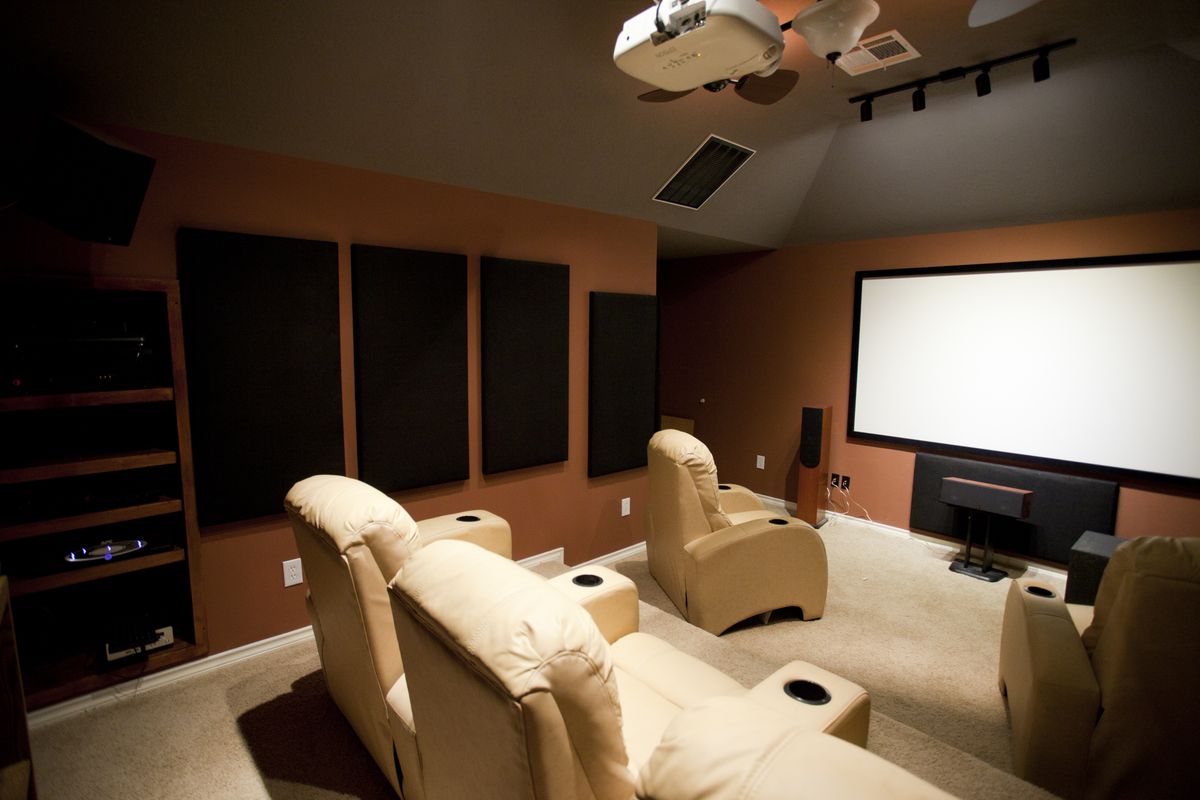
Ambient Light Rejecting Screens: 2026 Guide
Key takeaways
- ALR screens use microscopic optical structures to accept the projector's light while rejecting ambient light from windows and lamps — but the geometry must match your projector type.
- UST projectors need UST-specific ALR screens; standard-throw projectors need standard-throw ALR — mismatching produces a dim, uneven image.
- The core trade-off is gain vs. viewing angle: stronger ambient rejection narrows the cone of good viewing, punishing wide seating arrangements.
- Fixed-frame ALR runs roughly $800–$2,500; motorized tab-tensioned ALR $1,500–$4,000 (2026 US ranges) — the screen can cost as much as a mid-tier projector.
- ALR can't beat direct sunlight or replace light control; in a fully dark room, matte white is brighter, cheaper, and wider-viewing.
The projector’s oldest enemy is not a better projector — it is the sun. A standard matte-white screen reflects everything equally: the projector’s light, the lamp’s glow, the window’s spill. In a bright room, the image washes out long before the projector runs out of lumens. An ambient light rejecting screen attacks the problem at the optical level, and ALR technology has quietly become what makes living-room projection viable in 2026.
This guide explains how ALR screens work, the real trade-offs (gain vs. viewing angle, UST vs. standard-throw designs), what they cost in 2026, and — most importantly — when an ALR screen saves a bright-room projector setup and when your money is better spent on blackout shades or a big TV.
How ALR screens work: rejecting light by angle
A matte-white screen is a democratic reflector: light arriving from any direction bounces back toward the viewer equally. An ALR screen is a selective one. Its surface is engineered — through microscopic lenticular ridges, sawtooth structures, or multi-layer optical filters — to accept light arriving from the projector’s specific direction and reject light arriving from other angles (windows, lamps, ceiling fixtures).
The most effective designs are angular: they know where the projector sits. A standard ceiling-mounted projector throws light downward at a steep angle; an ALR screen for standard throw is built with that geometry in mind. Ultra-short-throw (UST) projectors sit inches below the screen and throw light upward at an extreme angle; UST-specific ALR screens use a sawtooth structure that accepts that upward light while rejecting everything from above and the sides. Mismatching the ALR type to your projector’s throw produces a dim, uneven image — this is the single most common ALR buying mistake.
Kasa Smart Plug with Energy Monitoring (EP25 4-Pack)

Automates scheduling and tracks electricity draw on individual plugs
*Affiliate Disclosure: As an Amazon Associate, Elevate Home earns from qualifying purchases. Pricing and availability subject to change.
Gain vs. viewing angle: the core trade-off
Screen gain measures how much brighter the image appears compared to a matte-white reference (gain 1.0). ALR screens typically range from about 0.5 to 1.2 gain, and the number tells a story:
- Lower gain (0.5–0.8): deeper blacks and stronger ambient rejection, but a dimmer image that demands a bright projector. Best for rooms with meaningful ambient light and a high-lumen laser projector.
- Higher gain (0.9–1.2): brighter image, weaker rejection. Best for rooms with modest light where you want punch without sacrificing too much brightness.
The trade-off is viewing angle. The same optical structures that reject ambient light narrow the cone of good viewing — sit too far off-axis and the image dims or color-shifts. Budget ALR materials can drop to usable viewing cones of 60–80 degrees total; premium materials hold 120+ degrees. In a wide seating arrangement, a narrow-cone ALR screen punishes the side seats. Always check the manufacturer’s stated viewing angle against your actual seating layout, not just the gain number.
UST vs. standard-throw ALR: buying the right geometry
These are different products that happen to share a name. UST ALR screens (often sold bundled with UST “laser TVs”) use a lenticular sawtooth surface tuned for light arriving from directly below. They are the most dramatic ALR performers — a UST projector with a proper ALR screen can look shockingly good with the lights on — but they work only with UST projectors.
Standard-throw ALR screens (for ceiling-mounted projectors) reject light from above and the sides while accepting the downward-angled projection beam. They help meaningfully in rooms with some ambient light but cannot perform miracles in direct sunlight — a window throwing sun directly onto the screen defeats any ALR material.
There is also a third category worth knowing: grey high-contrast screens, which are not true ALR but use a grey base to deepen blacks. They are cheaper ($300–$800) and have wide viewing angles, making them a reasonable middle ground for rooms with only mild light issues.
What ALR screens cost in 2026
ALR is a premium screen category, and the pricing reflects it:
- Fixed-frame ALR (100–120”): roughly $800–$2,500 depending on brand and material. The best value in the category — fixed screens have no motors or tensioning to pay for.
- Motorized ALR (100–120”): roughly $1,500–$4,000. Tab-tensioned models (which keep the surface flat) command the upper end.
- UST ALR, often bundled with the projector: frequently included in $3,500–$6,000 UST “laser TV” packages; standalone 100–120-inch UST ALR screens run roughly $1,000–$3,000.
- Floor-rising UST ALR: roughly $1,500–$3,500, popular for living rooms where nothing can mount on the wall or ceiling.
Costs are 2026 US market ranges; get itemized local quotes. Note the pattern: the screen can cost as much as a mid-tier projector. That is normal in projection — the screen is half the image — but it surprises first-time buyers who budgeted for the projector alone.
When an ALR screen saves the setup — and when it doesn’t
An ALR screen is the right call when: the room has ambient light you can reduce but not eliminate (evening viewing with lamps on, daytime sports with blinds drawn); you are committed to projection for size or aesthetic reasons; and your projector is bright enough (2,500+ ANSI lumens) to feed the screen’s lower gain.
An ALR screen is the wrong call when: direct sunlight hits the screen wall (no optical material beats the sun — fix the window first); the room is already fully light-controlled (a matte-white screen is brighter, cheaper, and has a wider viewing angle — ALR would be a downgrade); your seating is very wide relative to the screen (narrow viewing cone punishes side seats); or your projector is dim (below ~2,000 lumens with a 0.6-gain screen is a recipe for a dull image).
The honest alternative many buyers skip: light control is cheaper than ALR. Quality blackout shades for the offending windows often cost less than the ALR premium and improve every display in the room. And if the room truly cannot go dark, a 98-inch TV in 2026 costs about the same as a projector-plus-ALR-screen combo with none of the compromises.
Installation and care: getting what you paid for
ALR materials are fussier than matte white. Mount the screen perfectly level — angular-rejection geometry assumes a flat, square surface, and a tilted screen shifts the rejection angles. For UST setups, projector-to-screen alignment is measured in millimeters: the projector must sit centered and at the exact specified distance, or brightness uniformity suffers. Budget a careful afternoon or a professional install.
Care is simple but strict: dust with a soft dry cloth or a gentle vacuum brush; never use harsh cleaners or scrub, which damages the optical microstructure. Keep the screen away from direct sun when not in use — UV degrades the materials over time. Motorized ALR screens add the usual retractable-screen cautions: let the screen fully extend and settle before critical viewing, and keep the housing’s vents clear.
For UST installations specifically, alignment deserves its own paragraph because it’s where these setups most often disappoint. The projector must sit perfectly centered relative to the screen and at the manufacturer’s specified throw distance — deviations of even half an inch show up as brightness falloff or geometric distortion at the screen edges, and the steep projection angle magnifies every error. Use the projector’s test patterns (most UST models include grid and focus patterns), adjust in small increments, and lock the projector’s position once dialed in — a bumped credenza means starting over. Many dealers offer a professional UST alignment service for a few hundred dollars; for a $5,000+ laser TV setup, it’s money well spent.
Ambient light rejecting screen shopping: what to compare
Screen manufacturers publish a cluster of specs that actually matter once you know how to read them. Gain we covered — but also check half-gain angle (the off-axis angle where brightness drops to half; wider is better for group seating), minimum throw ratio (some ALR materials need the projector at a minimum distance to reject correctly — short-throw projectors too close to the screen can defeat the optics), and material color (grey-based ALR deepens blacks but needs more projector lumens; white-based ALR preserves brightness with slightly less rejection).
The established ALR material makers each have a house character. Screen Innovations’ Black Diamond and Slate lines are the premium reference — strong rejection, wide-ish viewing cones, and prices to match. Elite Screens’ CineGrey series brought ALR to mortal budgets with very respectable performance. Stewart Filmscreen’s Phantom HALR targets the high end with excellent uniformity. For UST, VividStorm and AWOL Vision’s floor-rising ALR screens dominate the living-room laser-TV bundle market. You don’t need to memorize the lineup — but when a dealer recommends a material, asking “what’s the half-gain angle and minimum throw?” signals you can’t be sold the wrong geometry.
Samples are the pro move: most manufacturers sell or provide small material swatches. Tape a few candidates to the wall, run your projector, and view them with the room lights as you’d actually use them. A $20 sample kit prevents a $2,000 mistake, and no spec sheet substitutes for your eyes in your room.
Choosing your ALR screen: a decision checklist
Run through this before buying: (1) Identify your projector type — UST or standard throw — and buy only the matching ALR geometry. (2) Measure your ambient light honestly: can you dim the room, or does sun hit the screen wall directly? (3) Map your seating: are the side seats inside the screen’s viewing cone? (4) Check your projector’s brightness against the screen’s gain — brighter projector, lower gain tolerance. (5) Decide fixed vs. motorized: fixed is cheaper and flatter; motorized disappears when not in use but costs more and needs tab-tensioning at these sizes. (6) Verify the screen size fits your throw distance and viewing geometry before ordering.
Get quotes from two or three screen manufacturers or a local AV dealer, and ask specifically which material they recommend for your projector model and room — reputable dealers will ask about your projector and windows before quoting, which is exactly the diligence you want.
Next steps
Start with the room, not the screen. Spend an evening noting when and where light hits the screen wall — morning sun, evening lamps, the hallway spill. If the answer is “manageable,” an ALR screen in the right geometry transforms what projection can do in your space. If the answer is “direct sun,” budget blackout treatments first and treat the ALR screen as the finishing move, not the rescue plan.
When you are ready, audition a UST-plus-ALR demo at a dealer with the lights up — it is the fastest way to calibrate your expectations. And get itemized quotes that separate screen, mounting, and any projector alignment work, so you can see exactly what the bright-room capability costs. One final tip: buy the screen after you’ve lived with the projector for a week if you can — projecting onto a plain wall first tells you exactly how much ambient rejection you actually need, and some buyers discover their room is darker than they feared.
Frequently asked questions
How does an ambient light rejecting screen actually work?
Its surface uses microscopic optical structures (lenticular ridges or sawtooth layers) that accept light arriving from the projector's direction while rejecting light from other angles — windows, lamps, ceiling fixtures. This preserves contrast and black levels in rooms that can't go fully dark.
Do I need a special ALR screen for an ultra-short-throw projector?
Yes, but only with the matching geometry. UST projectors need UST-specific ALR screens (sawtooth structure for upward-thrown light); ceiling-mounted projectors need standard-throw ALR. Mismatching produces a dim, uneven image. They are different products that share a name.
What does an ALR screen cost?
Fixed-frame ALR screens (100–120 inch) run roughly $800–$2,500; motorized tab-tensioned ALR models run $1,500–$4,000; UST ALR screens run $1,000–$3,000 standalone. Costs are 2026 US market ranges; get itemized local quotes.
Is an ALR screen better than just blacking out the room?
Often, yes — quality blackout shades for the problem windows usually cost less than the ALR premium and improve every display in the room. ALR is best for light you can reduce but not eliminate. Direct sunlight on the screen wall defeats any ALR material.
What are the downsides of ALR screens?
The main trade-off is viewing angle: the optical structures that reject ambient light narrow the cone of good viewing, so side seats can see a dimmer or color-shifted image. Check the stated viewing angle against your actual seating layout, and pair lower-gain screens with brighter projectors.
Should I use an ALR screen in a dedicated dark theater?
In a fully light-controlled room, a matte-white screen is usually the better choice — brighter, cheaper, wider viewing angle. ALR only earns its premium where ambient light is present. In a bat-cave theater, ALR would be a downgrade.
Keep reading
Home Theater
Projector vs 98-Inch TV: 2026 Guide
Projector vs large TV home theater decision in 2026: price collapse, brightness, black levels, gaming specs, a…
Home Theater
Motorized Projector Screens Guide: 2026
Motorized projector screens guide: tab-tensioned vs non-tensioned, mounting styles, materials, control integra…
Entertaining
Backyard Movie Night Setup Guide: 2026
Backyard movie night setup guide for 2026: projector vs outdoor TV, screens, sound, seating, bug control, layo…
Luxury Details
Hidden & Mirror TVs: 2026 Guide
Mirror TV hidden TV guide: mirror TV costs, artwork TVs, TV lift mechanisms, picture trade-offs, and 2026 room…

Transfer Equipment
100A vs 200A Automatic Transfer Switch
100 amp vs 200 amp transfer switch: service-entrance vs subpanel topology, when each is required, costs, and l…

Pillar 01 · Energy Resilience
10kWh vs 13.5kWh vs 20kWh Home Battery: Which Size Is Right? (2026)
10kWh vs 13.5kWh vs 20kWh home battery compared: usable capacity, backup runtime, solar pairing, and which tie…