Motorized Projector Screens Guide: 2026
Key takeaways
- Tab-tensioning is the defining quality choice: non-tensioned screens develop visible waves over time, while tab-tensioned models stay flat — mandatory for UST projectors and screens 110 inches and up.
- A 120-inch tab-tensioned screen runs roughly $800–$2,500 (ALR: $1,500–$4,000) versus $200–$700 non-tensioned — the premium buys lasting image quality.
- Match the screen material to your projector's throw geometry (UST vs. standard) and your room's light: matte white for dark rooms, ALR for ambient light.
- In-ceiling recessed installs disappear completely but need drywall work and an electrician; floor-rising screens are plug-and-play for rentals.
- Use the 12V trigger or platform integration so one command drops the screen, dims lights, and starts the movie — automation is what makes the theater get used.
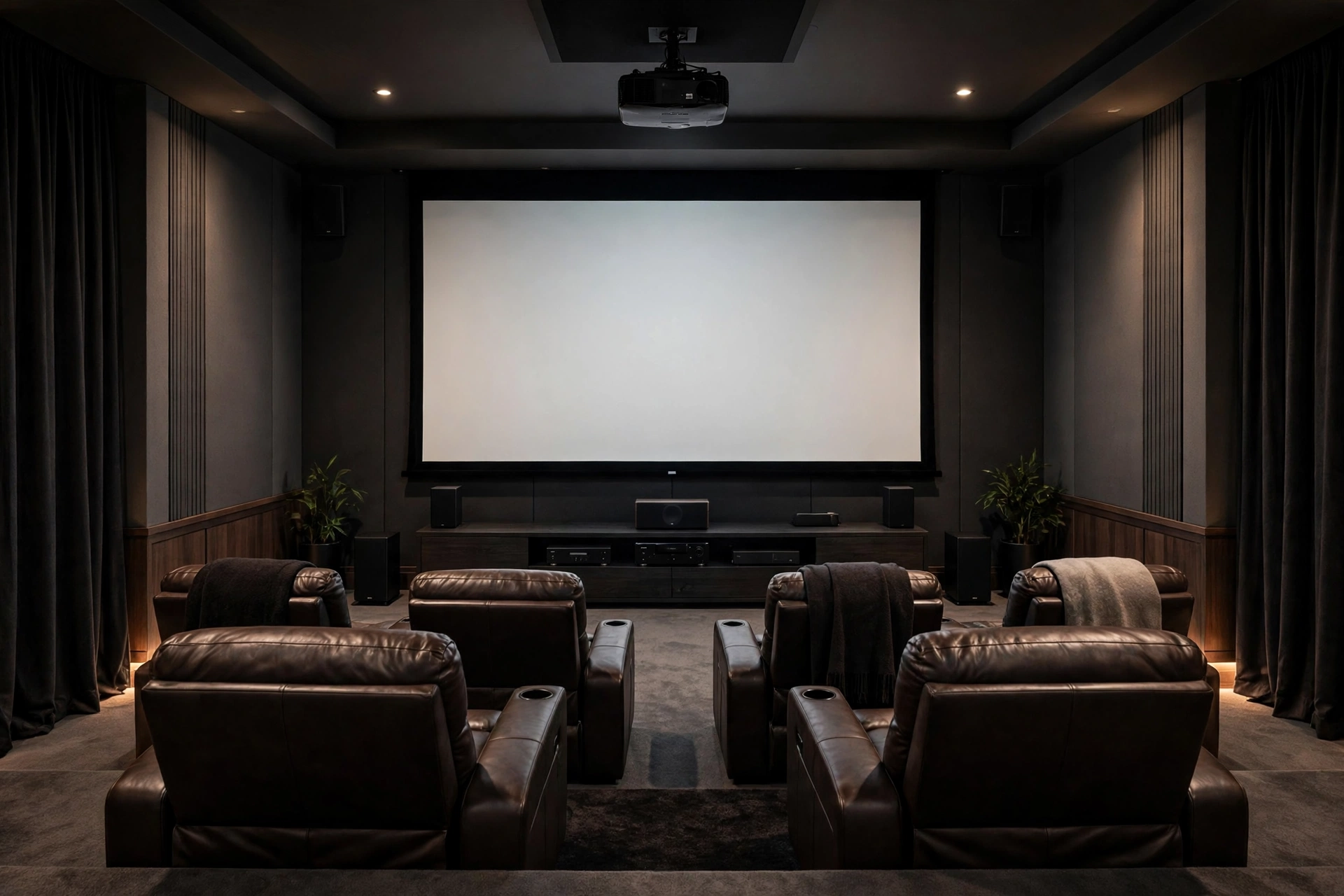
The projector is the star of the home theater, but the screen is half the image — and in a multi-use room, a motorized projector screen is what makes the whole thing livable. Press a button, the screen descends; press it again, the living room is a living room. The motorized projector screen market in 2026 spans $200 pull-downs to $4,000+ tab-tensioned showpieces, and the difference between them is not subtle: it is the difference between a flat, cinema-grade surface and a wavy sheet that distracts you in every panning shot.
This guide covers the decisions that matter: tab-tensioned vs. non-tensioned, drop lengths and mounting styles, screen materials, control integration, and cost vs. fixed screens — so you buy the right disappearing screen the first time.
Why motorized: the multi-use room’s best trick
A motorized screen solves the fundamental tension of the media room: the best place for a 120-inch screen is also where the artwork, the windows, or the TV already lives. Retractable screens let projection coexist with real life — movie nights get the full wall, and every other hour the room looks like a room.
The use cases go beyond living rooms: a screen that drops in front of a fireplace, a UST ALR screen that rises from a credenza, a patio setup that deploys for outdoor movie nights. Anywhere a permanent screen would be visually or physically in the way, motorization earns its premium.
Kasa Smart Plug with Energy Monitoring (EP25 4-Pack)

Automates scheduling and tracks electricity draw on individual plugs
*Affiliate Disclosure: As an Amazon Associate, Elevate Home earns from qualifying purchases. Pricing and availability subject to change.
Tab-tensioned vs. non-tensioned: the decision that defines image quality
This is the single most important choice in motorized screens, and the one most buyers under-research. A non-tensioned (standard) motorized screen is simply fabric on a roller: gravity and a weighted bottom bar hold it down. Over months and years, the fabric relaxes, edges curl, and waves develop — first subtle, then visible in every slow camera pan as shimmering distortion.
A tab-tensioned screen adds tensioning cables along both side edges that pull the fabric taut as it descends, keeping the surface flat like a fixed-frame screen. The mechanism adds real cost — tab-tensioned models typically run 2–4× the price of equivalent non-tensioned screens — but it is the only retractable design that approaches fixed-screen flatness.
The rule of thumb from installers: under 100 inches in a casual viewing space, non-tensioned is acceptable and saves real money. At 110 inches and above, or in any dedicated cinema room, tab-tensioning is the floor — waves that are invisible at 92 inches become visible artifacts at 120. And for ultra-short-throw projectors, tab-tensioning is effectively mandatory: UST’s extreme projection angle magnifies even tiny waves into obvious geometric distortion.
Brand-wise, the tab-tensioned market has clear tiers. Elite Screens’ Starling Tab-Tension series brought tab-tensioning under $1,000 for 100–120-inch matte-white models — the value reference. Step up to Screen Innovations or Stewart Filmscreen and you’re in the $2,000–$4,000+ range with better materials, quieter motors, and ALR options. Draper and Da-Lite dominate the custom-installer channel with made-to-order sizes and in-ceiling recessed tab-tensioned models. Whatever tier you buy, confirm the tensioning system’s adjustability — quality screens let you re-tension the cables after the fabric settles in its first year, which is when most waves appear. A screen you can service is a screen that stays flat for a decade.
| Factor | Non-tensioned motorized | Tab-tensioned motorized |
|---|---|---|
| Surface flatness | Good when new; waves develop over time | Stays flat like a fixed screen |
| Typical 120” cost | Roughly $200–$700 | Roughly $800–$2,500+ (ALR: $1,500–$4,000) |
| Best for | Casual rooms, under 100”, budget builds | Dedicated theaters, 110”+, UST projectors |
| UST compatible | No — waves distort the steep-angle image | Yes — required for watchable UST |
| Longevity of image quality | Degrades as fabric relaxes | Maintains flatness for years |
Mounting styles: ceiling-drop, in-ceiling recessed, and floor-rising
Ceiling-drop (surface mount) is the common choice: the housing mounts to the ceiling or wall, visible as a long case when retracted. Installation is a DIY-friendly weekend project for most models — mount the brackets, hang the case, wire power. The visible housing is the aesthetic compromise; paintable cases and recessed coves hide it partially.
In-ceiling recessed hides the entire housing inside the ceiling void — when retracted, only a slim slot is visible. It is the cleanest look and the most complex install: a drywall cutout, framing, and usually an electrician, best done during construction or a remodel. This is the luxury choice for living rooms where the screen must truly disappear.
Floor-rising screens live in a low case on the floor or inside a credenza and rise at the press of a button. Nearly all use tab-tensioning. They are plug-and-play — no mounting, no electrician — which makes them ideal for rentals and rooms where nothing can attach to walls or ceiling. UST floor-rising ALR screens paired with a laser projector on the credenza are the classic living-room “laser TV” setup.
Drop lengths, sizes, and aspect ratios
Standard motorized screens come in 16:9 from about 92 to 150 inches diagonal, with 100, 110, and 120 inches the sweet spot for most rooms. Drop length — the black fabric above the viewing area — matters when ceilings are high: a 10-foot ceiling with a screen that must hang at seated eye level needs 18–24 inches of extra drop, and not all models offer it. Measure from your ceiling to your ideal screen-center height (roughly 40–44 inches from the floor for the center of the image) before ordering.
Aspect ratio is 16:9 for most buyers (TV, streaming, gaming). Constant-height 2.35:1 cinemascope screens exist for dedicated theaters with anamorphic setups, but they are a specialist purchase — if you have to ask, 16:9 is your answer.
Screen materials: matte white, grey, and ALR
The material decision follows the room. Matte white (gain 1.0–1.3) is the default for light-controlled rooms: bright, accurate, wide viewing angle, and the cheapest. Grey high-contrast screens deepen blacks in rooms with mild ambient light at a small brightness cost. ALR materials — UST-specific or standard-throw — are for rooms with real ambient light, at 2–4× the price and with narrower viewing angles.
Match the material to the projector’s brightness too: a 2,000-lumen projector on a 0.6-gain ALR screen produces a dim image, while a 3,000-lumen laser on the same screen sings. When in doubt, ask the dealer to recommend a material for your specific projector model and room — reputable sellers do this routinely.
Power, wiring, and the electrician question
Every motorized screen needs power at the housing — and “power at the housing” is where installations get interesting. Surface-mount ceiling screens can often plug into a nearby outlet with the cord hidden in wiremold, a perfectly respectable retrofit solution. In-ceiling recessed screens need a hardwired connection in the ceiling void, which means an electrician, a permit in most jurisdictions, and planning before the drywall goes up.
The smart play during any remodel or new build: have the electrician run a switched outlet or hardwire point to every plausible screen location — above the fireplace, on the media wall, in the ceiling slot — even if you haven’t chosen the screen yet. An unused junction box costs almost nothing; fishing power through a finished ceiling later costs hundreds. Low-voltage control wire (for 12V trigger or RS-232) should run alongside the power to the same locations. And put the screen’s circuit on the same electrical phase plan as the projector to avoid ground-loop hum in the audio system — a detail your AV integrator will thank you for.
Control integration: making it disappear on cue
A motorized screen earns its keep through automation. The baseline is the included RF remote. The upgrade path: 12V trigger from the projector or receiver (screen drops when the projector powers on — simple, reliable, and the most underused feature in home theater), dry-contact or RS-232 integration with Control4, Savant, or Lutron, and voice/app control through the smart-home platform.
The scene that sells the room: one “Movie Night” command drops the screen, dims the lights, closes the shades, and powers on the projector and audio. Program it once and the family actually uses the theater instead of defaulting to the bedroom TV. Confirm compatibility between the screen’s control interface and your automation platform before buying — most pro screens offer 12V trigger plus serial/IP control, but budget models may be remote-only.
Motorized vs. fixed screens: the honest cost comparison
A fixed-frame screen of the same size and material costs roughly half to two-thirds of the tab-tensioned motorized equivalent — a 120-inch fixed ALR screen at $800–$2,500 versus $1,500–$4,000 motorized. The fixed screen is also flatter (tensioned permanently on a frame), has a wider material selection, and has nothing to break.
Buy fixed when the room is dedicated to theater and the screen wall is always the screen wall. Buy motorized when the room has another job — living room, bedroom, multi-use space — or when aesthetics demand the screen vanish. Never buy a cheap non-tensioned motorized screen for a dedicated theater to “save money” over fixed: you get the worst of both worlds, a compromised image at a compromised price.
Costs are 2026 US market ranges; get itemized local quotes.
Motorized projector screen reliability, maintenance, and what breaks
Quality motorized screens last a decade or more; the failure points are the motor, the remote receiver, and — on tab-tensioned models — the tensioning cables. Buy from established screen manufacturers (Elite Screens, Draper, Da-Lite, Stewart, Screen Innovations) with real warranties and replaceable parts rather than no-name imports where a dead motor means a dead screen.
Maintenance is minimal: keep the housing’s vents clear, let the screen fully extend and settle for a minute before critical viewing, and clean the surface only with a soft dry cloth — never harsh cleaners. The most common long-term issue with roll-away screens is memory dimples: because the fabric rolls extremely tightly, any dirt or debris on the surface can press permanent dimples into the material. Keep the screen clean and the room dust-managed.
Next steps: specifying your screen
Specify in this order: (1) projector type and throw (UST vs. standard — this locks the material geometry); (2) room light conditions (this locks the material: matte white, grey, or ALR); (3) size from viewing distance and wall space; (4) tensioning (tab-tensioned at 110”+ or for UST, always); (5) mounting style (ceiling-drop, in-ceiling, or floor-rising); (6) drop length for your ceiling height; (7) control interface for your automation platform.
Get itemized quotes from two or three dealers that separate screen, mounting hardware, and installation labor. Ask each what projector and room conditions they are assuming — the dealer who asks about your projector model, throw distance, and windows before quoting is the dealer who will get the material right. And measure your ceiling height twice: drop length is the most commonly misordered spec, and a screen that hangs too high or too low compromises every movie night until it’s fixed.
Frequently asked questions
What is a tab-tensioned projector screen?
Tab-tensioning uses side cables to pull the screen fabric flat as it descends, preventing the waves and edge curl that develop on standard roll-down screens. It typically costs 2–4× more but is the only retractable design approaching fixed-screen flatness — and it's effectively mandatory for ultra-short-throw projectors.
Is tab-tensioning worth the extra cost?
For casual rooms under 100 inches, non-tensioned is acceptable and saves real money. At 110 inches and above, in dedicated theaters, or with any UST projector, tab-tensioning is worth it — waves invisible at 92 inches become obvious artifacts at 120 inches, and UST geometry magnifies every ripple.
What are the mounting options for motorized screens?
Ceiling-drop housings mount visibly under the ceiling (DIY-friendly); in-ceiling recessed hides the housing inside the ceiling void for a clean look but needs drywall work and usually an electrician; floor-rising screens rise from a low case with no mounting at all — ideal for rentals and UST laser-TV setups.
How do motorized screens integrate with smart home systems?
Most pro screens offer a 12V trigger input (drops automatically when the projector powers on), plus dry-contact, RS-232, or IP control for Control4, Savant, or Lutron integration. Budget models may be remote-only — confirm the control interface matches your automation platform before buying.
Motorized vs fixed projector screen: which is better?
A fixed screen of the same size and material costs roughly half to two-thirds of the tab-tensioned motorized equivalent. Fixed is flatter with wider material choice; motorized disappears when not in use. Choose fixed for dedicated theaters, motorized for multi-use rooms.
How long do motorized projector screens last?
Quality screens last a decade-plus. Maintain them by keeping the housing vents clear, letting the screen settle after extending, cleaning only with a soft dry cloth, and keeping the surface dust-free — debris pressed into the tightly rolled fabric causes permanent memory dimples.
Keep reading
Home Theater
Projector vs 98-Inch TV: 2026 Guide
Projector vs large TV home theater decision in 2026: price collapse, brightness, black levels, gaming specs, a…
Home Theater
Ambient Light Rejecting Screens: 2026 Guide
Ambient light rejecting screens explained: how ALR works, gain vs viewing angle, UST vs standard throw, 2026 c…
Home Theater
Dedicated Home Theater Design Guide: 2026
Dedicated home theater room design: room dimensions, screen wall, seating geometry, risers, lighting zones, ac…
Home Theater
Home Theater vs Media Room Cost: 2026
Home theater vs media room cost compared for 2026: what each build includes, where the money goes, and which f…

Transfer Equipment
100A vs 200A Automatic Transfer Switch
100 amp vs 200 amp transfer switch: service-entrance vs subpanel topology, when each is required, costs, and l…

Pillar 01 · Energy Resilience
10kWh vs 13.5kWh vs 20kWh Home Battery: Which Size Is Right? (2026)
10kWh vs 13.5kWh vs 20kWh home battery compared: usable capacity, backup runtime, solar pairing, and which tie…