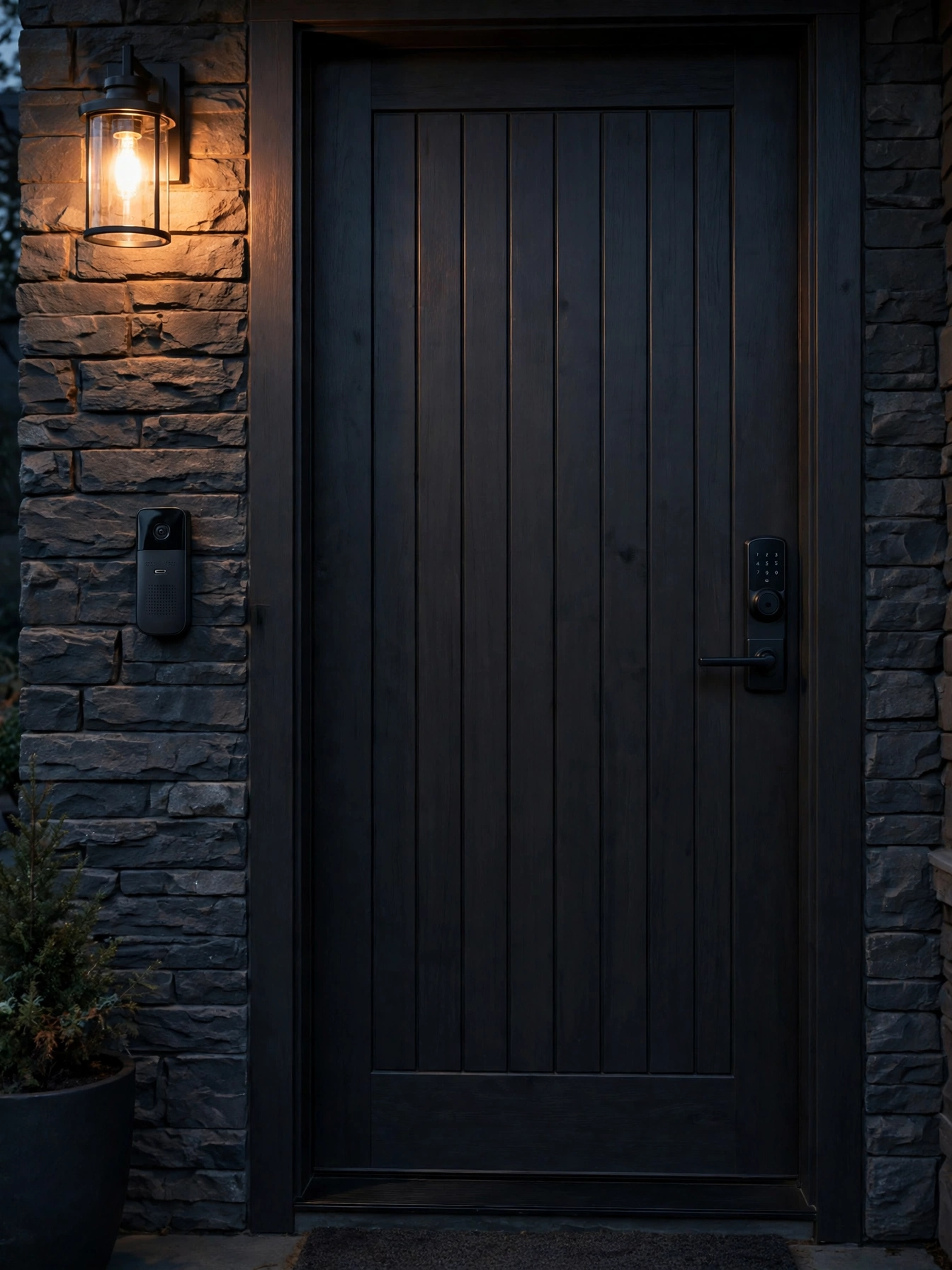
Smart Locks & Doorbells for Seniors: Guide
Key takeaways
- Keypad codes beat keys, apps, and fingerprints for most seniors: no tiny key to fumble, no phone to find, no fingerprint reader confused by dry skin.
- A video doorbell paired with a large indoor display lets a senior see and speak to visitors without rushing to the door — the single biggest daily safety upgrade at the entry.
- Give caregivers their own codes (never share yours): time-restricted codes for aides plus a lock with an activity log means you know who came and when.
- Budget $200–$450 installed per smart lock and $150–$400 for a video doorbell; professional installation is worth it for door fit and strike-plate reinforcement.
- Plan for power and connectivity failures: every smart lock needs a physical key override or battery backup, and the doorbell needs a chime that works when the Wi-Fi doesn't.
The front door is where independence meets vulnerability. For a senior living alone, it’s the daily gauntlet: fumbling for keys with arthritic hands, rushing to answer the doorbell, wondering whether the person knocking is legitimate, worrying about getting locked out — or worse, about who might have a key. Smart locks and video doorbells solve these problems elegantly when chosen well, and create maddening new ones when chosen badly. This guide to smart locks for seniors compares the entry options honestly — keypads versus fingerprint versus voice, video doorbells with displays your parent can actually see — plus package handling and emergency access for caregivers, with 2026 costs.
The design principle for the whole project: the door must work perfectly for the senior with no phone, no app, and no memory of a code they set last year. Everything else — remote locking from your phone, activity logs, temporary codes — is built on top of that foundation, not instead of it. Costs are 2026 US market ranges; get itemized local quotes.
Smart locks for seniors: keypad vs fingerprint vs voice
Three unlocking methods compete, and for senior households the ranking is clear. Keypad codes win for most people: a backlit numeric keypad with large, well-spaced buttons requires no phone, no key, no fine motor skill beyond pressing digits. Choose a code with personal meaning that's hard to guess (not a birth year), and the lock becomes operable in the dark, with gloves, and by any family member who knows the number. Look for keypads with one-touch locking from outside — a single button press to lock, no code needed.
Fingerprint readers are the tempting second choice and the most disappointing in practice. They work beautifully in demos and inconsistently on the hands of 75-year-olds: dry skin, worn prints from decades of manual work, and slight tremors all degrade recognition. When the reader fails three times on a cold evening, the senior is locked out of the “convenient” lock. If you go biometric, it must be a supplement to a keypad, never the only method.
Voice unlocking via a smart speaker sounds futuristic and should be treated as a convenience feature, not a security method — anyone within earshot can hear the command, and most security-conscious setups rightly restrict what voice can do. Useful: “is the front door locked?” (status check). Avoid: unlocking by voice as the primary method.
Whatever method you choose, the lock needs three non-negotiables: a physical key override (batteries die; electronics fail), a low-battery warning that starts weeks — not hours — before failure, and an auto-lock timer so the door is never accidentally left unlocked. Grade 1 or Grade 2 deadbolt ratings (the ANSI/BHMA grading — Grade 1 is the strongest residential rating) are worth specifying; a smart lock on a flimsy deadbolt is decoration.
Moen Home Care 24-Inch Stainless Steel Concealed Screw Grab Bar (8724)

Supports up to 500 lbs with SecureMount anchoring in showers and tubs
*Affiliate Disclosure: As an Amazon Associate, Elevate Home earns from qualifying purchases. Pricing and availability subject to change.
Video doorbells with displays seniors can actually see
A video doorbell's value for a senior isn't the app on your phone — it's the indoor display that lets your parent see who's at the door without getting up, rushing down the hall, or opening to a stranger. The winning setup: a video doorbell at the entry ($100–$250 for the unit) paired with a dedicated indoor chime/display with a large screen ($80–$180), or routed to the smart display already sitting on the kitchen counter.
Two-way talk through the display is the feature that changes behavior: your parent can ask “who is it?” and hear the answer before deciding to get up — or tell a delivery driver to leave the package without opening the door at all. For seniors with hearing loss, look for doorbells with adjustable volume and visual alert options (flashing chime), and pair with a hearing-aid-compatible indoor chime. Confirm the doorbell camera has a wide field of view (150+ degrees) so packages left at the foot of the door are visible, and night vision that actually renders faces rather than white blobs — check sample footage, not spec sheets.
Power and wiring decide reliability. Battery doorbells ($100–$200) install in minutes but need recharging every few months — a maintenance task that falls to someone. Hardwired doorbells ($150–$300 plus $100–$250 for a licensed electrician if new wiring is needed) use the existing doorbell transformer and never need charging; they're the set-and-forget answer when the wiring exists. Either way, keep a traditional audible chime in the loop — when the Wi-Fi drops, the doorbell must still ring.
Packages: the daily delivery problem
Seniors order more deliveries than ever — medications, groceries, household goods — and every package on the porch is a bending, lifting, and security event. Design the entry for it. A video doorbell with package detection alerts your parent (and you) when a delivery lands; a lockable package box or parcel drop ($80–$300) at the entry keeps deliveries out of sight and out of the rain; and a smart lock with a one-time delivery code lets a trusted courier place packages inside a garage or mudroom.
The bending problem deserves its own fix: a raised package shelf or bench at 24–30 inches inside the entry means parcels get set down and picked up at waist height, not floor level. And for medications specifically — high-value, theft-targeted, sometimes requiring signatures — consider requiring signature or hold-at-location for pharmacy deliveries rather than porch drops. Discuss it with the pharmacy; most offer alternatives once asked.
Emergency access for caregivers
This is the section adult children actually need. Professional caregivers, home aides, and family members all need entry — and “everyone knows the code” is how security dies. The system: the senior's personal code (theirs alone, never shared), individual codes for each regular caregiver, and time-restricted codes for aides who come on schedules (active 9–11 a.m. weekdays, dead otherwise). Most quality smart locks ($200–$450) support 20+ codes with scheduling and an activity log.
The activity log is the quiet superpower: it shows which code unlocked the door and when. For families managing paid caregivers, that's accountability without confrontation — and for the senior, it's reassurance about who's been in the home. Review it together monthly at first, then as needed. When a caregiver relationship ends, delete their code immediately — same day, not “eventually.” Rekeying used to cost a locksmith visit; now it costs thirty seconds in an app, which means there's no excuse for stale codes.
Plan the emergency scenario explicitly: if your parent falls and can't reach the door, who gets in and how? Options include a lockbox with a physical key ($30–$60) mounted discreetly for emergency responders (share the combination with the local fire department's non-emergency line — many keep such records), a trusted neighbor with a code, and confirming with the monitoring company (if you have fall detection or a medical alert) that they have current entry instructions. Write the plan down; emergencies don't wait for app logins.
Connectivity, power failures, and the failure plan
Every smart entry device fails sometimes, so design the failures. Power: smart locks run on batteries (typically 4 AA, lasting 6–12 months) — set a calendar reminder to replace them proactively twice a year, and keep the physical backup key somewhere your parent can actually find and use (a lockbox, a trusted neighbor — not “in the junk drawer”). Video doorbells on battery need a charging routine owned by someone specific; hardwired units need a transformer check during installation by a licensed electrician.
Connectivity: when the Wi-Fi drops, the keypad still unlocks (codes are stored locally on quality locks — verify this before buying; cloud-dependent locks are a hard no), but remote features, notifications, and app control stop. The doorbell's indoor chime must ring without Wi-Fi. Test the offline behavior during setup: unplug the router and confirm the keypad works and the chime rings. If either fails, the product is wrong for a senior household.
One more failure mode: the senior's own memory. Codes get forgotten. Choose codes with meaning, write the code down somewhere secure but findable (not on a sticky note on the door — inside a kitchen drawer is fine; burglars don't search kitchens during a break-in, they search entry points), and make sure at least two family members know it. The system should survive a forgotten code without a crisis.
Choosing brands and installers
Buy the lock from a company that will still be answering the phone in ten years. Established lock manufacturers with decades in the deadbolt business have parts pipelines, firmware update histories, and customer support lines staffed by people who understand doors — not just apps. Crowdfunded gadgets and no-name marketplace brands can be clever, but a door lock is a decade-long commitment, and orphaned smart locks (app discontinued, cloud shut down) are a real and growing category of regret. Check that the lock works fully without the cloud: local keypad codes, local auto-lock, local low-battery behavior.
For installation, a licensed locksmith is the right pro for most swaps — they handle the bore, backset, strike-plate reinforcement, and door alignment issues that make or break a smart lock's reliability. A lock that binds because the door sags will eat batteries and fail to throw the bolt; a locksmith spots and fixes that during installation, where a DIY swap just inherits it. Expect $75–$200 in labor for a straightforward replacement, more if the door needs prep work.
For the doorbell, any licensed electrician or experienced handyman can handle a hardwired unit; battery units are genuine DIY. What matters more than who installs it is the commissioning: test the motion zones (tune out the street so every passing car doesn't ping your parent), set quiet hours so nighttime motion doesn't chime the bedroom, confirm the indoor display pairs reliably, and run the router-unplugged failure test. A fifteen-minute commissioning checklist is the difference between a doorbell that informs and one that annoys.
2026 cost ranges
Quality keypad smart locks: $150–$350 for the unit, $200–$450 installed (including strike-plate reinforcement, which many doors need — a smart lock is only as strong as the strike plate, and a $15 reinforced strike box is the cheapest security upgrade in this guide). Video doorbells: $100–$300 for the unit, plus $80–$180 for an indoor display/chime, plus $100–$250 in electrician time if hardwiring is needed. A complete entry upgrade — lock, doorbell, display, package box, lockbox — typically runs $600–$1,400 installed.
Costs are 2026 US market ranges; get itemized local quotes.
Skip the subscription doorbell plans unless you specifically want cloud video history; local storage or no-storage (live view only) covers most senior use cases without another monthly fee. And buy from established lock manufacturers rather than crowdfunded gadgets — a door lock is a ten-year commitment, and the company needs to outlive the battery.
“The door has to work for your parent with no phone, no app, and no memory of last year's code. Build everything else on top of that — never instead of it.”
Next steps: getting quotes
Start with the door itself: a locksmith or installer should confirm the door thickness, backset, and strike-plate condition — older doors often need the strike reinforced or the bore adjusted, which is normal and should be in the quote. Then get itemized quotes from a licensed locksmith or a handyman service experienced with smart locks; big-box installation services are fine for straightforward swaps.
During installation, program the codes together: the senior's personal code, your code, and the caregiver codes with schedules. Test the offline behavior (router unplugged), the low-battery warning, and the physical key. Write the emergency access plan — who gets in, how, and who to call — and put it where two family members can find it. Verify licenses and insurance for any electrical work, and confirm the doorbell transformer is adequate for a hardwired unit. Costs are 2026 US market ranges; get itemized local quotes.
Frequently asked questions
What's the best smart lock for an elderly parent?
A keypad deadbolt from an established lock manufacturer: backlit large-button keypad, one-touch locking, physical key override, weeks-ahead low-battery warning, and auto-lock. Keypads beat fingerprint readers (which struggle with dry, worn prints) and beat app-only locks (which fail when the phone isn't handy). Budget $200–$450 installed.
How do I give caregivers access without compromising security?
Individual codes for each caregiver — never one shared code — with time restrictions matching their schedules, plus an activity log showing who entered and when. Delete codes the day a caregiver relationship ends. For emergencies, add a discreet lockbox with a physical key and share the combination with the local fire department's non-emergency line.
Do video doorbells work for seniors with hearing or vision loss?
Yes, with the right setup: pair the doorbell with a large indoor display (not just a phone app), choose adjustable volume plus a flashing visual chime for hearing loss, and confirm the camera's night vision renders faces clearly. Two-way talk through the display lets your parent question visitors without opening the door.
What happens to a smart lock in a power outage?
Nothing bad, if you bought right: keypad codes are stored locally on quality locks and work without Wi-Fi or household power (the lock runs on its own batteries). Verify local code storage before buying — cloud-dependent locks are unsuitable. Keep the physical backup key accessible and replace lock batteries proactively twice a year.
Should I pay for a doorbell video subscription?
Usually not for senior households. The core value — seeing who's at the door live and talking to them — needs no subscription. Pay for cloud video history only if you specifically want recorded clips; otherwise live view plus package-detection alerts cover the use case without another monthly fee.
How much does a full smart entry upgrade cost in 2026?
Typically $600–$1,400 installed for the complete package: keypad smart lock with reinforced strike plate ($200–$450), video doorbell ($100–$300), indoor display ($80–$180), package box ($80–$300), and emergency lockbox ($30–$60), plus electrician time if hardwiring is needed. Costs are 2026 US market ranges; get itemized local quotes.
Keep reading
Senior Tech
Smart Home Tech for Seniors: 2026 Guide
Smart home technology for seniors, honestly assessed: what aging parents actually use, what gets abandoned, 20…
Senior Tech
Fall Detection Systems for Seniors: Guide
Fall detection systems for seniors compared: wearables vs home sensors vs monitored pendants — accuracy, false…
Condition Guides
Dementia Home Safety Guide: 2026
Dementia home safety modifications: wandering prevention, stove safety, contrast and wayfinding, secure outdoo…
Caregiving
Setting Up Home for a Live-In Caregiver
Setting up home for a live-in caregiver: private quarters, bath access, privacy boundaries, safety without sur…
Interactive Tool
Aging in Place Renovation Cost Estimator 2026 Guide
Budget your aging-in-place renovation with our interactive estimator. Price accessible bathrooms, kitchens, el…

Transfer Equipment
100A vs 200A Automatic Transfer Switch
100 amp vs 200 amp transfer switch: service-entrance vs subpanel topology, when each is required, costs, and l…