
UniFi vs Ring Camera Systems: 2026 Guide
Key takeaways
- Ring rents you a system (cheap hardware, ~$5–$10+/month per device tiers, cloud recording); UniFi sells you one (~$2,300 for an 8-camera 4K PoE setup, $0 subscription, local NVR recording).
- Over five years UniFi is typically cheaper — Ring's subscription overtakes the hardware savings by years 3–5, and every added camera raises the monthly bill.
- UniFi's 4K continuous PoE recording beats Ring's Wi-Fi motion clips for evidence quality (faces, license plates); Ring wins on doorbell polish and Alexa integration.
- Privacy is the hidden trade-off: Ring footage lives on Amazon's servers; UniFi footage stays on your own hardware unless you opt into cloud archiving.
- Choose Ring for fast DIY retrofits, UniFi for new builds and privacy-first local ownership — or hybridize: Ring doorbell plus wired perimeter cameras.
Home camera systems have split into two philosophies, and the UniFi vs Ring cameras debate is really a choice about ownership. On one side: Ring and its cloud-camera cousins — cheap cameras, dead-simple setup, and a subscription that never ends. On the other: UniFi Protect — professional-grade hardware, everything recorded locally on your own equipment, and no monthly bill, ever. Both watch your house. They differ in what they cost over five years, who holds your footage, and how much effort they demand.
This guide compares UniFi vs Ring camera systems on image quality, recording architecture, privacy, total cost of ownership, and installation reality — with verdicts matched to homeowner profiles instead of a single winner.
Two architectures: cloud rental vs. local ownership
Ring cameras connect over Wi-Fi, stream to Amazon’s cloud, and store recordings there. The hardware is inexpensive (doorbells and cameras typically $60–$250), setup takes minutes in the app, and everything — remote viewing, recording history, smart alerts — flows through Ring’s servers. Lose the subscription and you lose recording history; the cameras become live-view-only devices.
UniFi Protect is a local PoE (power-over-ethernet) system: cameras wire back to a UniFi console or network video recorder on your property, and footage records to your own hard drives. There is no mandatory subscription — local recording, live view, AI person/vehicle detection, and mobile app access are all included in the hardware price. Your footage never has to leave your house.
The philosophical summary: Ring rents you a security system; UniFi sells you one. That single difference drives nearly every trade-off below.
Ring Battery Doorbell (Head-to-Toe Video HD Camera)

Head-to-toe package view and motion detection for front entries
*Affiliate Disclosure: As an Amazon Associate, Elevate Home earns from qualifying purchases. Pricing and availability subject to change.
Image quality and camera hardware
UniFi’s current G6 camera line records in 4K (8MP) with on-device AI — person, vehicle, face, and license-plate detection at no extra cost — and PoE wiring delivers stable, interference-free video. A single G6 Bullet runs about $199; turret and dome variants span roughly $129–$300. Because recording is continuous to local storage, you get 24/7 footage, not just motion clips.
Ring cameras typically record at 1080p to 2K depending on model, over Wi-Fi, with cloud-stored motion-triggered clips. For identifying a face at the door or a package on the porch, Ring is perfectly adequate — its doorbell ecosystem is arguably the best in the business. But Wi-Fi cameras compress more aggressively, drop frames under network congestion, and can’t match the forensic detail of continuous 4K PoE recording. If a camera’s job is evidence — license plates, faces at distance — wired UniFi wins clearly.
Total cost of ownership: the five-year math
This is where the philosophies collide. A representative 8-camera comparison using 2026 pricing:
| Cost factor | UniFi Protect (8 cameras) | Ring (8 cameras) |
|---|---|---|
| Hardware | ~$2,300 (8× cameras ~$199, NVR ~$299, PoE switch ~$349, HDD ~$65) | ~$800–$1,600 (cameras $60–$250 each) |
| Installation | Higher — Cat6 runs, PoE switch config | Minimal — Wi-Fi, app setup, often DIY |
| Subscription | $0 — no mandatory fees | ~$5–$10+/month per device tiers; multi-device plans available |
| 5-year subscription total | $0 | Roughly $1,800–$4,800+ depending on plan |
| 5-year total | ~$2,300–$3,500 (plus install) | ~$2,600–$6,400+ |
The pattern: Ring is cheaper on day one, UniFi is cheaper by year three to five — and the gap widens every year after. Ring’s subscription is also the steeper curve: per-device cloud tiers mean every camera you add raises the monthly bill, while adding a UniFi camera is a one-time hardware cost. Subscription pricing changes — verify current Ring plan pricing before budgeting — but the structural math (recurring vs. one-time) doesn’t.
Privacy and data control
With Ring, your footage lives on Amazon’s servers. That enables convenient features (cloud backup, easy sharing with neighbors or police via the Neighbors app) but means your home’s video is held by a third party, subject to its policies, breaches, and law-enforcement request processes. Privacy-conscious owners should weigh this honestly — it’s the real cost beneath the subscription.
With UniFi Protect, footage records to your own NVR. Nothing uploads unless you configure optional cloud archiving (to your own Google Drive, Dropbox, or NAS) as a backup layer. There’s no vendor with default access to your cameras. For owners who want cameras without a cloud relationship, local recording is the decisive feature — and it’s why UniFi dominates the privacy-first conversation.
Practical note: either system benefits from a segmented IoT network (VLAN), unique passwords, and firmware updates. Local storage doesn’t excuse bad network hygiene. And when comparing costs, price the subscription tier you would actually buy — not the cheapest advertised plan: multi-camera households almost always land on the higher tiers, which is exactly where the five-year math turns hardest against cloud systems. Do this comparison once, honestly, and the decision usually makes itself.
Worth stating plainly: cloud camera footage has been breached, subpoenaed, and shared in ways owners didn’t expect — not hypothetically, but in documented incidents across the industry. That doesn’t make Ring unsafe for most households; it makes the trade-off concrete. If your cameras cover sensitive areas (children’s rooms, home offices with confidential work), local recording isn’t paranoia — it’s proportionate. And regardless of platform, enable two-factor authentication on the camera account, use a unique password, and review which third-party integrations have access yearly. The account is the real attack surface, not the camera.
Installation reality: who does the work
Ring’s superpower is installation: mount the camera, connect to Wi-Fi, done. Battery-powered models need no wiring at all (with periodic recharging); wired models typically reuse the doorbell transformer. Most homeowners DIY a full Ring system in a weekend.
UniFi Protect is a wired infrastructure project: home-run Cat6 from each camera location to a PoE switch, a console or NVR with hard drives, and network configuration. In new construction, the cable runs are trivial to add during the build. In a finished home, it’s a low-voltage installer’s job — budget roughly $100–$200 per cable drop in 2026 pricing, plus the network setup. Mount cameras 8–10 feet high for identification-quality angles, and plan every drop during construction if you can.
The effort gap is real and it’s the main reason Ring outsells UniFi 100-to-1: most people will not pull cable. Be honest about which camp you’re in.
Ecosystem and smart-home integration
Ring’s ecosystem strength is the doorbell: the best-in-class video doorbell lineup, deep Alexa integration (Echo Show doorbell views, announcements), and the Neighbors community network. If your smart home is Alexa-centric, Ring slots in naturally.
UniFi’s strength is the unified network: cameras, Wi-Fi access points, and switching managed in one interface, with no cloud dependency for any of it. Protect integrates with Home Assistant and other local-first platforms far better than Ring’s cloud API allows. There’s no native doorbell as polished as Ring’s — UniFi’s doorbell exists and works, but the doorbell crown stays with Ring.
UniFi vs Ring cameras: the doorbell factor
The front door deserves its own analysis, because doorbells have different jobs than perimeter cameras. A doorbell needs two-way talk with minimal latency, instant phone notifications, and package detection — and it needs to work for visitors who will never install your app. Ring’s doorbell lineup is the category’s gold standard: mature hardware, the best motion-zone tuning, quick-answer responses, and deep Alexa integration (Echo Show auto-display, chime announcements).
UniFi’s doorbell hardware works and records locally like the rest of the system, but the visitor experience and smart-notification polish lag Ring’s — and UniFi has no answer to Ring’s Chime or the Neighbors network. The honest assessment most installers give: if the doorbell is the most important camera on the property, Ring wins the doorbell even in a UniFi household. That’s why the hybrid approach (Ring doorbell + UniFi perimeter) is so common — it’s not indecision, it’s using each system where it’s strongest.
One practical note for either doorbell: check your existing chime and transformer. Most smart doorbells need 16–24V from the transformer, and older 10V transformers cause the classic symptoms — weak chime, dropped Wi-Fi, reboot loops. A transformer upgrade is a $20 part and an electrician’s short visit; budget it into any doorbell project.
What about the alternatives: Reolink, Eufy, Nest
UniFi and Ring aren’t the only answers, and two alternatives deserve mention. Reolink is the budget local-recording champion: 4K PoE cameras around $100 each with microSD and NVR options, no subscription for core features, and full RTSP/ONVIF support. An 8-camera Reolink PoE system with NVR totals roughly $1,100 — less than half the UniFi equivalent. The trade-offs: less polished software, a less premium app experience, and no unified networking ecosystem.
Eufy occupies the middle ground Ring left open: local storage (HomeBase) with no mandatory subscription, good hardware, and simpler setup than UniFi. Google Nest cameras offer the best smart-detection intelligence in the business but the heaviest cloud dependence and subscription requirement. The landscape summary: Ring for maximum simplicity, UniFi for the integrated pro-sumer ecosystem, Reolink for maximum value local recording, Eufy for subscription-free simplicity, Nest for Google-household intelligence.
Profile verdicts: which system for which homeowner
- Choose Ring if: you want cameras this weekend with minimal effort; you’re a renter or in a finished home where pulling cable is impractical; the doorbell is the priority; your household is Alexa-centric; or you value cloud backup and the Neighbors network. Accept the subscription as the price of convenience.
- Choose UniFi Protect if: you’re building or renovating (cable runs are cheap now, expensive later); you want 4K continuous recording with no monthly fees; privacy and local data control matter; you’re already in or entering the UniFi networking ecosystem; or you’re tired of subscription stacking across a dozen services.
- Choose the hybrid if: you want Ring’s doorbell excellence plus local recording elsewhere — a Ring doorbell at the front door and PoE cameras (UniFi or alternatives) covering the perimeter. Many well-designed homes end up here, using each system for what it does best.
Costs are 2026 US market ranges; get itemized local quotes.
Next steps: planning your camera system
Start by listing what each camera must do: identify faces at the door (doorbell), capture license plates (driveway, needs 4K and good angles), or general awareness (yard, any decent camera works). That list determines the hardware tier before any brand debate.
If you’re building or remodeling, have your low-voltage plan include Cat6 home runs to every camera location plus a PoE switch and NVR space in the network rack — even if you start with Ring, the cable future-proofs every option. Get itemized quotes from a low-voltage installer for the wired route and price the Ring route yourself (hardware plus five years of the subscription tier you’d actually buy). Compare the five-year totals, not the day-one prices — that’s where the real decision lives. And whichever system you choose, walk the property at night before finalizing camera positions: daytime plans routinely miss the dark corners, glare spots, and back-gate angles that only appear after sunset. A camera that can’t see in the dark is a decoration, and the night walk is how you catch that before the ladders come out.
Frequently asked questions
Does UniFi Protect require a monthly subscription?
No — local recording, live view, AI detection, and mobile app access are all included with no mandatory subscription. Optional paid services like cloud archiving exist, but core Protect features have zero recurring cost. That's the system's defining advantage over cloud cameras.
Which is cheaper over five years: UniFi or Ring?
Ring is cheaper on day one ($800–$1,600 for 8 cameras vs ~$2,300 for UniFi hardware), but Ring's subscription ($5–$10+/month per device tiers) makes it more expensive by years 3–5 — roughly $2,600–$6,400+ over five years versus ~$2,300–$3,500 for UniFi. Verify current Ring plan pricing before budgeting.
Which is better for privacy: UniFi or Ring?
UniFi records continuous 4K footage to your own NVR — nothing uploads unless you configure it. Ring streams to Amazon's cloud, where footage is subject to the vendor's policies and breach exposure. For privacy-first owners, local recording is decisive; either way, use a segmented IoT network and unique passwords.
How hard is each system to install?
Ring: mount, connect to Wi-Fi, done — most homeowners DIY in a weekend. UniFi Protect needs home-run Cat6 to a PoE switch plus NVR setup — trivial during new construction, a low-voltage installer's job (~$100–$200 per drop) in finished homes. Be honest about which effort level fits.
Can I mix Ring and UniFi cameras?
Yes — it's a common and sensible hybrid. Use Ring where it wins (the doorbell, Alexa integration, easy retrofits) and wired PoE cameras where they win (4K continuous perimeter recording, no subscriptions). Many well-designed homes end up with exactly this split.
What should I plan for a wired camera system in a new build?
Mount 8–10 feet high for identification-quality angles, cover entries, driveway, and backyard access points, and home-run Cat6 to a PoE switch during construction. Size the NVR storage for your retention target (2TB+ for multi-camera 24/7 recording) and confirm the plan with your installer.
Keep reading
Security & Cameras
PoE Camera Wiring Guide for Homes: 2026
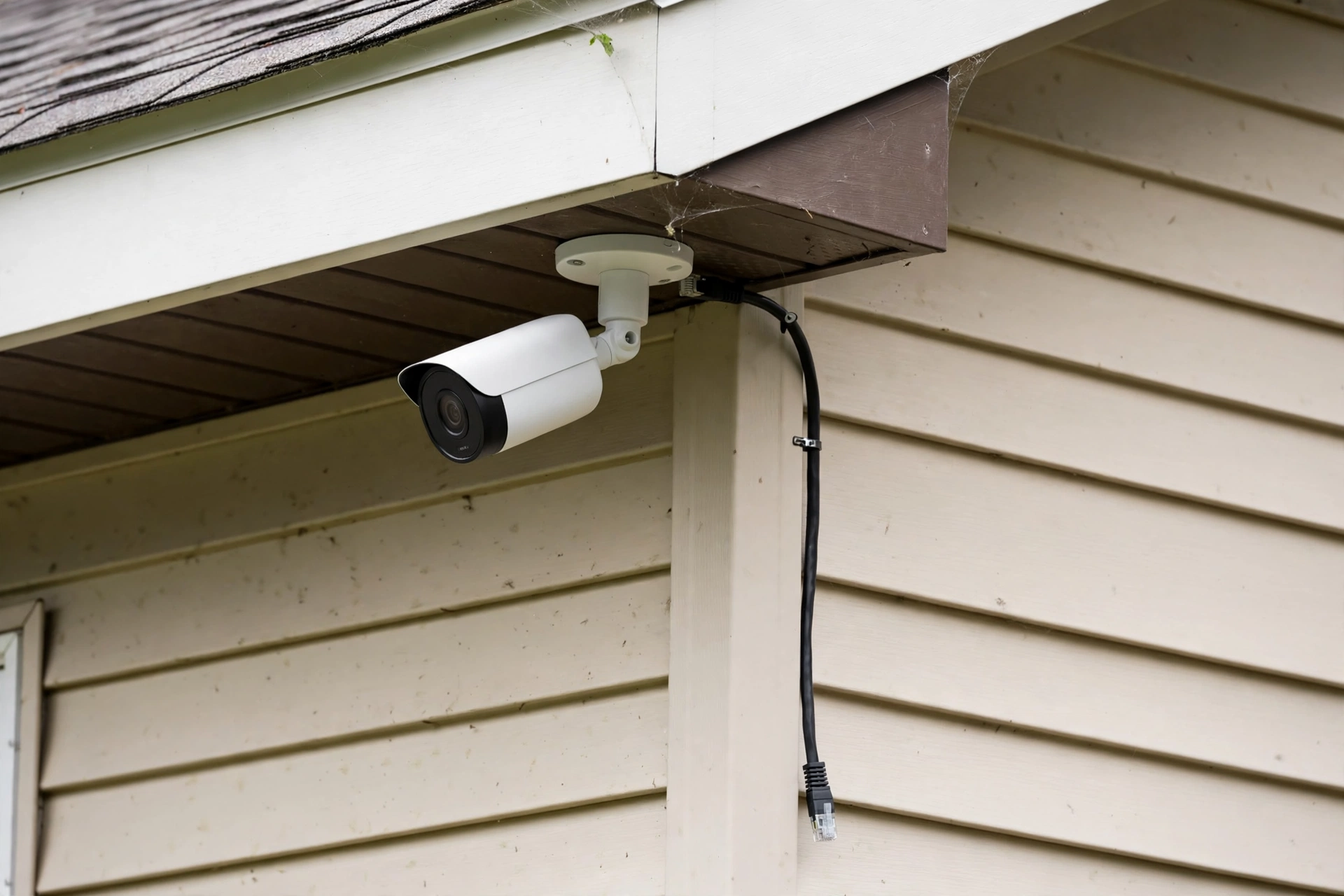
PoE camera wiring home guide: Cat6 home runs, PoE switch power-budget sizing, mounting heights, plus 2026 inst…
Security & Cameras
Video Doorbell Comparison: 2026
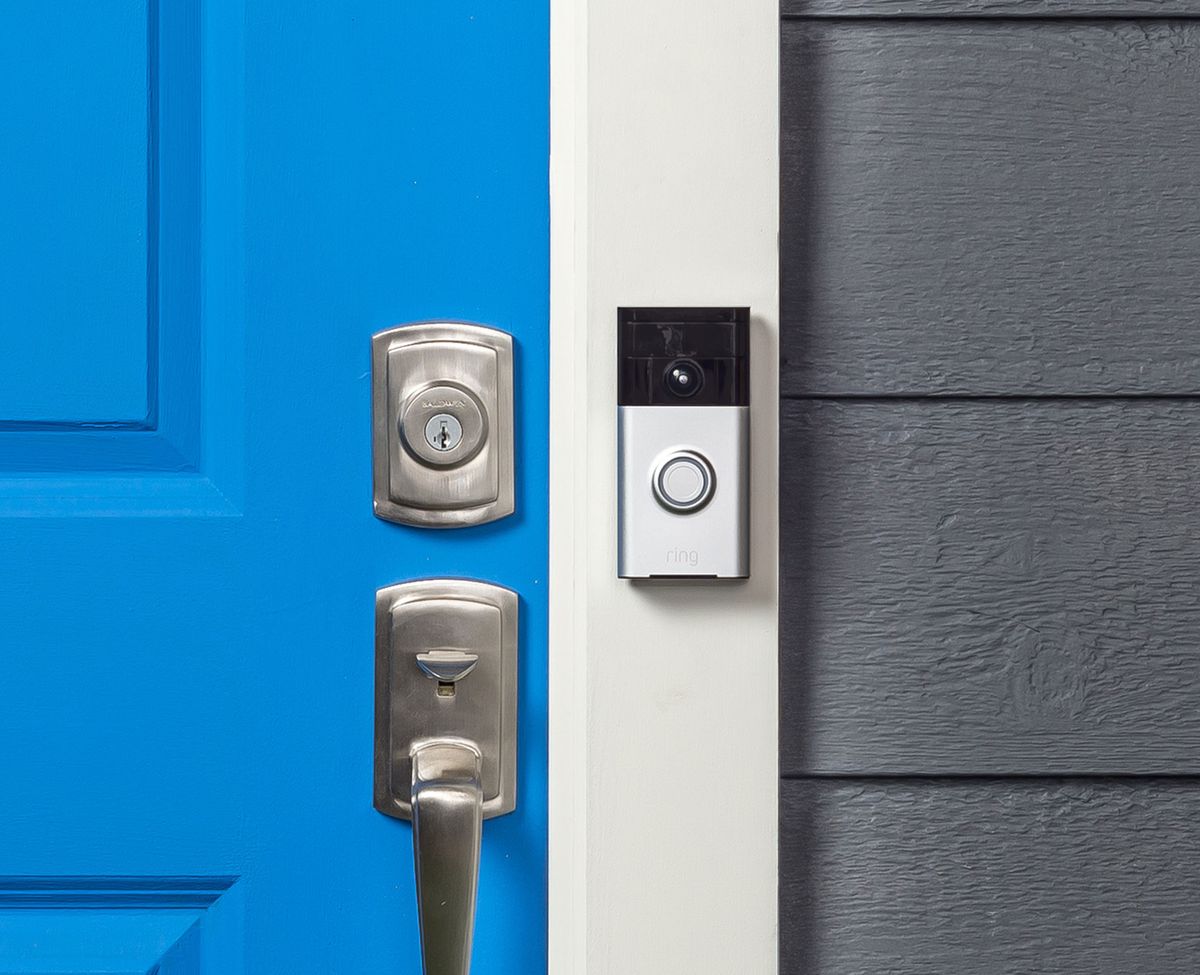
Best video doorbell 2026 compared: Ring vs Nest vs Eufy vs UniFi on subscriptions, chime compatibility, night …
Security & Cameras
Smart Doorbell Wiring: Existing Chime Guide
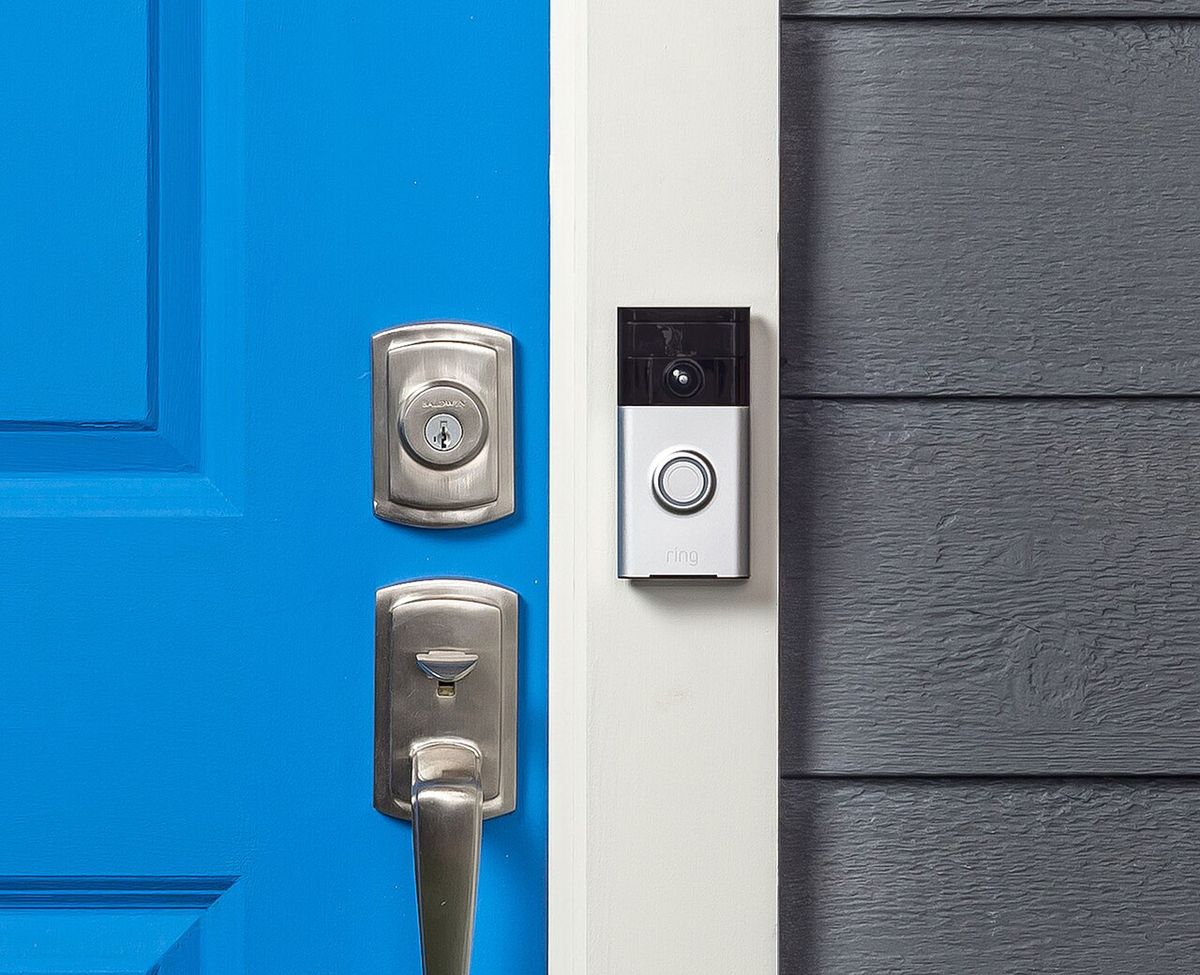
Video doorbell existing chime wiring: transformer specs, mechanical vs digital chime compatibility, upgrades, …

Ownership
Smart Home Subscriptions: The Real Cost 2026
Smart home subscription costs in 2026: the $30–$90/mo stack itemized, camera-cloud escapes, the keep-cut-repla…

Transfer Equipment
100A vs 200A Automatic Transfer Switch
100 amp vs 200 amp transfer switch: service-entrance vs subpanel topology, when each is required, costs, and l…

Pillar 01 · Energy Resilience
10kWh vs 13.5kWh vs 20kWh Home Battery: Which Size Is Right? (2026)
10kWh vs 13.5kWh vs 20kWh home battery compared: usable capacity, backup runtime, solar pairing, and which tie…