Video Doorbell Comparison: 2026
Key takeaways
- Decide the subscription question before comparing cameras: Ring and Nest need paid plans for recorded history, while Eufy and UniFi record locally with no monthly fee.
- Over five years, a mid-tier cloud subscription ($5–$20/month) can cost more than the doorbell hardware itself — factor it into the purchase decision, not after.
- Nest has the smartest detection and some free history; Eufy is the best no-subscription pick; Ring wins for Alexa households; UniFi suits existing Protect camera systems.
- Most 'doorbell keeps going offline' problems are an underpowered 1950s transformer, not the doorbell — check for 16–24V AC before you blame the hardware.
- Battery models suit renters and simple installs; wired models suit anyone who wants continuous recording and never wants to think about charging.
Shopping for the best video doorbell 2026 models is really shopping for two different things: a piece of hardware for your front door, and an ongoing relationship with a subscription — or a deliberate decision to avoid one. The camera on the door is the part you compare in spec tables. The storage model behind it is the part that determines your actual cost over five years, whether your footage survives an internet outage, and how much of your front-porch life lives on somebody else's servers. Get the hardware right and the storage wrong, and you will either be paying rent on your own security footage or wondering why the clip you needed is gone.
This guide compares the four doorbell ecosystems that matter in 2026 — Ring, Google Nest, Eufy, and UniFi — on subscriptions, video quality, smart detection, existing-chime compatibility, night performance, and total cost of ownership. It ends with verdicts matched to home profiles, because the right doorbell for a renter in an apartment is not the right doorbell for a homeowner running a whole local camera system. Every cost figure is a 2026 US market range; get itemized local quotes for any professional installation.
The subscription question comes first
Before comparing cameras, decide your position on subscriptions, because it eliminates half the field immediately. Ring and Nest are cloud-first systems: without a paid plan, you get live view and real-time alerts, but recorded video history — the thing that makes a doorbell a security device rather than an intercom — requires a subscription. Ring's plans run roughly $4.99 to $19.99 per month depending on tier, and over five years even the mid-tier plan adds up to several hundred dollars on top of the hardware. Nest's paid tier similarly unlocks extended history and familiar-face features.
Eufy and UniFi take the opposite path: local storage, no mandatory subscription. Eufy's doorbells record to a HomeBase station inside your house or to onboard microSD, and you can review history free, indefinitely, limited only by storage capacity. UniFi records to your own console appliance alongside your PoE cameras. The trade-off is real, though: cloud systems give you off-site backup (a stolen doorbell doesn't take your footage with it) and generally more polished AI detection, while local systems give you zero ongoing cost and footage that never leaves your property. Neither is wrong; they are different answers to “who holds my video?” Answer that before you fall in love with a camera.
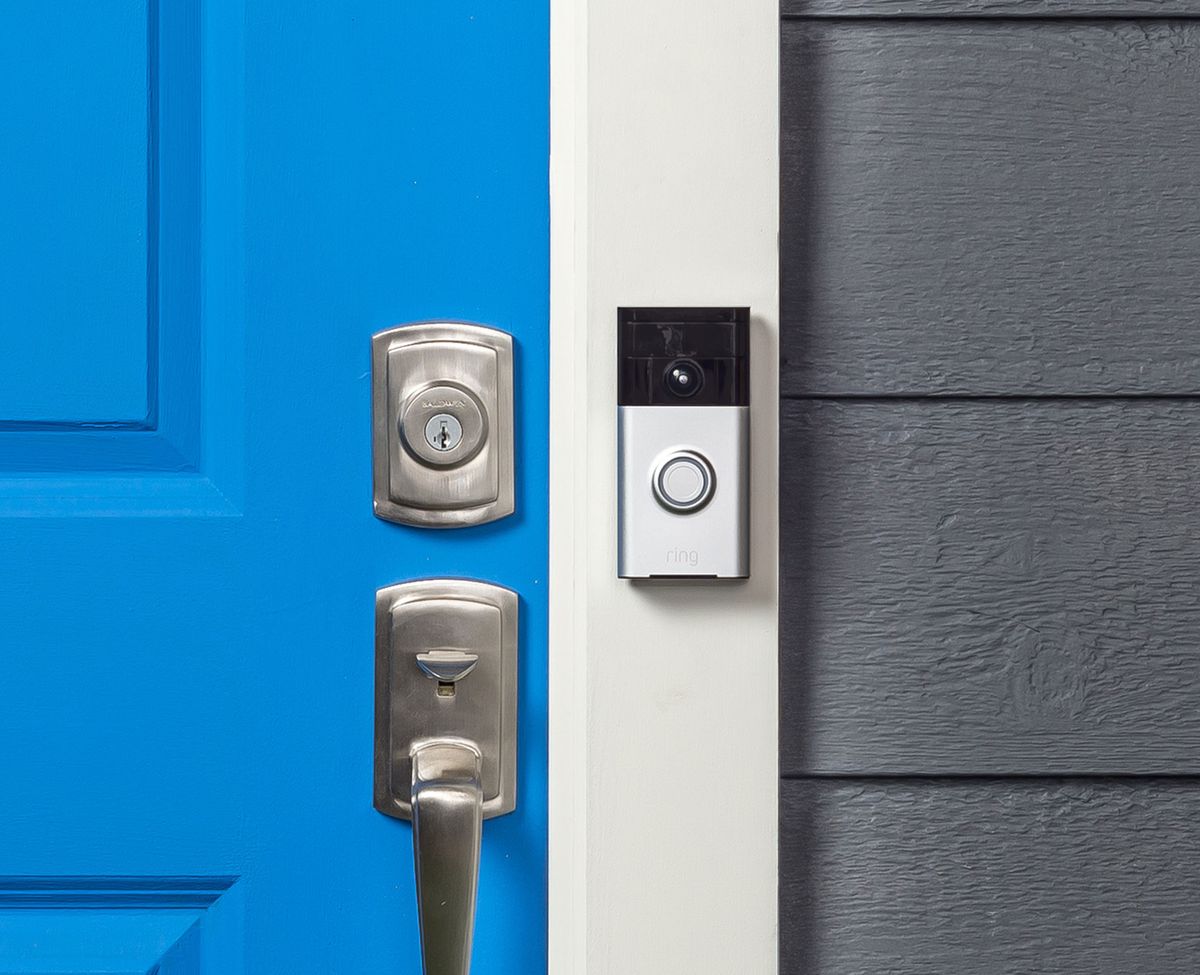
Ring Battery Doorbell (Head-to-Toe Video HD Camera)

Head-to-toe package view and motion detection for front entries
*Affiliate Disclosure: As an Amazon Associate, Elevate Home earns from qualifying purchases. Pricing and availability subject to change.
Best video doorbell 2026: the four contenders
Ring: the ecosystem default
Ring remains the most-installed video doorbell brand in the US, and its strength is the ecosystem, not any single spec. Doorbells, cameras, alarm, and Alexa routines all live in one app, and for households already running Echo devices, the integration is genuinely convenient — doorbell presses can announce on every speaker, and routines can flash lights when motion is detected. The 2026 lineup spans budget battery models to a 2K Battery Doorbell Plus and premium wired options, with the Battery Pro adding radar-based 3D motion tracking that maps movement across your property.
The honest costs of Ring are the subscription and the cloud dependency. No Ring Protect plan means no recorded history, period — live view and alerts only. That is fine if you only want to see who's at the door right now, but it is not a security system. Ring also requires an Amazon account and a reliable internet connection; when the internet drops, so does your recording. Buy Ring if you want the biggest ecosystem, the deepest Alexa integration, and the most neighbors to ask for troubleshooting help — and budget the subscription as part of the purchase, not an afterthought.
Google Nest: the smartest detection, some free history
Nest's doorbell — the 3rd-generation model is the current pick in most 2026 roundups — wins on intelligence. Its on-device and cloud AI distinguishes people, packages, animals, and vehicles with fewer false alerts than most competitors, and it ships with a genuinely useful free tier: several hours of event video history and package detection without paying anything. For a buyer who wants smart alerts out of the box with minimal fuss, Nest is the low-friction choice, especially in a Google Home household where the doorbell feed appears on Nest Hubs and Chromecast displays.
The caveats: the battery model does not support 24/7 continuous recording even when wired for power — Google's own documentation confirms event-based history only — so if you want a round-the-clock record, Nest is the wrong architecture. Extended history and familiar-face detection sit behind the paid tier. And like Ring, it is a cloud system: no internet, no recording. Buy Nest if smart, quiet alerts matter more than continuous footage, and you live in the Google ecosystem.
Eufy: local storage, no subscription
Eufy is the answer to the subscription question for most buyers. Its doorbells record locally — to a HomeBase station (expandable to very large capacities on the S380) or to onboard microSD on some models — and the full feature set, including video history and smart detection, works without any monthly fee. The E340 dual-camera model is the standout: one lens watches the visitor's face while a second downward lens watches the doorstep, solving the package-theft blind spot that single-lens doorbells have. 2K resolution and color night vision round out a strong hardware package.
What you give up: Eufy's app and AI polish trail Google's, the ecosystem is narrower (no alarm-panel equivalent of Ring's, fewer third-party integrations), and local storage means a stolen HomeBase takes your footage with it — mitigate by placing the base station somewhere non-obvious. Eufy also went through a well-publicized privacy controversy a few years back over cloud encryption claims; the company has since moved to local-first architecture and third-party audits, but privacy-conscious buyers should know the history. Buy Eufy if “no monthly fee, ever” is your top requirement.
UniFi: the local-pro option
UniFi's doorbell (the G4 Doorbell Pro in the current lineup) is the choice for households already running — or planning — a UniFi Protect camera system. It records locally to your UniFi console with no subscription, integrates with the same app and timeline as your PoE cameras, and offers a wired PoE option that eliminates both batteries and Wi-Fi from the equation. For the homeowner building the all-local system this site's camera and network guides describe, the UniFi doorbell is the natural front-door piece.
It is the wrong pick as a standalone purchase. The doorbell needs a UniFi console to record to, which makes the true entry cost several hundred dollars unless the console already exists for cameras. The app is powerful but less hand-holding than Ring or Nest, and there's no battery model for apartments. Buy UniFi only if you're committed to the Protect ecosystem; everyone else should choose among the other three.
Side-by-side: Ring vs Nest vs Eufy vs UniFi
| Factor | Ring | Google Nest | Eufy | UniFi |
|---|---|---|---|---|
| Recording without subscription | Live view + alerts only | ~6 hours event history free | Full history, local, free | Full history, local, free |
| Subscription cost | ~$4.99–$19.99/mo tiers | Paid tier for extended history | None required | None required |
| Video resolution | 1080p–2K by model; 4K on premium wired | 2K (3rd gen) | 2K; dual-camera on E340 | 2K–5MP by model |
| Smart detection | Good; radar motion on Pro models | Best in class: person, package, animal, vehicle | Good; local AI, improving | Good; person/vehicle detection |
| Power options | Battery or wired | Battery or wired | Battery or wired | Wired (PoE or transformer) |
| Existing chime support | Yes, with compatible transformer | Yes, with compatible transformer | Yes, with HomeBase chime option | Mechanical chime via adapter |
| Ecosystem | Alexa / Amazon | Google Home | Eufy Security | UniFi Protect |
| Off-site backup | Yes (cloud) | Yes (cloud) | No (local only) | No (local only) |
| Best fit | Alexa households wanting one app | Google households wanting smart alerts | Subscription-free buyers | Existing UniFi camera systems |
Chime and transformer compatibility
Nearly every wired doorbell install runs into the same 1950s infrastructure: a small transformer in your attic, basement, or electrical panel stepping household voltage down to 8–24V for the mechanical chime. Most smart doorbells need 16–24V AC at sufficient volt-amps, and older 10V or 16V/10VA transformers are the number-one cause of “my doorbell keeps going offline” complaints — the doorbell browns out every time the chime solenoid fires. Before buying, find your transformer (follow the chime wires), read its rating, and budget $20–$40 for the part plus an electrician's visit if it needs upgrading.
Mechanical vs. digital chimes matter too. Old mechanical chimes (the classic “ding-dong” with visible plungers) are broadly compatible; digital chimes (electronic melodies) often need a compatible chime adapter or a bypass. Battery-powered installs sidestep all of this — the doorbell runs on its rechargeable cell and talks to a plug-in chime — which is why renters and anyone with an inaccessible transformer should strongly consider battery models. The full transformer-upgrade walkthrough, including when to bypass the chime entirely, is covered in the companion wiring guide.
Night video, package detection, and field of view
Daytime video is a solved problem; every contender here looks good at noon. Night is the separator. Infrared night vision renders faces in grayscale and washes out with nearby reflective surfaces; color night vision (using ambient light plus a spotlight, as on the Eufy E340 and Ring's spotlight models) preserves far more identifying detail but announces the camera's presence with visible light. If your porch has a decent light already, a camera with a good sensor and no spotlight often produces the most natural nighttime footage.
Package detection deserves its own consideration because it's the feature most buyers actually use daily. Nest's package alerts are the most reliable in testing; Eufy's dual-camera E340 solves it optically with a dedicated downward lens; Ring handles it adequately on recent models. Whatever you buy, check the vertical field of view spec, not just the headline resolution — a 2K camera with a narrow vertical angle still can't see the box sitting directly below it. And remember that detection quality depends heavily on mounting: a doorbell at 48 inches (standard) sees faces and doorsteps; one mounted too high or recessed in a deep vestibule sees foreheads and shadows.
Verdicts by home profile
There is no universal best video doorbell in 2026 — there is only the best fit for your house, your ecosystem, and your subscription tolerance. Run your situation through this framework:
- Choose Ring if: you're an Alexa household that wants doorbell, cameras, and alarm in one app; you value the largest user community and accessory market; and you've budgeted the subscription as part of ownership.
- Choose Google Nest if: you live in the Google ecosystem, you want the smartest alerts with the least tuning, and you're satisfied with event-based history rather than 24/7 recording.
- Choose Eufy if: “no monthly fee” is non-negotiable, you want dual-camera package coverage, and you're comfortable with a narrower ecosystem and local-only footage.
- Choose UniFi if: you already run (or are building) a UniFi Protect camera system and want the doorbell on the same local timeline with zero subscriptions.
- Choose battery over wired if: you rent, your transformer is inaccessible or underpowered, or you want the install done in 20 minutes without an electrician.
- Choose wired over battery if: you want continuous recording, you hate charging cycles, or your winters are cold enough to halve battery performance.
2026 cost ranges
Hardware in 2026 typically runs $100–$180 for entry battery models, $180–$260 for the mainstream 2K picks (Nest 3rd gen, Ring Battery Doorbell Plus, Eufy E340 kits), and $200–$350 for premium wired options (UniFi G4 Doorbell Pro, Ring's 4K wired). A HomeBase for Eufy adds $100–$150 if not bundled; a UniFi console for the doorbell's recording starts around $200 for the entry appliance if you don't already own one.
Then the five-year math. A Ring or Nest household paying a mid-tier subscription adds roughly $300–$600 over five years per the current plan pricing — which can exceed the hardware cost. An Eufy or UniFi household pays zero, but should budget for the hardware's own lifecycle: batteries degrade, and local storage means replacing a failed drive or base station yourself. Installation, if you hire it out: $100–$250 for a straightforward wired swap by a licensed electrician or low-voltage pro, more if the transformer needs relocating or the chime wiring is a mess. Costs are 2026 US market ranges; get itemized local quotes.
Next steps
Decide the subscription question first — it cuts the field in half. Then check your power situation: find the transformer, read its rating, and decide battery vs. wired before you buy anything. If you're going wired and the transformer is underrated, schedule the electrician for the same visit as the doorbell install; it's a 30-minute job once someone's already at the panel. Finally, if the doorbell is the first piece of a bigger camera system rather than a standalone purchase, read the PoE camera wiring guide before you buy — a doorbell that joins a planned local system is worth more than the same doorbell fighting your Wi-Fi alone. Costs are 2026 US market ranges; get itemized local quotes.
Frequently asked questions
What is the best video doorbell in 2026?
In 2026, the best video doorbell depends on your subscription tolerance and ecosystem. Google Nest (3rd gen) has the smartest detection and some free history; Eufy is the best subscription-free pick with local storage; Ring is the best for Alexa households that want one integrated app; UniFi is the best for homes already running a UniFi Protect camera system.
Do I need a subscription for a video doorbell?
Ring requires a Ring Protect subscription for any recorded video history — without one you get live view and real-time alerts only. Plans run roughly $4.99 to $19.99 per month depending on tier. Eufy and UniFi need no subscription at all (local storage), and Nest includes several hours of free event history with a paid tier for more.
Should I get a battery or wired video doorbell?
Battery models install in about 20 minutes with no wiring and use a plug-in chime, which suits renters and homes with inaccessible transformers. Wired models never need charging, handle cold weather better, and support continuous recording on systems that offer it. If you hate charging cycles or want 24/7 footage, go wired; if you want the simplest install, go battery.
Why does my video doorbell keep going offline?
Most smart doorbells need 16–24V AC from the doorbell transformer, and older 10V or underpowered transformers are the top cause of doorbells going offline — the unit browns out when the chime fires. Find your transformer (usually near the panel, attic, or basement), read its rating, and budget $20–$40 for a replacement plus an electrician's visit if it's underrated.
Which video doorbell is best for package theft?
The Eufy E340's dual-camera design — one lens for faces, one aimed down at the doorstep — is the most purpose-built solution, and Nest's package detection alerts are the most reliable in testing. But mounting matters as much as hardware: check the vertical field of view spec and mount at standard doorbell height so the camera can actually see the ground below it.
Do video doorbells work during internet or power outages?
They can be, but only with the right models. Wired PoE doorbells on a local system (like UniFi) keep recording through internet outages as long as the switch and recorder have UPS backup. Cloud doorbells (Ring, Nest) stop recording when the internet drops. For true outage resilience, pair any system with a UPS on the network gear.
Keep reading
Security & Cameras
Smart Doorbell Wiring: Existing Chime Guide
Video doorbell existing chime wiring: transformer specs, mechanical vs digital chime compatibility, upgrades, …

Security & Cameras
UniFi vs Ring Camera Systems: 2026 Guide
UniFi vs Ring cameras compared for 2026: local PoE recording vs cloud subscriptions, image quality, privacy, 5…

Ownership
Smart Home Subscriptions: The Real Cost 2026
Smart home subscription costs in 2026: the $30–$90/mo stack itemized, camera-cloud escapes, the keep-cut-repla…
Security & Cameras
PoE Camera Wiring Guide for Homes: 2026
PoE camera wiring home guide: Cat6 home runs, PoE switch power-budget sizing, mounting heights, plus 2026 inst…

Transfer Equipment
100A vs 200A Automatic Transfer Switch
100 amp vs 200 amp transfer switch: service-entrance vs subpanel topology, when each is required, costs, and l…

Pillar 01 · Energy Resilience
10kWh vs 13.5kWh vs 20kWh Home Battery: Which Size Is Right? (2026)
10kWh vs 13.5kWh vs 20kWh home battery compared: usable capacity, backup runtime, solar pairing, and which tie…