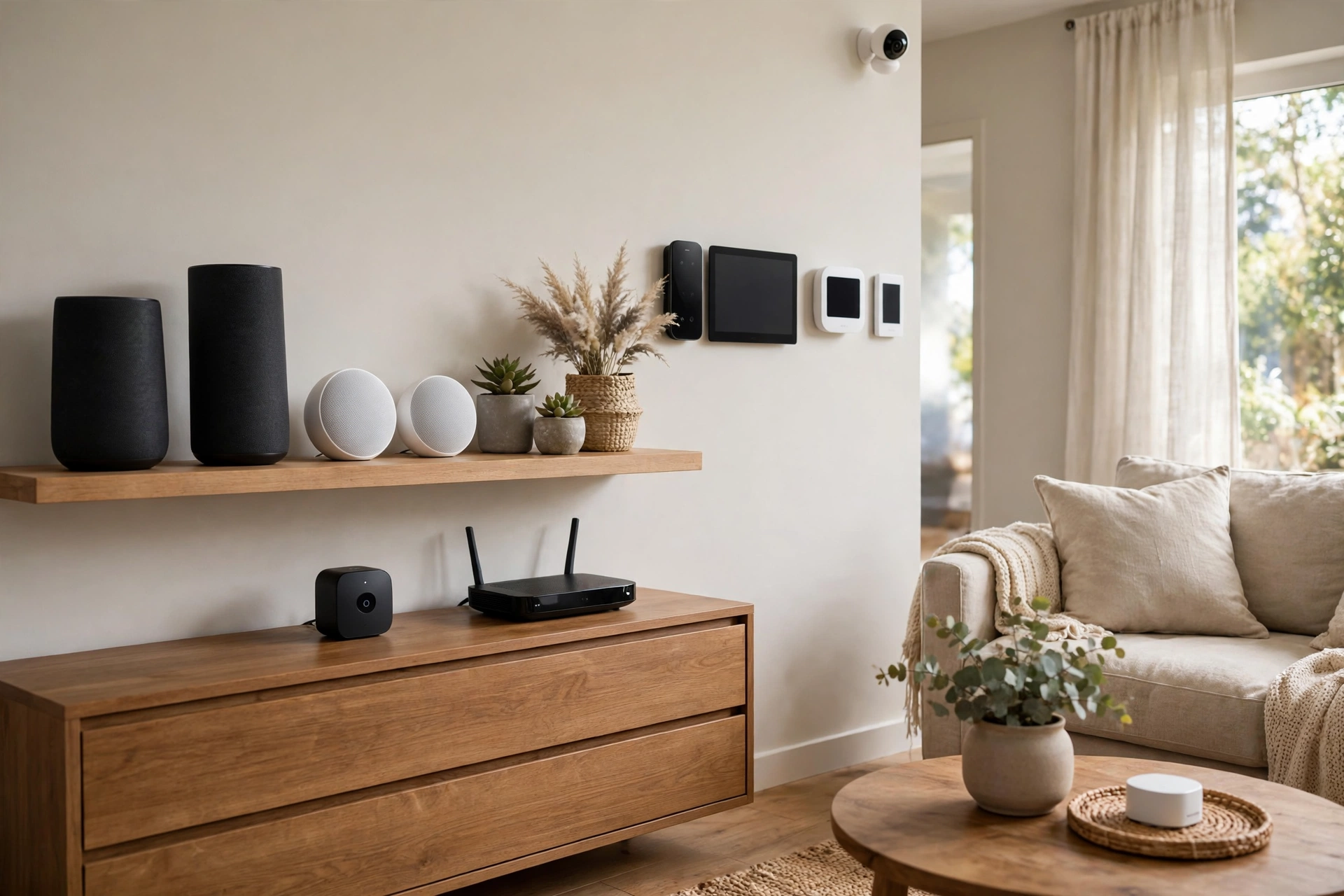
Home Assistant vs HomeKit vs Alexa: 2026
Key takeaways
- Matter ended device lock-in (one device can live in Apple Home, Alexa, and Google Home at once) but didn't equalize the platforms — voice, automation depth, and privacy still differ sharply.
- Home Assistant is the local-control maximalist: no cloud, no vendor permission, deepest automations — at the cost of the steepest learning curve and ongoing maintenance.
- HomeKit is the privacy-polished choice for Apple households: local, encrypted, fastest responses — but the narrowest device catalog and the Apple price premium.
- Alexa remains the voice-first compatibility king with the broadest device support — in exchange for cloud dependence and the weakest privacy story.
- The 2026-safe strategy: buy Matter-over-Thread devices, keep a Thread border router per floor, and pick your platform for interface and automation strengths.
Choosing a smart home platform in 2026 feels like it should be simpler than it was five years ago — Matter was supposed to end the ecosystem wars, and in important ways it has. A Matter-certified lightbulb can now appear in Apple Home, Google Home, and Alexa simultaneously, which was genuinely unthinkable in 2021. But Matter standardized the devices, not the platforms: the voice assistants still differ enormously, automation depth still varies, and the question of who holds your data still has three very different answers. The platform you pick still shapes your daily experience for years.
This guide compares Home Assistant vs HomeKit vs Alexa on local control, voice quality, device compatibility, privacy, automation depth, and learning curve, with the 2026 state of Matter woven through each. It ends with verdicts matched to household profiles, because the right platform for a tinkerer is the wrong platform for a busy family. Every cost figure is a 2026 US market range.
The 2026 state of play: Matter changed the question
The single biggest shift since the last time you researched this: Matter, the Connectivity Standards Alliance's unifying standard backed by Apple, Google, Amazon, and Samsung, actually works in 2026 — mostly. Roughly 70 percent of common device types (lights, plugs, locks, thermostats, sensors) now pair reliably across ecosystems, and multi-admin pairing means one device can live in two or three platforms at once. The practical consequence: device lock-in is largely dead. You can buy Matter-over-Thread devices today without betting your home's future on any single company's survival.
What Matter didn't fix: the remaining device categories (cameras, robot vacuums, garage doors, advanced lighting scenes) still need ecosystem-specific apps; the voice assistants didn't get any smarter relative to each other; and automation capabilities remain wildly different between platforms. So the 2026 platform question isn't “which devices can I buy?” anymore — it's “how do I want to talk to my house, who processes those commands, and how deep do my automations go?” That's the question this comparison answers.
Kasa Smart Plug with Energy Monitoring (EP25 4-Pack)

Automates scheduling and tracks electricity draw on individual plugs
*Affiliate Disclosure: As an Amazon Associate, Elevate Home earns from qualifying purchases. Pricing and availability subject to change.
Home Assistant: total control, total responsibility
Home Assistant is the power user's platform: open-source software (typically run on a ~$100–$150 Home Assistant Green appliance, a Raspberry Pi, or a small server) that integrates with essentially everything — thousands of integrations spanning every protocol, including devices their manufacturers never intended to interoperate. Its defining trait is local control: automations run on your hardware, in your house, with no cloud account required. When the internet dies, Home Assistant keeps working. When a vendor discontinues a cloud service, your devices keep working. No other mainstream platform offers that independence.
The price is the learning curve — the steepest here by a wide margin. You'll write YAML (or wrestle the visual automation editor), debug integrations, manage backups, and update the system yourself. Voice control exists via the local Assist pipeline and through bridges to Alexa and Google, but it's a project, not a feature. Home Assistant is the right platform if you enjoy the project — if “my house runs exactly the automations I designed” sounds like fun rather than homework. It's the wrong platform if you want to hand the house to a less-technical partner or a housesitter and have everything be obvious. Budget 10–20 hours of setup and a few hours a month of maintenance; enthusiasts consider that the hobby, not the cost.
Apple HomeKit: privacy and polish in the walled garden
HomeKit (branded Apple Home) is the privacy-first, design-first platform. Commands process locally on your home hub — an Apple TV 4K or HomePod, which Apple requires for remote access and automations — with end-to-end encryption, and Apple collects essentially no telemetry about your home. The experience is the most polished here: the Home app is clean, Siri control is built into every Apple device you own, and features like Home Key for locks and adaptive lighting are genuinely delightful. Response times are the fastest of the three because everything stays local.
The walls of the garden are real. Device compatibility is the narrowest — that $12 no-name smart bulb almost certainly lacks HomeKit certification, and while Matter has widened the catalog enormously, the long tail of budget gear still skips Apple. Siri remains the weakest of the major voice assistants for general knowledge and complex requests. And you're buying into Apple hardware economics: the home hub, the Apple TV, the premium-priced accessories. HomeKit is the right platform for Apple-household members who value privacy and polish above all and will pay the Apple tax without flinching. It's the wrong platform for mixed-device households or anyone who bargain-hunts gadgets.
Amazon Alexa: the voice-first everything store
Alexa is the everything platform: the largest installed base in the US (over 100 million Echo devices), the broadest device compatibility, the best budget-gear support, and the deepest routine/automation builder of the mainstream options. If a smart device exists, it works with Alexa — that compatibility is Alexa's moat, and in 2026 it remains unchallenged. Voice control is the primary interface and genuinely good: natural phrasing, room-aware commands, and routines that chain devices, announcements, and conditions with minimal fuss. For a household that wants to talk to the house, nothing else is close.
The costs are privacy and cloud dependence. Alexa is cloud-heavy: your voice commands, device states, and routines live on Amazon's servers, and when the internet drops, so does most of the smart home. Amazon's data practices are the industry's most aggressive — this is the explicit trade for the subsidized Echo hardware and the vast compatibility. Automation depth is good but cloud-bound; local execution exists for some devices but isn't the architecture. Alexa is the right platform for voice-first households that prioritize compatibility and convenience and accept the cloud bargain. It's the wrong platform for the privacy-conscious or anyone whose internet is unreliable.
What about Google Home and SmartThings?
Two platforms didn't make the headline comparison but deserve an honest mention. Google Home has the best voice AI of the mainstream options and the deepest Android integration — if your household is all-Pixel, it's arguably the better Alexa alternative, with good Matter support and Nest hardware that's genuinely excellent. Its weaknesses: automation depth trails Alexa's routines, and Google's history of killing products makes long-term bets feel shakier than they should. Samsung SmartThings is the quiet workhorse: a capable hub platform with strong Matter and Zigbee/Z-Wave support, good automation, and less ecosystem lock-in than any of the big three — but Samsung's consumer focus has wavered, and its voice story depends on Alexa or Google anyway. Neither is the wrong choice; they're just narrower answers than the three above. If you're already in one, Matter keeps you interoperable with everything this guide covers.
Home Assistant vs HomeKit vs Alexa: side-by-side
| Factor | Home Assistant | Apple HomeKit | Amazon Alexa |
|---|---|---|---|
| Core strength | Local control, unlimited integrations | Privacy, polish, local speed | Voice control, device compatibility |
| Local control | Full — no cloud required | Strong — hub processes locally | Moderate — cloud-dependent |
| Voice assistant | Assist (local) + bridges to Alexa/Google | Siri | Alexa (best in class) |
| Device compatibility | Broadest (thousands of integrations) | Narrowest (certified + Matter) | Broadest mainstream |
| Privacy model | Your hardware, your data | Local + encrypted; minimal telemetry | Cloud-heavy; Amazon telemetry |
| Automation depth | Deepest — full scripting | Good — Shortcuts extend it | Good — routines, cloud-bound |
| Matter support | Excellent | Excellent | Good (controller + Thread border routers) |
| Learning curve | Steep — it's a hobby | Gentle (inside Apple world) | Gentle |
| Typical entry cost | $100–$150 (Green appliance) | $99–$149 (HomePod mini / Apple TV) | $35–$100 (Echo devices) |
| Best fit | Tinkerers, privacy maximalists | Apple households, privacy-conscious | Voice-first families, gadget bargain-hunters |
Who should pick which: home profiles
Match the platform to the household, not the spec sheet:
- Choose Home Assistant if: you want your home to work with no internet and no vendor's permission; you enjoy building automations as a hobby; you have an eclectic mix of devices no single ecosystem supports; or you're philosophically opposed to cloud-dependent infrastructure. Accept the maintenance burden with open eyes.
- Choose Apple HomeKit if: everyone in the house uses iPhones; privacy is a top-three priority; you want the fastest, most polished daily experience; and you're comfortable paying more for certified accessories. Add an Apple TV 4K as the home hub — it's the best one.
- Choose Amazon Alexa if: voice control is the primary interface; you want the widest device choice including budget gear; the household is mixed iOS/Android; and you're comfortable with the cloud privacy bargain. It's the easiest whole-family answer.
- Choose two if: you're technical enough for Home Assistant but the family needs simplicity — run Home Assistant as the automation brain and expose devices to Alexa or HomeKit for the daily interface. This hybrid is the enthusiast's endgame, and Matter's multi-admin pairing makes it cleaner than ever.
The multi-platform reality: bridges and the 2026 consensus
Here's the honest 2026 consensus most guides won't state plainly: you don't have to choose exactly one. Matter's multi-admin pairing means a single device can live in HomeKit and Alexa simultaneously; Home Assistant can expose its devices to both via bridges; and many households end up with a primary platform for automations plus a secondary for voice. The platforms are less like rival religions now and more like overlapping tools.
The buying strategy that won't age badly: buy Matter-certified devices (preferably Matter-over-Thread) for everything new, keep one Thread border router per floor (Apple TV 4K, HomePod mini, recent Echo, Nest hub, or Home Assistant's own Thread radio all qualify — and yes, you can have several from different brands; Thread meshes are shared, so an Eve sensor can route through your Apple TV while a Nanoleaf bulb routes through your Echo), and pick your primary platform for its interface and automation strengths rather than its device list — because the device list is increasingly the same everywhere. Don't rip out working Zigbee or Z-Wave gear to chase Matter; bridges keep the old world talking to the new one. The platform wars ended not with a winner, but with a standard — and that's better for everyone except the companies that wanted your lock-in.
Next steps
A concrete starter kit for each platform, to make the abstract real. Home Assistant: a Green appliance, a Zigbee/Thread USB radio, three Matter bulbs, and one automation — “porch light on at sunset” — built in the visual editor. HomeKit: an Apple TV 4K as hub, two HomePod minis for voice coverage, and Nanoleaf or Eve Thread bulbs; build your first scene (“Movie night”) in the Home app. Alexa: two Echo Dots for the rooms you live in, a smart plug on a lamp, and one routine (“Alexa, goodnight” kills the lights and locks the door). Each kit costs under $300 and teaches you more about the platform than any comparison table.
Pick the platform that matches your household's technical appetite and privacy stance — that's the decision that sticks. Then buy one room's worth of Matter-over-Thread devices (a few bulbs, a plug, a sensor) and live with the platform for a month before committing the whole house; the daily feel of the app and voice assistant matters more than any feature table. If you're going Home Assistant, budget a weekend for setup and put the Green appliance on a UPS next to the router. If HomeKit, get the Apple TV 4K hub first — everything else works better with it. If Alexa, start with the rooms where voice control actually gets used (kitchen, bedroom, living room) and expand from demonstrated habit, not aspiration. Costs are 2026 US market ranges; get itemized local quotes for any professional installation.
Frequently asked questions
Should I choose Home Assistant, HomeKit, or Alexa?
Home Assistant is the most powerful and private — full local control, thousands of integrations, no cloud required — but it demands real tinkering (10–20 hours setup, ongoing maintenance). HomeKit is the most polished and private mainstream option but locks you into Apple's ecosystem and pricier accessories. Alexa has the best voice control and broadest device compatibility but is cloud-dependent with the weakest privacy story.
Does Matter mean I don't have to choose a platform anymore?
Mostly, yes. Matter-certified devices (about 70% of common types in 2026: lights, plugs, locks, thermostats, sensors) pair across Apple, Google, Amazon, and Samsung platforms, and multi-admin lets one device appear in several apps at once. Cameras, robot vacuums, and garage doors still need ecosystem-specific support — check those categories individually.
Is Home Assistant worth it for a non-technical household?
It's the best choice if you want maximum control and privacy: everything runs on your own hardware, works without internet, and integrates devices no single ecosystem supports. It's the worst choice if you want something the whole family can manage without you — the learning curve is steep and maintenance is ongoing. Many enthusiasts run Home Assistant as the brain and expose devices to Alexa or HomeKit for the family interface.
Do I need an Apple TV or HomePod for HomeKit?
Yes — an Apple TV 4K (4th gen or newer) or a HomePod is required as a home hub for remote access when you're away and for running automations. Without one, HomeKit only works while you're on the home Wi-Fi. The Apple TV 4K is the best hub choice: it's also a Thread border router for Matter-over-Thread devices.
Does Alexa stop working without internet?
Largely, yes. Alexa processes voice commands and runs routines in Amazon's cloud, so an internet outage disables most smart home control (though some local device control persists). If your internet is unreliable, prefer Home Assistant or HomeKit, where automations and control keep working offline.
What's the safest smart home buying strategy for 2026?
Buy Matter-certified devices (preferably Matter-over-Thread) for everything new, keep one Thread border router per floor, and choose your platform for its interface and automation strengths rather than its device list. Don't rip out working Zigbee or Z-Wave gear — bridges keep it interoperating with Matter devices.
Keep reading
2026 Tech
Matter Smart Home Standard: 2026 Status
Matter smart home 2026 status: what the standard fixed, what's still missing, Thread border routers, and exper…
Voice & Hubs
Thread vs Zigbee vs Z-Wave: 2026 Guide
Thread vs Zigbee vs Z-Wave compared for 2026: reliability, range, interference, device choice, and which proto…
Voice & Hubs
Smart Home Hub Comparison: 2026
Best smart home hub 2026: Apple Home, Amazon Echo, Samsung SmartThings, and Home Assistant Green compared on c…
Voice & Hubs
Voice Control Room by Room: 2026 Guide
Whole home voice control setup for 2026: room-by-room speaker placement, multi-assistant households, and the r…

Transfer Equipment
100A vs 200A Automatic Transfer Switch
100 amp vs 200 amp transfer switch: service-entrance vs subpanel topology, when each is required, costs, and l…

Pillar 01 · Energy Resilience
10kWh vs 13.5kWh vs 20kWh Home Battery: Which Size Is Right? (2026)
10kWh vs 13.5kWh vs 20kWh home battery compared: usable capacity, backup runtime, solar pairing, and which tie…