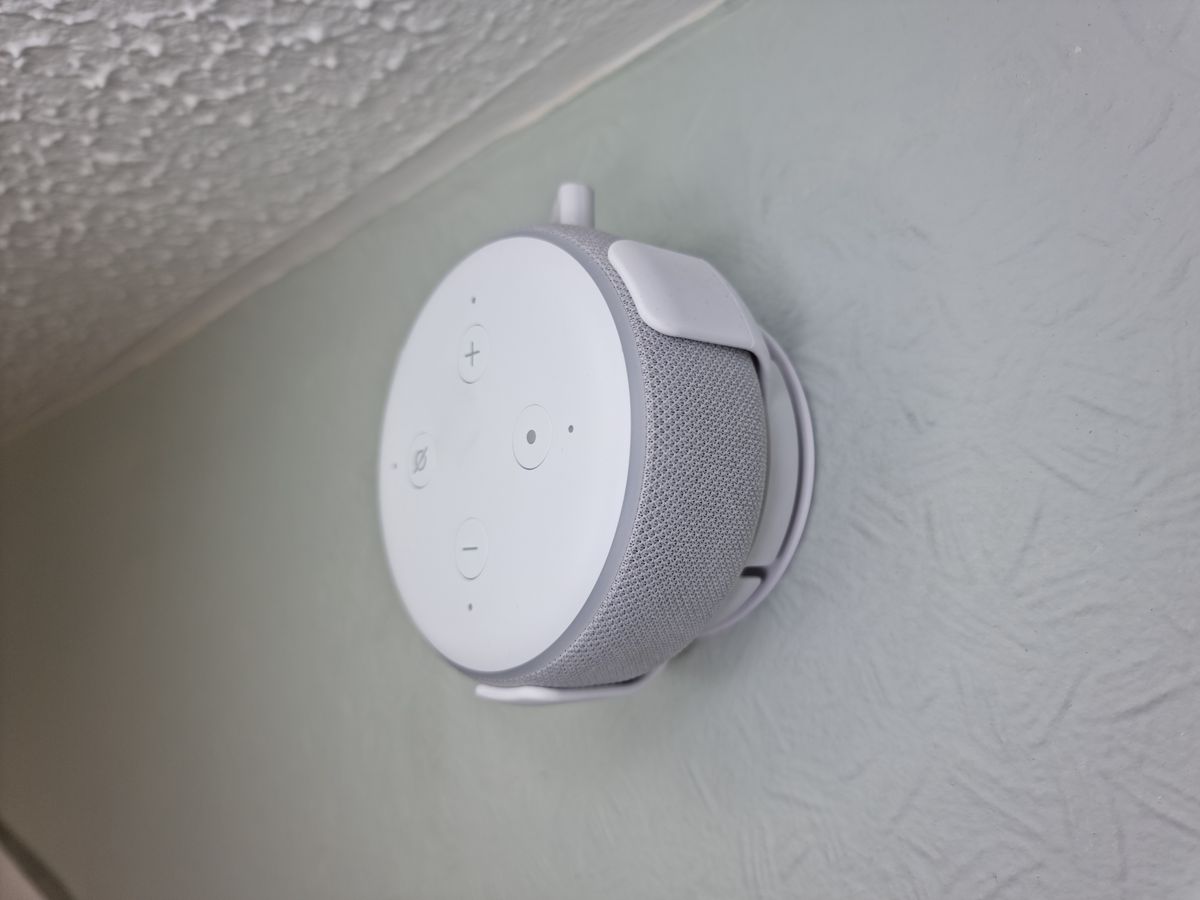
Voice Control Room by Room: 2026 Guide
Key takeaways
- Coverage beats gadget quality: plan voice zones where hands are busy (kitchen, bedroom, garage, patio) before buying any speakers — one mid-tier speaker per zone beats one premium speaker in the living room.
- The kitchen is the highest-value zone (use a smart display), bedrooms run on alarms and goodnight routines, and the office often needs no microphone at all.
- In multi-assistant homes, give each room one owner and let one platform own the automations; Matter's multi-admin pairing lets both ecosystems share the same devices.
- Build transition routines first — good morning, goodnight, leaving, arriving, guests — because they do 90% of the daily work.
- Reliability comes from Wi-Fi coverage, local execution, plain-language device names, and testing from the actual spots where you'll stand.
Most voice-control setups fail in exactly one place: the room where there’s no speaker. The living room is perfect, the kitchen is flawless — and the bedroom, the garage, and the backyard get nothing, so everyone stops bothering and the system quietly dies. Whole-home voice control isn’t about buying more speakers. It’s about planning coverage room by room, the way you’d plan lighting.
This guide to a whole home voice control setup walks through speaker and hub placement for every room, how multi-assistant households work without chaos, and the routines that actually get used every day — plus the privacy and reliability habits that keep a 30-plus-device house feeling calm instead of creepy.
Start with coverage, not gadgets
Voice control lives or dies on one question: can the system hear you where you are? A voice assistant you have to walk toward isn’t voice control — it’s a walkie-talkie. Before buying anything, sketch your floor plan and mark where people actually spend time standing or sitting with their hands busy: cooking at the counter, getting ready in the bathroom, working at the desk, relaxing on the patio, tinkering in the garage.
Those are your voice zones. Every zone needs a listening device within comfortable speaking distance — roughly the range where you’d talk to someone in the next seat over, not shout across the room. In open-plan spaces, one device covers more; in compartmentalized houses, each room stands alone. Sound follows the same physics as your lighting plan: it doesn’t turn corners.
The classic mistake is buying one premium speaker for the living room and calling the house “voice-controlled.” Far better: decent coverage everywhere with mid-tier devices than perfection in one room and silence elsewhere. A $50 speaker in the bedroom that answers “turn off the house” at midnight is worth more than a $300 speaker that lives in the room you only use for movies.
Kasa Smart Plug with Energy Monitoring (EP25 4-Pack)

Automates scheduling and tracks electricity draw on individual plugs
*Affiliate Disclosure: As an Amazon Associate, Elevate Home earns from qualifying purchases. Pricing and availability subject to change.
Whole home voice control setup: room-by-room placement
The kitchen: the highest-value zone
The kitchen is where voice control earns its keep. Hands are wet, dirty, or holding a knife; timers, conversions, and “turn on the range hood light” are constant. Place a smart display here, not just a speaker: seeing a timer count down, a recipe step, or who’s at the front door while you cook is the difference between a gadget and a tool. Mount or place it where it won’t get splashed but stays within earshot of the main work triangle.
Living room: the shared command center
The living room is where household scenes live — “movie night,” “goodnight,” “we have guests.” One capable speaker or display here anchors the system. If you have a soundbar or home theater, check whether it doubles as an assistant endpoint; consolidating avoids two devices fighting to answer the same wake word. Keep the mic-equipped device away from the TV speakers to reduce false triggers and misheard commands during loud scenes.
Bedrooms: quiet, private, essential
Bedrooms are where voice control gets used most after the kitchen: alarms, sleep sounds, “turn off everything downstairs,” middle-of-the-night questions you don’t want to get up for. A small speaker on the nightstand is the classic solution. The privacy-sensitive should know: most platforms let you mute the mic physically, schedule Do Not Disturb, and review or delete recordings. If anyone in the house is uneasy about a bedroom mic, respect it — a muted-by-default speaker with a physical button beats a fight.
Bathrooms: small, steamy, surprisingly useful
Voice control in the bathroom is genuinely handy — lights, exhaust fan, music — but electronics and steam are a bad marriage. Use devices rated for humidity, place them away from direct shower spray, and favor voice for scenes (“shower time” sets lights and fan) rather than granular control. This is also a room where some households draw a firm privacy line; a smart switch on the fan plus a motion sensor can deliver most of the value with no microphone at all.
Home office: meetings come first
The office is the one room where a voice assistant can actively cause harm — by blurting a response during a client call. Use Do Not Disturb schedules tied to your calendar, place the device where it won’t hear every word of every meeting, and consider whether the office even needs a listening device. Often the right answer is no speaker, just app and automation control — the lights and shades can respond to schedules without anyone saying a word.
Garage, laundry, and utility rooms
These are hands-busy rooms where voice shines: “open the garage door” while carrying groceries (with a PIN for security), “turn on the workbench light,” “how much time is left on the dryer?” A basic speaker survives fine in these environments; dust and temperature swings are harder on displays. For the garage door specifically, use voice with a spoken PIN or app confirmation — an unsecured voice command that opens your garage is a security hole, not a feature.
Outdoor zones: patio, pool, garden
Outdoor voice control is the frontier most people skip — and then miss. Landscape audio, patio lighting scenes, pool controls, and the grill area all benefit. Use weather-rated devices or keep speakers just inside a covered patio within earshot. Expect wind and ambient noise to degrade recognition; outdoor zones work best for simple scene triggers (“patio party”) rather than complex queries. If running power for a speaker isn’t practical, a well-placed indoor device near the patio door plus automations (motion-triggered lighting) covers most needs.
One assistant or many? The multi-assistant household
Most households drift into multi-assistant setups without planning: Alexa in the kitchen, a HomePod in the bedroom, Google in the office. It works, but only with rules. Each assistant should own its zones clearly — everyone should know which wake word works in which room. Mixing assistants in the same room is where chaos lives: two devices hearing one command, different answers, automations firing twice.
The calmer architecture: one primary assistant for the whole house, with the others relegated to specific jobs (a HomePod as a great bedroom speaker that happens to answer Siri, while Alexa runs the home’s routines). Matter’s multi-admin capability helps here — the same device can appear in two ecosystems, so the bedroom HomePod and the kitchen Echo can both control the same lights without duplicate hardware.
And be honest about the household’s actual tolerance. Some families love barking commands; others find it performative and prefer switches, scenes, and automation. Voice control should reduce friction, not add a layer of theater. If half the house won’t use it, invest that budget in better automations instead.
The routines that actually get used
Thousands of routine ideas exist online. In practice, about ten do 90% of the work. Build these first:
- Good morning. Gradual bedroom lights, thermostat to day setting, today’s weather and calendar, coffee machine if it’s smart. The routine that makes the system feel worth it.
- Goodnight. Locks the doors, arms the security system to stay mode, turns off all lights, sets the thermostat to sleep temperature, closes the garage. Run it from the bedroom every night and it becomes muscle memory.
- I’m leaving / I’m home. Geofence-triggered: leaving arms security, sets back the thermostat, turns off lights; arriving reverses it. Geofencing is more reliable than voice for this — nobody remembers to announce their departure.
- Movie night. Dims the living room, closes shades, sets the AV input, silences notifications on the living room speaker. The entertaining routines are the ones guests notice.
- Cooking mode. Bright task lighting over the counters, a timer display up, and Do Not Disturb on the kitchen speaker so announcements don’t interrupt.
- Guest mode. Simplifies everything: a few named scenes, clear instructions on the fridge (“say ‘goodnight’ to the bedroom speaker”). Guests will never learn your system; design for that.
- Away/vacation. Randomized lighting, thermostat setback, water shutoff valve closed (if you have a smart one), cameras and sensors on high alert. Pair with a trusted human checking in — automation is a complement, not a replacement.
The pattern: the best routines are the ones tied to transitions — waking, sleeping, leaving, arriving, entertaining. Mid-day granular control (“set the kitchen light to 43%”) is a party trick. Transitions are a lifestyle.
Making it reliable: the unglamorous half
Voice control that works 95% of the time gets abandoned; voice control that works 99% of the time gets used daily. Reliability comes from infrastructure, not from buying nicer speakers:
- Your Wi-Fi is the foundation. Every voice command is a round trip through your network. Dead zones, congested 2.4 GHz bands, and an overloaded ISP router are the top causes of “Alexa isn’t responding.” Fix the network before blaming the assistant.
- Prefer local execution. Platforms with strong local control (Apple Home, Home Assistant, and increasingly SmartThings) keep basic commands working during internet outages. Cloud-dependent setups go dumb when the connection drops — including, critically, the “goodnight” routine.
- Name devices like a human. “Living Room Floor Lamp” beats “Lamp 3.” Avoid names that sound like commands or other devices. Every household member should be able to guess a device’s name without asking.
- Test from the actual spots. Stand where you’ll actually stand — at the stove with the range hood roaring, in the shower with water running — and verify the device hears you. Spec-sheet microphone ranges are measured in quiet labs.
- Keep firmware updated. Voice platforms improve recognition and local processing through updates. Enable automatic updates on speakers and hubs.
Privacy without paranoia
A house full of microphones deserves a deliberate privacy stance, not vibes. The practical checklist:
- Know where the mics are. Inventory every listening device in the house. You’d be surprised how many households can’t name them all.
- Use physical mute where it matters. Bedrooms and offices deserve hardware mute buttons, not just software settings. Make muting a visible, normal household habit.
- Review voice history periodically. All three major platforms let you review and delete recordings. Set a calendar reminder twice a year; it takes ten minutes.
- Prefer local-first platforms for sensitive rooms. If privacy is a household value, Apple Home and Home Assistant process more on-device than cloud-centered alternatives.
- Talk to the household. Especially with kids and guests: what’s listening, what it does, how to mute it. Transparency is the difference between a smart home and a surveillance home.
Next steps
Map your voice zones on a floor plan before spending a dollar — mark where people stand with busy hands and where the dead zones are. Start with the kitchen and the primary bedroom; those two rooms deliver most of the daily value. Choose one primary assistant for the whole house, name every device in plain language, and build the five transition routines (morning, night, leaving, arriving, guests) before adding anything exotic. Test from the real spots, fix the Wi-Fi first when things misbehave, and revisit the plan yearly as Matter devices expand your options. Costs are 2026 US market ranges; get itemized local quotes for any pro-installed work, and keep mains-wiring changes in the hands of licensed electricians.
Google Nest Hub (2nd Gen)

A strong alternative to our top pick — compare features and reviews before you buy.
*Affiliate Disclosure: As an Amazon Associate, Elevate Home earns from qualifying purchases. Pricing and availability subject to change.
Frequently asked questions
Can I mix Alexa, Google, and Siri in one house?
Yes, and it's increasingly the norm: Matter's multi-admin pairing lets one device appear in two ecosystems at once, so a bedroom HomePod and a kitchen Echo can both control the same lights. The rule that keeps it sane: one assistant owns each room, and one platform owns the automations. Two brains issuing commands to the same devices is where conflicts start.
Is a smart speaker safe in the bathroom?
Bathrooms are steamy, so choose humidity-tolerant devices and keep them away from direct shower spray. Many households get most of the value without a microphone at all: a smart switch or motion sensor on the lights and exhaust fan delivers the convenience with zero privacy questions. If you do add a speaker, favor simple scene triggers over complex queries.
Why does my voice assistant keep misunderstanding me?
Almost always the network, not the assistant. Weak Wi-Fi, congested 2.4 GHz bands, and overloaded ISP routers are the top causes of missed commands. Fix coverage first, prefer platforms with local execution so commands survive internet blips, and test from the actual spots where you'll stand — spec-sheet mic ranges are measured in quiet labs.
Will voice control still work if the internet goes out?
Yes — and it's a meaningful upgrade. Apple Home runs automations locally through your Home hub, Home Assistant is local by design, and SmartThings has expanded local execution. Basic commands and schedules keep working during outages; only cloud-dependent features (some voice queries, remote access) go down. If reliability during outages matters to you, weight local control heavily when choosing a platform.
How do I make voice control guest-friendly?
Explain it once, simply: which wake word works in which room, and the three or four scenes that matter ('goodnight', 'movie night'). A one-page note on the fridge beats a tutorial. Design guest-facing scenes to be forgiving — 'turn off the bedroom' should work even if the guest phrases it slightly wrong — and never require guests to use an app.
How do I stop my speaker from always listening?
Start with the physical mute button, which every major speaker has. Then check the platform's voice-history settings — all three majors let you review and delete recordings, and you can set auto-deletion. For the truly cautious, keep microphones out of bedrooms and offices entirely and rely on switches, sensors, and schedules in those rooms.
Keep reading
Voice & Hubs
Home Assistant vs HomeKit vs Alexa: 2026
Home Assistant vs HomeKit vs Alexa in 2026: local control, voice quality, privacy, Matter support, and which p…
Voice & Hubs
Smart Home Hub Comparison: 2026
Best smart home hub 2026: Apple Home, Amazon Echo, Samsung SmartThings, and Home Assistant Green compared on c…
2026 Tech
Matter Smart Home Standard: 2026 Status
Matter smart home 2026 status: what the standard fixed, what's still missing, Thread border routers, and exper…
Retrofit
Retrofit Smart Home Without Rewiring: 2026
Smart home without rewiring retrofit guide 2026: RadioRA 3 wireless lighting, battery shades, sensors, room-by…

Transfer Equipment
100A vs 200A Automatic Transfer Switch
100 amp vs 200 amp transfer switch: service-entrance vs subpanel topology, when each is required, costs, and l…

Pillar 01 · Energy Resilience
10kWh vs 13.5kWh vs 20kWh Home Battery: Which Size Is Right? (2026)
10kWh vs 13.5kWh vs 20kWh home battery compared: usable capacity, backup runtime, solar pairing, and which tie…