Smart Home Hub Comparison: 2026
Key takeaways
- A 2026 hub is four things at once: local automation controller, Thread border router, voice processing point, and multi-admin bridge between ecosystems.
- Apple Home leads on privacy and local control but needs iPhones and Siri lags; Echo wins on device selection and entry price but is cloud-centered.
- SmartThings is the enthusiast middle ground with broad protocol support; Home Assistant Green is the only fully local, unlimited-automation choice, at the cost of learning curve.
- Matter makes the hub decision reversible: buy Matter-certified devices and any of the four platforms can run them, so pick for household fit, not lock-in.
- Place hubs centrally, wire them with Ethernet where possible, and spread Thread border routers across floors for even coverage.
The “hub” question of 2026 sounds simple — Apple TV, Echo, SmartThings, or Home Assistant Green? — but it’s really four questions in disguise: who controls your devices when the internet dies, which voice assistant your household tolerates, how deep your automations go, and how much privacy you’re willing to trade. Get the hub wrong and every device purchase after it inherits the mistake.
This guide compares the best smart home hub 2026 options — Apple’s Home hub lineup, Amazon’s Echo family, Samsung SmartThings, and Home Assistant Green — on what a hub actually does, where each shines, and which fits your house. Verdicts are matched to home profiles, because there’s no universal winner here either. It’s the Home Assistant vs HomeKit vs Alexa decision, with Samsung SmartThings as the fourth contender.
What a hub actually does in 2026
A hub used to mean one thing: a box that translated Zigbee or Z-Wave into Wi-Fi so your phone could talk to your lights. In 2026 the role is broader and weirder. A modern hub is a local controller that runs your automations inside the house, a Thread border router that connects Matter-over-Thread devices to your network, a voice processing point for at least some commands, and increasingly a multi-admin bridge that lets one device live in two ecosystems at once.
That’s why “do I even need a hub?” has a layered answer. If you buy only Matter-over-Wi-Fi devices from one brand and never automate anything, you may never notice the hub question. But the moment you want automations that run when the internet is down, schedules that don’t phone home, or devices from four brands working together, the hub — or whatever plays its role — becomes the load-bearing wall of the system. Even voice assistants like the Echo and Apple TV are, functionally, hubs wearing speaker or streaming-box costumes.
Kasa Smart Plug with Energy Monitoring (EP25 4-Pack)

Automates scheduling and tracks electricity draw on individual plugs
*Affiliate Disclosure: As an Amazon Associate, Elevate Home earns from qualifying purchases. Pricing and availability subject to change.
The four contenders
Apple TV / HomePod: the privacy-first hub
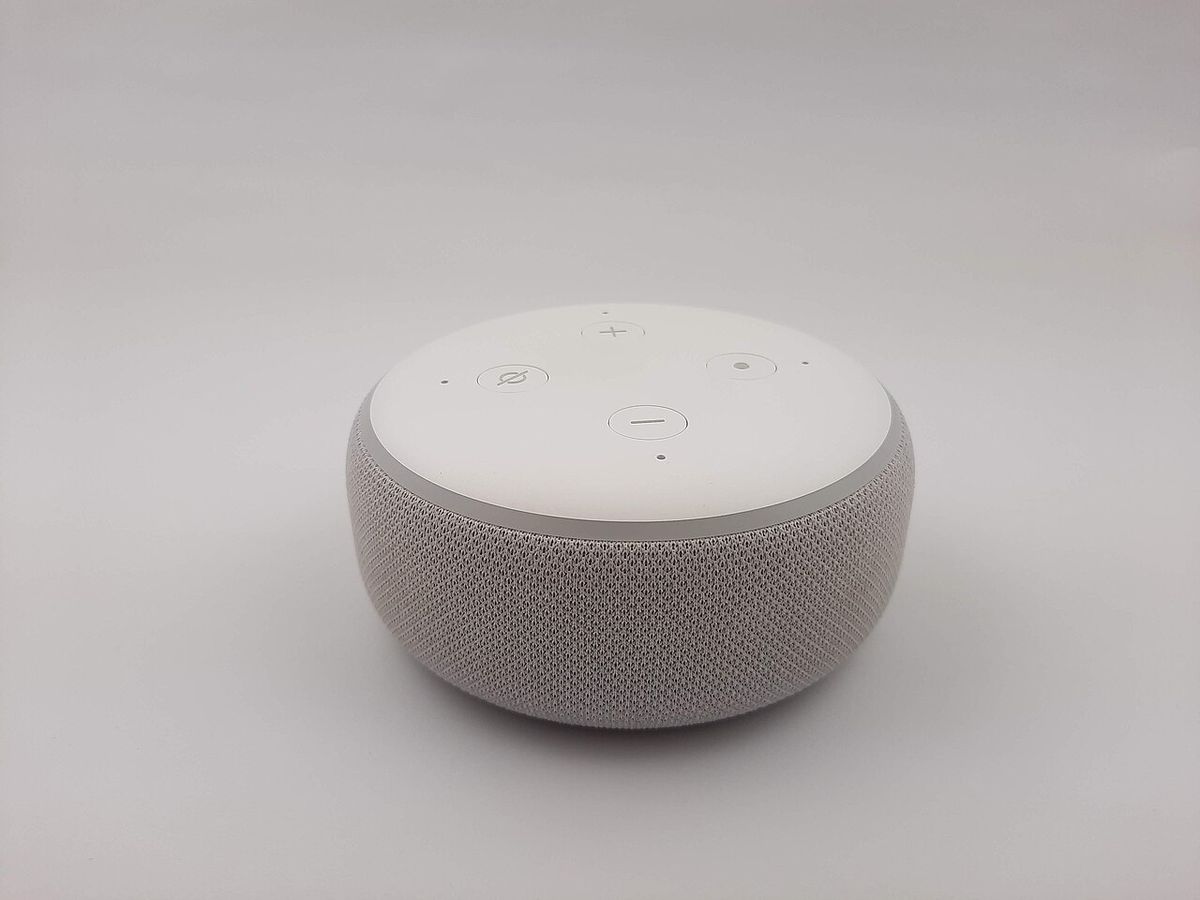
Apple’s hub story is told through devices you buy for other reasons: the Apple TV 4K, the HomePod mini, and the full-size HomePod all double as Home hubs. At least one of them needs to stay powered on at home for the magic to work — remote access, automations, and Thread border routing all run through it.
The strengths are real. HomeKit’s local-first design means automations run inside your house even when the internet drops — your lights still turn on, your schedules still fire. Apple’s privacy posture is the strongest in the business: HomeKit data is processed on-device, and Apple doesn’t sell it to advertisers. In the 2026 landscape, HomeKit also has among the best Matter support among mainstream platforms. The Home app is clean, scenes are straightforward, and multi-condition automations (motion AND after sunset, for example) are well supported.
The trade-offs are equally real. You need iPhones in the house to make it work — Android household members get a second-class experience at best. The device catalog, while much better than it was, is still narrower than Alexa’s. And Siri remains the least capable of the big three assistants at handling complex or conversational smart-home queries. You’re also paying the Apple hardware tax: an Apple TV 4K as your hub costs meaningfully more than an Echo Dot.
Best for: iPhone households that value privacy, want automations that survive internet outages, and are happy buying from Apple’s curated device list.
Amazon Echo: the everything-works hub
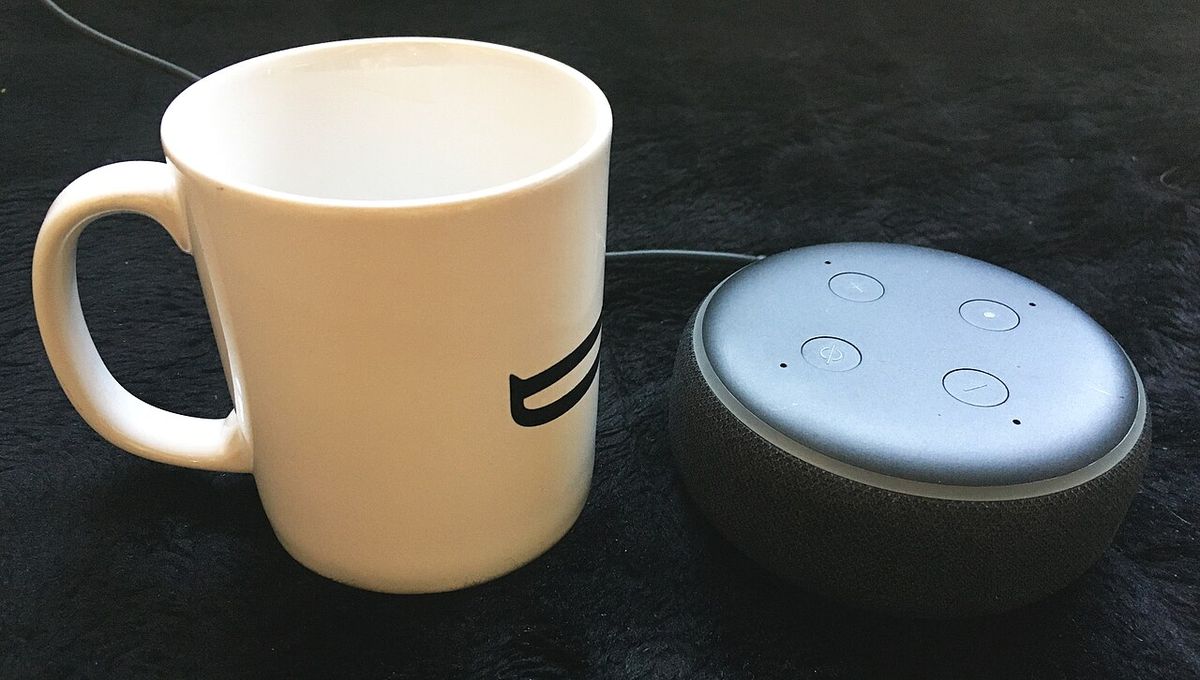
The Echo is the largest installed-base smart-home ecosystem in the US — north of a hundred million devices — and it shows. The catalog of compatible devices is the widest in the industry, the entry price is the lowest (an Echo Dot or Echo Pop can start a system for well under $50), and Echo devices increasingly carry Zigbee radios and Thread border-router capability, so the “hub” really is the speaker on your nightstand.
Alexa’s strengths are practical: Routines cover the automations most households actually use, voice control is fast and competent, and the device variety means there’s almost always something that fits — budget sensors, premium locks, quirky gadgets from brands nobody’s heard of. For mixed households (iPhones and Androids living together), Alexa is ecosystem-neutral: the Alexa app runs everywhere.
The weaknesses: Alexa routines are basic compared to HomeKit or Home Assistant — one trigger, multiple actions, no real compound conditions. Privacy is the standard objection: Amazon is an ad-driven company, and Alexa’s cloud-centered model means more of your home data passes through Amazon’s servers than with HomeKit. And the catalog’s breadth is also its curse — cheap devices with terrible firmware exist in abundance, so brand discipline matters.
Best for: budget-conscious builds, mixed-phone households, and anyone who wants the widest device selection with the lowest starting price.
Samsung SmartThings: the automation enthusiast’s middle ground
SmartThings occupies an interesting slot in 2026: more powerful than the voice-first platforms, less demanding than Home Assistant. It’s evolved from a hub-in-a-box into a platform that runs on Samsung hardware (SmartThings Station, compatible TVs and appliances) with strong Matter support and solid local control for common device types.
Its real strength is breadth with depth: one of the broadest device and protocol portfolios in the industry (Zigbee, Z-Wave, Wi-Fi, Matter, Thread) combined with an automation engine that goes further than Alexa routines — multiple conditions, device-state awareness, and solid integration with Samsung’s enormous appliance lineup. If your house already runs Samsung TVs, washers, and refrigerators, SmartThings ties them together better than anything else.
The trade-offs: SmartThings has had platform transitions over the years that frustrated long-time users, and while the 2026 version is stable, the reputation lingers. The voice story is borrowed — you’ll use Alexa or Google Assistant or Bixby on top. And for the deepest automations or the most exotic devices, it still sits a rung below Home Assistant.
Best for: automation enthusiasts who want real power without a hobby-grade time commitment, and Samsung-heavy households.
Home Assistant Green: the local-control champion
Home Assistant is the power-user choice and the only option here that is fully local by design. The Home Assistant Green (roughly $100–$150 in 2026) is a purpose-built box that runs the whole system inside your house: no cloud account required, no subscription, automations that keep working through internet outages, and support for the widest device universe in the industry — including the ability to run Zigbee, Z-Wave, and Thread radios together.
The strengths are unmatched for tinkerers: automations of essentially unlimited complexity, a dashboard you design yourself, integration with thousands of devices and services, and total data sovereignty. Matter support is strong, and Home Assistant’s approach to multi-admin and bridging means it plays well with the other ecosystems too. If you want your house to do something exotic — per-room presence-based climate, whole-home energy orchestration, conditional logic with five inputs — this is the only platform in this comparison that won’t tell you no.
The cost is time and learning curve. Home Assistant is the steepest climb of the four: YAML-adjacent configuration (mostly GUI now, but the concepts leak through), a radio stick for Zigbee/Z-Wave if you want those protocols, and an ongoing maintenance relationship with your own system. It’s a hobby that happens to run your house. Voice control exists (assistants, integrations with Alexa/Google) but isn’t as polished out of the box.
Best for: technical homeowners who want maximum control, total local operation, and the deepest automations — and who enjoy the project.
Best smart home hub 2026: the side-by-side comparison
| Factor | Apple Home (Apple TV/HomePod) | Amazon Echo | Samsung SmartThings | Home Assistant Green |
|---|---|---|---|---|
| Local control | Strong — automations run locally | Moderate — cloud-dependent for many features | Strong for supported devices | Complete — local by design |
| Privacy posture | Best in class — on-device processing | Cloud-centered, ad-company trade-offs | Moderate — Samsung account ecosystem | You own everything |
| Device selection | Narrower, curated | Widest in the industry | Very broad | Widest incl. DIY/exotic |
| Automation depth | Good — multi-condition supported | Basic — routines, limited conditions | Strong — complex logic | Unlimited |
| Voice quality | Siri — weakest of the three | Alexa — fast, capable | Borrowed (Alexa/Google/Bixby) | Add-on integrations |
| Matter support | Excellent | Good | Good | Excellent |
| Thread border routing | Yes — Apple TV 4K, HomePod | Yes — recent Echo devices | Yes — Station, some TVs | With Thread radio add-on |
| Phone requirement | iPhone strongly preferred | Any phone | Any phone | Any phone |
| Learning curve | Easy | Easiest | Moderate | Steep |
| Entry cost | Apple TV 4K or HomePod mini | Under $50 with a Dot | Station or Samsung hardware | ~$100–$150 + radio sticks as needed |
The Matter-era strategy: buy devices, not ecosystems
The smartest 2026 advice is to stop thinking of the hub decision as permanent. Matter’s multi-admin pairing means a Matter-certified device can live in Apple Home AND Alexa AND Google Home simultaneously. That changes the hub question from “which ecosystem do I marry?” to “which app do I open first?”
The practical strategy: pick the platform that matches your household’s phones and privacy tolerance, then buy Matter-certified devices so you can change your mind later without replacing hardware. A house full of Matter-over-Thread devices works today in HomeKit and tomorrow in SmartThings if you switch. That’s the first time in smart-home history that’s been true, and it’s worth building on.
One caution: Matter covers roughly the common device types reliably — lighting, plugs, locks, sensors, thermostats. Cameras, garage doors, robot vacuums, and advanced lighting scenes still live mostly in ecosystem-specific territory. If those categories matter to you, check their support on your chosen platform before committing.
Hub placement and network hygiene
Whichever hub you choose, its physical setup matters as much as the brand:
- Central and elevated. Thread and Zigbee radios want the hub near the middle of the house, off the floor, away from metal enclosures. A hub buried in a media cabinet inside a rack is fighting physics.
- Wired where possible. If your hub has an Ethernet port (Home Assistant Green, Apple TV 4K), use it. A wired hub means the radio mesh doesn’t share airtime with the hub’s own network traffic.
- Spread border routers. One border router in a large home is a coverage gap waiting to happen. Add Thread border routers (HomePod minis, Echos, Nest hubs) until coverage is even across floors.
- Keep firmware current. Hub firmware updates in 2026 frequently carry Matter and Thread improvements. Enable automatic updates where available.
- Document your setup. Note which hub runs which automations. When something breaks at 11 p.m., “which box runs the porch light schedule?” is a question you want answered in advance — and it’s also exactly what a future buyer will ask.
The verdict: match the hub to the household
There is no single best smart home hub in 2026 — only the best hub for how your household actually lives:
- Choose Apple Home if every adult in the house carries an iPhone, you care about privacy, and you want local automations with minimal fuss.
- Choose Amazon Echo if you want the cheapest start, the widest device choice, and a system anyone in the family can operate — especially in mixed iPhone/Android homes.
- Choose Samsung SmartThings if you want real automation depth without a hobby commitment, or your house is already full of Samsung appliances.
- Choose Home Assistant Green if you’re technical, want everything local, and need automations the other platforms can’t express — and you’re comfortable owning the maintenance.
Next steps
Before buying anything, inventory your household: who uses which phones, which voice assistant everyone tolerates, and which devices you already own. Pick one primary platform, buy Matter-certified devices going forward, and resist the urge to run two hubs in parallel unless you have a reason — split-brain setups are where automations go to die. If the project grows beyond a starter kit — dozens of devices, multi-floor coverage, pro-installed lighting — get a proper design consultation; the hub decision gets harder to reverse the more devices it controls. Costs are 2026 US market ranges; get itemized local quotes for any pro-installed work.
Frequently asked questions
What's the single most important factor in choosing a hub?
Start with your phones: iPhone households lean Apple Home, mixed households lean Alexa, Google-centric households lean Google Home. Then consider privacy tolerance and automation depth. Because Matter devices work across all of them, this decision is more reversible than it used to be — buy Matter-certified devices and you're never locked in.
Do I even need a hub if everything is Matter now?
You still need something that acts as a hub — local control, Thread border routing, and remote access all run through hub-class hardware. The good news is that hardware often hides inside things you already own: an Apple TV 4K, an Echo, a Nest hub. Dedicated boxes like Home Assistant Green or SmartThings Station only enter the picture when you want more control.
Which hubs support Thread and Matter devices?
Yes — all four support Thread border routing in some form: Apple TV 4K and HomePods, recent Echo devices, SmartThings Station and some Samsung TVs, and Home Assistant with a Thread radio. Coverage still depends on placement: one border router rarely covers a whole house, so plan to spread them across floors.
Which hub works best when the internet goes down?
Home Assistant is the strongest 'works when the internet is down' option because it's local by design. Apple Home is close behind — automations run locally through your Home hub even during outages (you just can't use Siri voice commands remotely). Echo and SmartThings have improved local execution but still lean on the cloud for many features.
Can I run two hubs at once?
It's optional. Most households run a primary platform and let Matter bridge the gaps. Power users sometimes run Home Assistant as the automation brain while keeping Alexa or HomeKit as the voice and app layer — that's a legitimate architecture, but two independent automation engines issuing commands to the same devices is a recipe for conflicts. Pick one brain; let the other be a remote control.
Is there a risk my hub platform gets discontinued?
For most households, no — the hub landscape is stable and all four platforms are backed by companies that aren't going anywhere. Home Assistant is open-source, which is its own kind of longevity guarantee. The bigger risk was never the hub dying; it was buying devices locked to one ecosystem. Matter-certified purchases have largely solved that.
Keep reading
Voice & Hubs
Home Assistant vs HomeKit vs Alexa: 2026
Home Assistant vs HomeKit vs Alexa in 2026: local control, voice quality, privacy, Matter support, and which p…
2026 Tech
Matter Smart Home Standard: 2026 Status
Matter smart home 2026 status: what the standard fixed, what's still missing, Thread border routers, and exper…
Voice & Hubs
Voice Control Room by Room: 2026 Guide
Whole home voice control setup for 2026: room-by-room speaker placement, multi-assistant households, and the r…
Voice & Hubs
Thread vs Zigbee vs Z-Wave: 2026 Guide
Thread vs Zigbee vs Z-Wave compared for 2026: reliability, range, interference, device choice, and which proto…

Transfer Equipment
100A vs 200A Automatic Transfer Switch
100 amp vs 200 amp transfer switch: service-entrance vs subpanel topology, when each is required, costs, and l…

Pillar 01 · Energy Resilience
10kWh vs 13.5kWh vs 20kWh Home Battery: Which Size Is Right? (2026)
10kWh vs 13.5kWh vs 20kWh home battery compared: usable capacity, backup runtime, solar pairing, and which tie…