Smart Home Profiles for Multigenerational Households
Smart home profiles for multigenerational households: per-person access, scenes, and privacy boundaries that keep three generations comfortable in 2026.
10 MIN READ · UPDATED 2026-09-22
Key takeaways
- Give every resident an individual profile with permissions matched to their role; never run a multigenerational home on one shared admin login.
- Use per-person smart-lock PINs and alarm codes so access can be granted, scoped, and revoked without affecting the whole household.
- Keep cameras and listening devices out of private spaces; use wearables and sensors (not surveillance) for older parents' safety.
- Build zoned scenes (household + personal) and make every automation defeatable in under five seconds by the least technical resident.
- Design the grandparent's interface for radical simplicity: a labeled keypad and reliable voice phrases, with physical fallbacks that always work.
A smart home designed for one person becomes a source of daily friction the moment three generations move in. Grandparents get locked out by automations they cannot override, teenagers blast music through every speaker in the house, and in-laws discover that the front-door camera recorded their 6 a.m. arrival for everyone to review. The fix is not more devices — it is profiles: per-person access, personalized scenes, and clear privacy boundaries that let a grandparent, a teenager, and a guest coexist in one connected home. Done right, a multigenerational smart home feels like it was designed for each resident individually; done wrong, it feels like living inside someone else's preferences.
The Core Problem: One House, Conflicting Needs
Multigenerational households — now one of the fastest-growing living arrangements in the US — put people with genuinely conflicting needs inside one connected system. An older parent may need larger text, simpler controls, and reliable physical fallbacks; a teenager wants full app control and late-night autonomy; working parents want oversight of energy, security, and schedules; guests or live-in caregivers need temporary, limited access. A single shared login with everyone as an administrator satisfies nobody and creates real problems: automations trigger for the wrong person, voice assistants reveal one resident's information to another, and a well-meaning schedule change by one person breaks another's routine.
The design principle that resolves this is simple: the home should know who is interacting with it, and respond accordingly. That means individual user profiles on every shared platform — the smart-home hub, the voice assistants, the streaming services, the door locks — with permissions matched to each person's role. The administrator (usually the homeowner) gets full control; adults get broad control over shared spaces; teens get room-level control; older parents get simplified, high-reliability control; guests get time-limited essentials. This is not over-engineering — it is the difference between a home that adapts and a home that argues.
Budget context: you do not need to rebuy your smart home to do this. Profiles are mostly configuration, not hardware — the major platforms all support multiple users, and the work is in the setup. Where hardware matters is in the interfaces each generation touches: a simple wall keypad or voice routine for a grandparent, app control for the teens, and physical switches that always work as the universal fallback. Plan a weekend for the initial profile setup, not a shopping trip. Costs are 2026 US market ranges; get itemized local quotes for any professional help.
Access Control: Who Gets In, and What They Can Touch
Start with the front door, because access is where multigenerational friction is most visible. Smart locks with per-person PIN codes give every resident — and every regular visitor, from the home aide to the grandkids — their own code, with an audit trail the homeowner can review. More importantly, codes can be scoped: a caregiver's code works weekdays 8 to 6, a teen's friend's code works for one afternoon, a guest code expires Sunday. This is access control as hospitality: everyone gets in smoothly, nobody gets a key copied, and nothing needs rekeying when circumstances change.
Inside the house, permissions should follow the same logic. The major smart-home platforms let you share the home with family members at different privilege levels — use them. Give the homeowner admin rights, give adults control over shared devices, and consider what each person actually needs rather than defaulting to full access: a grandparent's profile might control their suite's lights, thermostat, and TV, plus the front door, and nothing else — which is not a limitation but a kindness, because a simplified interface they can actually use beats a comprehensive one they cannot. Voice assistants should have voice profiles enrolled per person so my calendar, my messages, and my music stay personal.
Garage doors, gates, and alarm codes deserve the same per-person treatment, and the alarm panel is the one most households get wrong: a single shared disarm code means you never know who came and went, and changing it after a falling-out with a caregiver is disruptive. Individual alarm codes cost nothing to set up and pay for themselves the first time you need to revoke one person's access without affecting everyone else. Document every code and profile in a secure password manager the homeowner controls.
Privacy Boundaries: Cameras, Microphones, and Dignity
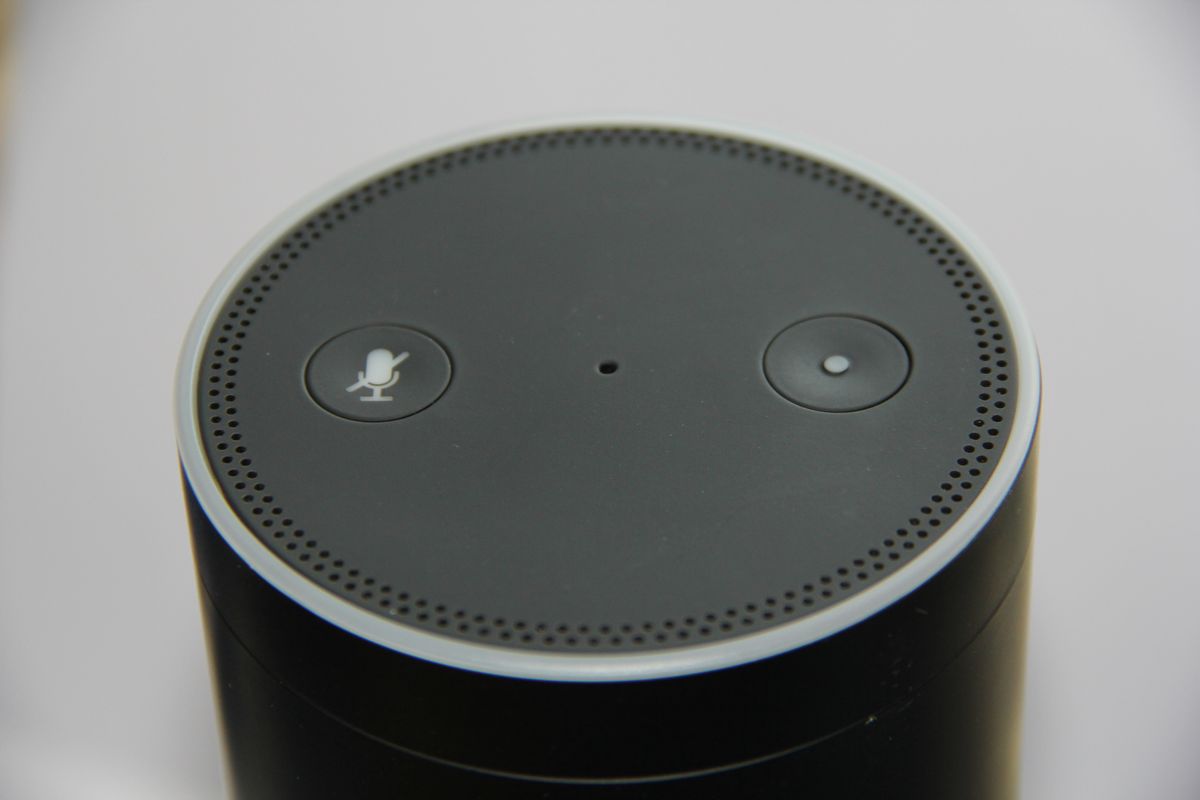
This is the section most multigenerational smart-home guides skip, and it is the one that determines whether the system feels like care or surveillance. The rule is straightforward: no cameras or listening devices in private spaces — bedrooms, bathrooms, and any area a resident considers their own — regardless of good intentions like fall detection or safety monitoring. Safety technology for older parents belongs in the form of wearable fall detectors, stove shutoff sensors, and water-leak alerts, not cameras in their suite. Dignity is not negotiable, and a system that an older parent experiences as spying will be sabotaged or simply unplugged.
Shared-space cameras (entry, driveway, main living areas) need explicit household agreement: who can view the feeds, whether recording is continuous or event-based, and how long footage is retained. The default should be conservative — event-based recording, short retention, homeowner-only live access unless agreed otherwise — because trust is easier to maintain than to rebuild. Voice assistants in shared spaces should have their voice-history and drop-in features configured deliberately: drop-in calling between rooms is convenient until a teenager's friend drops in on grandma's suite unannounced.
Have the conversation explicitly, ideally before installation: walk every adult resident through what each device does, where it is, who can see or hear what, and how to mute or disable it. Write down the agreements. For households with live-in caregivers, check your state's recording-consent laws — they vary significantly and affect both audio and video — and put the device policy in the caregiver agreement. Technology imposed without consent breeds resentment; technology agreed upon builds the sense of a home that looks after everyone.
Scenes and Automations That Respect Everyone
Whole-house scenes are where multigenerational homes shine — when they are built per-person rather than per-house. The classic failure is a single goodnight routine that locks the doors, arms the alarm, and kills every light at 10 p.m. — perfect for the parents, infuriating for the night-owl teen and the grandparent who gets up at 5 a.m. The fix is zoned scenes: goodnight secures the perimeter and dims common areas but leaves each suite's controls untouched, so individual routines govern private spaces.
Build a small library of household scenes plus personal scenes. Household: away (locks, alarm, setback thermostats, simulated occupancy lighting), arrive home (disarm, entry lights, comfortable temperature), movie night (media room only). Personal: each resident gets wake-up, bedtime, and comfort scenes for their own space, triggered by their own schedule or voice profile. Presence detection can personalize automatically — the hallway lights follow whoever is actually there — but keep it to common areas and make sure every automation has a manual override that is obvious and physical.
The override principle deserves emphasis: every automation in a multigenerational home must be defeatable by the least technical resident in under five seconds. A wall switch that always works, a voice command that always cancels the scene, a keypad with a big all lights on button — these are not conveniences, they are the accessibility backbone of the system. Test every scene with the grandparent, not just the tech enthusiast who built it. If anyone in the house cannot confidently undo what the house just did, the automation is not finished.
Designing for Older Parents: Simplicity as a Feature
The grandparent's interface is the most important design surface in a multigenerational smart home, and the goal is radical simplicity. One wall keypad in their suite with four to six large, labeled buttons — lights, shades, temperature up/down, call family — will be used daily; a phone app with nested menus will not. Voice control is the other high-success interface, but only with short, trained phrases and a patient setup session: turn on my bedroom light must work the first time, every time, or it will be abandoned after the second failure.
Reliability matters more than features for this audience. Automations that occasionally misfire are a minor annoyance to a tech enthusiast and a trust-destroying event for an older parent who then stops using the system entirely. Keep their automations few, predictable, and conservative: a gentle wake-up light, an automatic night-light path to the bathroom, a thermostat that holds steady rather than optimizing aggressively. Every device in their space needs a physical fallback that works during internet outages — a real switch, a real thermostat dial, a real door key — because the system must never leave them stranded.
Include them in the process with genuine agency, not a tutorial after the fact. Ask what would make their daily life easier, implement exactly that, and resist the urge to add helpful extras they did not request. A motion-sensor night light they asked for is independence; a motion sensor they discover later is surveillance. The same household, the same technology — the difference is consent and simplicity, and it determines everything about how the system is received.
Teens, Guests, and Keeping the Peace Long-Term
Teenagers need a different contract: enough autonomy to feel respected, enough boundaries to keep the household functioning. Give them full control of their room — lights, temperature within a sane range, their music on their speaker — and clear, enforced limits on shared systems: whole-house audio requires agreement, quiet hours are quiet hours, and the thermostat range is a household decision, not a personal one. Presence-based rules (their room, their rules) work better than time-based policing, and a written house-tech agreement prevents most disputes before they start.
Guests and temporary residents get the lightest profile: door code, Wi-Fi, thermostat within the household range, and a simple printed or tablet guide — no app installation, no account creation, no learning curve. Time-box everything to their stay. For live-in caregivers or long-term guests, graduate to a fuller profile with a defined review date, and remember the recording-consent laws mentioned earlier.
Long-term, assign one household tech steward — the person who maintains profiles, updates firmware, rotates codes, and onboards new residents — and document everything in a shared household guide: what each scene does, how to override it, who to call when something breaks. Review profiles twice a year: kids grow, parents' needs change, caregivers come and go. A multigenerational smart home is not a project you finish; it is a living system you tend, and the tending is what keeps it feeling like home for everyone. Professional integrators charge $1,500 to $5,000 for a full multigenerational profile design and setup; for complex households, it is money well spent. Costs are 2026 US market ranges; get itemized local quotes.
Frequently asked questions
Create individual user profiles on every shared platform (hub, voice assistants, locks, streaming) with permissions matched to role: homeowner as admin, adults with shared-space control, teens with room-level control, older parents with a simplified interface, guests with time-limited essentials. The work is mostly configuration, not new hardware; plan a weekend for initial setup.
No. Cameras in private spaces feel like surveillance regardless of intent and will be resented or disabled. Use dignity-preserving alternatives: wearable fall detectors, stove shutoff sensors, water-leak alerts, and motion-path night lighting. Safety technology should protect independence, not monitor it.
Give them full control of their own room and clear limits on shared systems via a written house-tech agreement: whole-house audio by agreement, enforced quiet hours, and thermostat ranges set at the household level. Presence-based rules (their room, their rules) work better than constant policing.
A wall keypad with four to six large labeled buttons (lights, shades, temperature, call family) plus short, trained voice phrases. Keep their automations few and predictable, and ensure every device has a physical fallback (real switch, real key) that works during internet outages. Include them in the design with genuine agency over what gets installed.
Give them a scoped profile: a door code valid during working hours, control of relevant shared spaces, and a defined review date. Check your state's recording-consent laws for audio and video, put the device policy in the caregiver agreement, and use individual codes so access can be revoked without disrupting the household.
Professional integrators typically charge $1,500-$5,000 for full multigenerational profile design and setup, depending on device count and household complexity. For complex households it's money well spent. Ongoing, assign one household tech steward to maintain profiles, rotate codes, and review permissions twice a year as needs change.