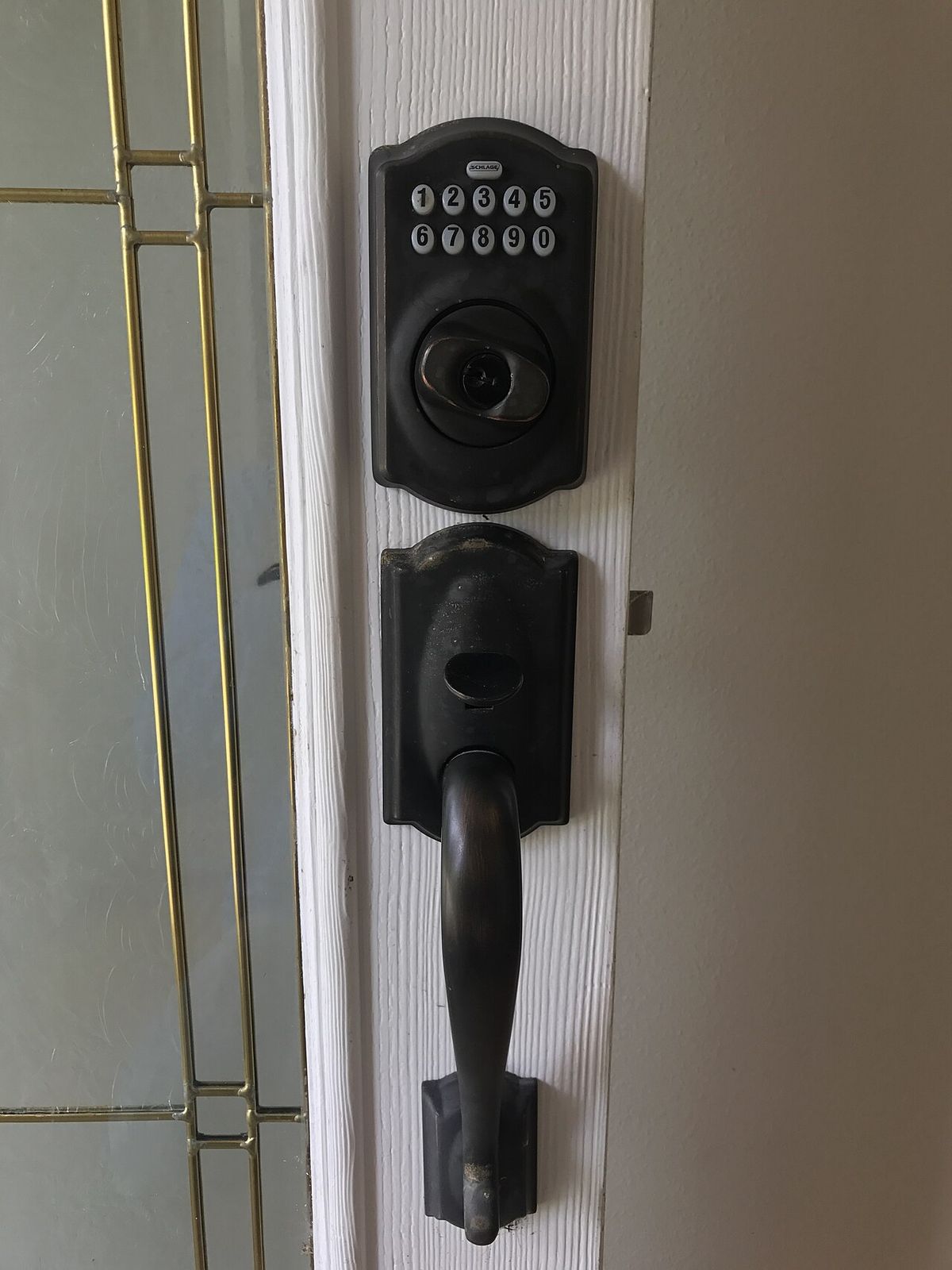
Keypad Locks for Guest Houses & Rentals: Guide
Key takeaways
- A guest house lock needs scheduled, expiring codes per guest — not shared codes — because the users are strangers on unpredictable schedules and nobody is around to notice failures.
- Match connectivity to the building's network: strong Wi-Fi gets a direct Wi-Fi lock; edge-of-range buildings get a hub-based Z-Wave/Thread lock; low-turnover cabins can go deliberately offline.
- Cold, distance, and misalignment are the real killers: use lithium batteries, fix weak Wi-Fi at the door, and align the strike plate before blaming the electronics.
- The Yale Assure Lock 2 is the rental workhorse (250 codes, DoorSense, swappable modules); the Schlage Encode Plus is the simple Wi-Fi pick for strong-signal family guest houses.
- Run it like an operation: named per-stay codes, a turnover verification routine, six-month battery rotations, and a lockbox with a physical backup key on the property.
The lock on your guest house has a harder job than the lock on your front door. Your front door serves people you trust, on schedules you know, within Wi-Fi range of your router. A guest house — or a rental, a pool house, a detached studio — serves strangers on unpredictable schedules, often at the far edge of your Wi-Fi, in weather your main house never sees, with nobody around to notice when something goes wrong. A lock that is merely convenient at the front door can be a genuine liability fifty yards away.
This is the complete keypad door lock guest house guide, covering rentals too: the features that actually matter for detached spaces (unique codes per guest, remote management, offline reliability), the connectivity decision that determines whether the lock works when the Wi-Fi doesn't, the weather and distance realities of outbuildings, the best keypad locks for guest houses in 2026, and the operational playbook for managing codes without losing your mind. Every cost figure is a 2026 US market range; get itemized local quotes if you're hiring installation.
Why a guest house needs a different lock than your front door
Start with the threat model, because it's different. Your front door's lock mostly keeps honest people honest; you know everyone with a code. A guest house lock manages access for people you may never meet: Airbnb guests arriving at midnight, a housekeeper between bookings, a contractor fixing the water heater, your in-laws for the weekend. Each needs access for a defined window, none should have access after it, and you need to grant and revoke that access without driving over with a key.
The failure modes are different too. A front-door lock that goes offline is an annoyance you discover immediately because you're standing in front of it. A guest house lock that goes offline is a crisis you discover when a guest calls from the driveway at 11 p.m. — which is why offline reliability, battery longevity, and remote diagnostics matter more here than any amount of app polish. And the physical environment is harsher: detached structures see bigger temperature swings, more humidity, more dust, and weaker Wi-Fi. The lock that thrives on your climate-controlled front door may eat batteries or drop connections on a garden studio.
Schlage Encode Plus Smart WiFi Deadbolt with Apple Home Key

Grade 1 commercial-rated security with tap-to-unlock and Wi-Fi access
*Affiliate Disclosure: As an Amazon Associate, Elevate Home earns from qualifying purchases. Pricing and availability subject to change.
The features that matter for detached spaces
Unique codes per guest, with scheduling. This is the non-negotiable core. The lock must support enough distinct codes (dozens at minimum) with time windows — the guest's code works Friday 3 p.m. to Sunday 11 a.m., the cleaner's works Tuesdays 10 a.m. to 2 p.m., and both die automatically. Manual code deletion after every stay is how codes leak; scheduled expiry is how they don't. Look for at least 50–100 schedulable codes; the Yale Assure Lock 2's 250-code capacity is the class leader for a reason.
Remote management that actually works remotely. Granting a code from your couch is table stakes; the real test is granting one when the guest house's internet is flaky, viewing the access log to confirm the cleaner actually came, and receiving a low-battery warning with enough lead time to act. Test the app's remote behavior before you commit — some locks are delightful on the local network and miserable over cellular.
Offline reliability. The keypad must work with no internet, no hub, and no phone nearby — because the moment a guest needs the lock most is the moment the Wi-Fi is down. Every reputable keypad lock handles this (codes are stored locally on the lock), but verify it explicitly for any off-brand model. Also confirm the lock fails safe on dead batteries: a 9V battery held to exterior terminals should power the keypad for emergency entry, and a physical key override should exist for true emergencies.
Weather resistance and build quality. Check the IP rating and the operating temperature range against your climate — a lock rated to -20°F is a different product than one rated to 32°F, and guest houses in mountain or desert climates will find the difference. Metal construction beats plastic for UV and impact resistance. If the door faces driving rain, a small drip shield above the lock is cheap insurance regardless of rating.
Wi-Fi vs. hub-based vs. offline: the connectivity decision
This is the most consequential choice, and it hinges on one question: how good is the network at the guest house? If the structure shares the main house's Wi-Fi — close enough for a strong signal, or wired with its own access point — a direct Wi-Fi lock like the Schlage Encode Plus is the simplest answer: no hub, remote management straight from the app, done. Wi-Fi's power hunger (3–6 month battery life) is acceptable when battery swaps are a short walk.
If the guest house is at the edge of Wi-Fi range, choose a hub-based lock instead. A Yale Assure Lock 2 on Z-Wave or Thread, paired with a hub in the guest house (or a strong mesh node), sips power — 9–12 month battery life — and stays connected where Wi-Fi struggles, because mesh protocols are designed for exactly this kind of low-bandwidth, long-range device chatter. The hub also keeps local automations running during internet outages. The cost is complexity: one more device to power, update, and troubleshoot.
The third option is deliberately offline: a high-quality standalone keypad deadbolt with no connectivity at all. No remote management, no app — you program codes at the keypad and rotate them manually. This sounds primitive, but for a low-turnover guest house (family visits, not nightly rentals), it's the most reliable lock you can buy: nothing to go offline, batteries last a year or more, and there's no firmware to break. Match the connectivity to the turnover: nightly rentals need remote management; quarterly family visits don't.
Weather, distance, and power: detached-structure realities
Three environmental factors bite guest house locks harder than front-door locks. Temperature first: alkaline batteries lose capacity fast below freezing, and a lock that gets six months on the front door may get three on an unheated studio. In cold climates, use lithium AA batteries (they hold voltage far better in the cold) and set calendar reminders rather than trusting the app's low-battery warning, which can lag. Distance second: every wall between the lock and the router or hub degrades the signal; a Wi-Fi lock at -75 dBm will burn battery retrying transmissions. If the signal is marginal, fix the network (a $100 access point in the guest house) rather than blaming the lock.
Power third, and most overlooked: a hub-based lock needs the hub powered, which means the guest house needs a UPS on its network gear if you want the lock manageable during outages — the same UPS logic as the camera system. And think about the door itself: detached structures settle, swell, and shift more than main houses, so verify the deadbolt throws smoothly into a properly aligned strike plate. A smart lock fighting a misaligned door drains its motor and battery and eventually fails to lock — the number-one “smart lock problem” that is actually a carpentry problem. Fix the door before you blame the electronics.
Best keypad door lock for a guest house in 2026
Yale Assure Lock 2 — the rental workhorse. The strongest all-around pick for guest houses and rentals: 250 schedulable codes, DoorSense to confirm the door actually closed behind guests, swappable Wi-Fi/Z-Wave/Matter modules to match whatever network the outbuilding has, and 9–12 month battery life on a mesh protocol. The Yale Access app's rental integrations can auto-generate codes per booking. If you buy one lock for a detached rental, buy this one.
Schlage Encode Plus — the simple Wi-Fi pick. The right choice when the guest house has strong Wi-Fi and you want zero hub infrastructure: built-in Wi-Fi, Apple Home Key for Apple-household guests, Grade 1 build quality, and the most forgiving keypad in the class. Accept the 3–6 month battery life and set a recurring reminder. Best for family guest houses rather than high-turnover rentals, where its 100-code limit and shallower management app are non-issues.
Kwikset Halo — the budget pick. Noticeably cheaper ($150–$200), with Wi-Fi built in and a straightforward app. The trade-offs are real: lower build quality, fewer advanced features, and a less polished management experience. Defensible for a low-turnover guest house where the lock mostly serves family — harder to justify for a revenue-generating rental where lock failures cost bookings.
Standalone commercial keypad deadbolts — the offline pick. Brands like Schlage's commercial keypad line and Alarm Lock make non-connected keypad deadbolts built for years of abuse with 100+ codes programmed at the keypad. No app, no remote anything — and nothing to fail. For the cabin you visit twice a year, this is arguably the smartest “smart” lock: maximum reliability, minimum attack surface, and a five-minute code rotation on arrival.
Managing codes: the operational playbook
The lock is the easy part; the operation is the discipline. Set up a code scheme and stick to it: one permanent code per family member, one recurring scheduled code per regular service provider (cleaner, landscaper), and unique per-stay codes for every guest, generated from the booking dates. Never reuse guest codes — a code that worked last month and still works is a security hole wearing a convenience costume. Name every code in the app (“Smith family Jul 18–21,” not “Guest 7”) so the access log is actually readable.
Build two routines around the lock. First, a turnover routine: the moment a stay ends, verify the code expired (don't assume the schedule worked — check), review the access log for anomalies, and confirm the door's DoorSense status shows closed and locked. Second, a battery routine: lithium batteries on a six-month calendar rotation, regardless of what the app says, because a dead lock at a remote property is an emergency and a $8 battery rotation is not. Keep a lockbox with a physical backup key on the property — not at the guest house door, but somewhere a trusted person can direct a guest to — for the day the electronics eventually fail. They will, once, and the lockbox turns a crisis into a phone call.
2026 cost ranges
Hardware in 2026: $150–$200 for budget Wi-Fi keypad locks (Kwikset Halo), $160–$250 for the Yale Assure Lock 2 depending on module, $280–$330 for the Schlage Encode Plus, $200–$400 for commercial-grade standalone keypad deadbolts. Add a hub ($80–$150) if you're going Z-Wave/Thread and don't own one, lithium batteries at ~$8–$12 per change, and a small UPS ($60–$120) for the guest house network gear if remote management during outages matters. Professional installation runs $100–$200 per lock; most keypad deadbolts are a 20-minute DIY install on a standard prepped door. Costs are 2026 US market ranges; get itemized local quotes.
Next steps
Start with the network, not the lock: check the Wi-Fi signal strength at the guest house door (your phone's Wi-Fi analyzer is fine for this) and decide Wi-Fi vs. hub-based vs. offline before you shop. Then match the lock to the turnover: nightly rentals get the Yale with remote management and per-booking codes; family guest houses get whatever fits the network; twice-a-year cabins get the offline commercial keypad and a lockbox. Set up the code scheme on day one — named, scheduled, expiring — and put the battery rotation on your calendar before the first guest arrives. The lock is a small purchase; the operation around it is what keeps a detached property secure. Costs are 2026 US market ranges; get itemized local quotes.
Yale Assure Lock 2 Touch Deadbolt

A strong alternative to our top pick — compare features and reviews before you buy.
*Affiliate Disclosure: As an Amazon Associate, Elevate Home earns from qualifying purchases. Pricing and availability subject to change.
Frequently asked questions
What's the best smart lock for a rental property?
The Yale Assure Lock 2 is the strongest all-around pick for rentals: 250 schedulable codes, DoorSense open/closed detection, swappable Wi-Fi/Z-Wave/Matter modules for whatever network the building has, and 9–12 month battery life on a mesh protocol. The Schlage Encode Plus is the simpler Wi-Fi alternative when the guest house has strong signal and turnover is low.
Do smart locks work if the Wi-Fi goes down?
Every reputable keypad lock stores codes locally and the keypad works with no internet, no hub, and no phone nearby — verify this explicitly for off-brand models. What you lose offline is remote management: granting codes from afar and receiving notifications. A hub-based lock (Z-Wave/Thread) keeps local automations running during ISP outages as long as the hub has power.
How do I keep a guest house lock working in winter?
Use lithium AA batteries in cold climates — they hold voltage far below freezing where alkalines collapse. Expect roughly half the rated battery life on an unheated outbuilding versus a climate-controlled front door, and rotate batteries on a six-month calendar schedule rather than trusting the app's low-battery warning, which can lag.
Can I give every guest their own code?
Yes, and it's the standard playbook: one permanent code per family member, one recurring scheduled code per regular service provider, and a unique per-stay code for every guest generated from the booking dates, expiring automatically at checkout. Name every code in the app ('Smith family Jul 18–21') so the access log stays readable.
What happens if the smart lock dies with a guest inside?
Keep a lockbox with a physical backup key on the property — not at the guest house door, but somewhere a trusted person can direct a guest to. Every electronic lock fails eventually (usually a dead battery at the worst moment), and the lockbox turns a midnight crisis into a phone call. Most smart locks also accept emergency power via a 9V battery held to exterior terminals.
How much does it cost to put a smart lock on a guest house?
Roughly $150–$330 for the lock hardware depending on model, plus $80–$150 for a hub if you go Z-Wave/Thread without owning one, and $100–$200 for professional installation (though most are a 20-minute DIY install). Budget lithium batteries (~$8–$12 per change, twice a year) and a small UPS ($60–$120) for the network gear if remote management during outages matters.
Keep reading
Smart Locks
Schlage vs Yale Smart Locks: 2026 Guide
Schlage vs Yale smart lock compared for 2026: Encode Plus vs Assure Lock 2 on security grade, Home Key, finger…
Second Homes
Smart Home for Second Homes: 2026 Guide
Smart home second home guide for 2026: remote-first design, keyless guest entry, freeze protection, caretaker-…
Second Homes
Vacation Home Remote Monitoring: 2026 Guide
Vacation home remote monitoring guide for 2026: the water, freeze, power, and camera sensor stack, cellular ba…
Access
Smart Garage Door Opener Guide: 2026
Smart garage door opener guide 2026: myQ vs Tailwind vs native integrations, car compatibility, guest access, …

Transfer Equipment
100A vs 200A Automatic Transfer Switch
100 amp vs 200 amp transfer switch: service-entrance vs subpanel topology, when each is required, costs, and l…

Pillar 01 · Energy Resilience
10kWh vs 13.5kWh vs 20kWh Home Battery: Which Size Is Right? (2026)
10kWh vs 13.5kWh vs 20kWh home battery compared: usable capacity, backup runtime, solar pairing, and which tie…