Remote Monitoring for Aging Parents: Sensors, Cameras & Privacy
Key takeaways
- Passive sensors (motion, door, stove, bed) detect problems without recording anyone — they are the most privacy-respecting starting point.
- Cameras belong in common areas only with explicit consent; never in bedrooms or bathrooms, and always disclosed to visitors and caregivers.
- The best systems alert on anomalies — no morning kitchen motion, stove left on — rather than requiring someone to watch a feed.
- Get explicit, informed consent from your parent first; monitoring installed secretly destroys trust and can violate wiretapping laws.
- Budget $300–$1,500 for sensor hardware plus $15–$50/month for monitoring platforms; professional installation adds $500–$1,500.
Every adult child of an aging parent knows the 10 p.m. anxiety: Mom did not answer the phone — is she asleep, or is she on the floor? Remote monitoring technology promises an answer, but it walks a razor-thin line between caring oversight and surveillance that strips a person's dignity. Done right, a thoughtful sensor setup extends independent living for years and lets everyone sleep better. Done wrong, it poisons trust. Here is how to build a system that protects safety and respects the person it protects.
Start With the Conversation, Not the Technology
The monitoring conversation fails when it starts with equipment. It succeeds when it starts with goals your parent shares: staying in their own home, avoiding a crisis that forces rushed decisions, and not being pestered with check-in calls. Frame every device as serving those goals. "This sensor means I do not have to call every morning to make sure you are up" lands entirely differently than "I want to know what you are doing all day" — and both sentences can describe the same motion sensor.
Consent must be explicit and informed, not assumed. Walk through what each device detects, who receives the alerts, and what happens with the data. Give your parent genuine veto power over specific devices and locations — someone who agrees to a kitchen motion sensor but refuses a bedroom sensor has drawn a reasonable line, and honoring it builds the trust that keeps the rest of the system in place. Revisit consent periodically, especially if cognitive changes develop; what was agreed to with full capacity deserves re-examination as capacity shifts.
Include the whole family in the agreement about who sees what. Nothing corrodes sibling relationships faster than one child holding all the sensor data and fielding every alert while others feel cut out — or conversely, everyone getting every alert and nobody taking responsibility. Decide upfront: who is the primary responder, who is the backup, and what is the escalation order. Write it down. The technology is the easy part; the family operating agreement is the actual system.
Bay Alarm Medical SOS Mobile GPS Medical Alert System

Hand-picked for this guide; listing verified live on Amazon.
*Affiliate Disclosure: As an Amazon Associate, Elevate Home earns from qualifying purchases. Pricing and availability subject to change.
Passive Sensors: The Privacy-Respecting Foundation
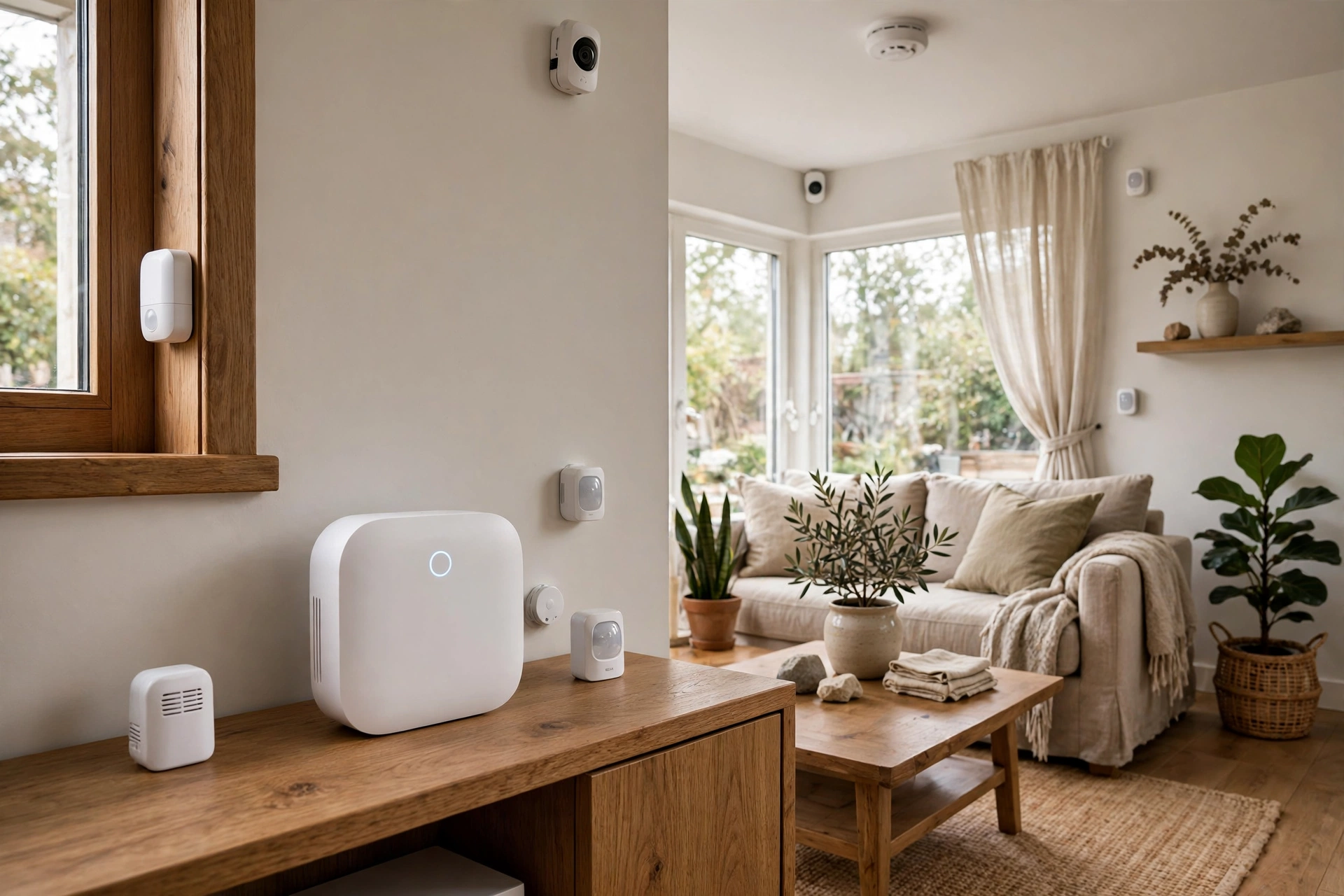
Passive sensors detect activity without capturing images, audio, or identity — they are the right default for most families. A motion sensor in the kitchen and hallway learns that Mom is typically up by 7:30, makes coffee, and moves through the house; the system alerts you only when the pattern breaks. Door sensors on the front door and refrigerator reveal comings and goings and eating routines. A stove sensor or smart shutoff addresses one of the most feared hazards — a burner left on — without watching anyone cook.
Bed-occupancy sensors add a nighttime safety layer: unusually long bed occupancy in the morning, or getting up repeatedly at night, both trigger gentle alerts. Water-leak sensors under sinks and behind the washing machine protect the house itself. None of these devices knows or cares who is in the room; they report states and transitions, which is precisely why most older adults accept them. You are monitoring the household's rhythm, not the person.
The limitation to understand honestly: sensors infer, they do not see. A motion sensor cannot tell you whether Dad got up and made breakfast or got up, felt dizzy, and sat back down. Pattern-break alerts are excellent early-warning signals — no kitchen motion by 10 a.m. is worth a phone call — but they are not a substitute for human contact or, for high-risk individuals, wearable emergency devices. Treat sensors as the tripwire layer of a broader safety plan, not the whole plan.
- Motion sensors: kitchen, hallway, bathroom doorway — build the daily rhythm baseline.
- Door/cabinet sensors: front door, refrigerator, medication cabinet — comings, goings, and routines.
- Stove monitors: detect burners left on; some models auto-shut-off — the single highest-value fire safety sensor.
- Bed occupancy: nighttime safety and morning routine confirmation without any camera.
- Leak sensors: under sinks, water heater, washing machine — protect the house, not just the person.
Cameras: Where They Belong and Where They Never Do
Cameras are the most powerful and most fraught tool in the kit. The defensible placements are narrow: a video doorbell covering the entry (which also protects against scams targeting older adults), and possibly a camera in a main living area — only with your parent's explicit, enthusiastic consent. Every camera must be visible, disclosed to all visitors and caregivers, and its purpose documented. A camera your parent does not know about is not a safety device; it is a betrayal that will surface eventually, usually at the worst moment.
Bedrooms and bathrooms are absolute no-go zones — no exceptions, no clever justifications about fall risk. The dignity cost is total and the legal exposure is real. For fall-risk areas, use the alternatives: a wearable fall detector, a bedside voice-activated assistant for calling help, or radar-based presence sensors that detect falls without capturing images. If anyone proposes a bathroom camera 'for safety,' that is the moment to bring in a professional care assessment instead — the underlying need has outgrown what technology should handle.
Audio deserves special caution. Many cameras record sound by default, and audio recording is where state wiretapping and eavesdropping laws bite — several states require all-party consent for recording conversations. Disable audio recording unless you have verified your state's law and obtained the necessary consents, and remember that caregivers, visiting nurses, and friends all count as parties. When in doubt, video without audio in disclosed common areas is the conservative, defensible configuration.
Smart Alerts: Monitoring Without Watching
The best monitoring systems are the ones nobody watches. Pattern-learning platforms establish your parent's normal routine over a couple of weeks — wake time, kitchen activity, evening wind-down — and then go quiet, surfacing only anomalies: no morning motion by the usual time plus two hours, the front door opening at 3 a.m., the stove on with no kitchen motion for thirty minutes. This exception-based model is what makes monitoring sustainable; a system that pings you forty times a day gets muted within a week, and a muted system protects no one.
Design the alert tiers deliberately. Informational events (Dad left for his walk at the usual time) can go to an app dashboard nobody checks urgently. Warning events (no bathroom motion all morning) merit a text to the primary responder. Critical events (stove left on with no motion, possible fall detected) should trigger phone calls through the escalation chain and, where configured, professional monitoring dispatch. Test the full chain quarterly — an alert that fires correctly but reaches a phone on silent at 2 a.m. is a system failure, not a success.
Resist the urge to over-alert. Every family has a different risk tolerance, but the pattern is universal: too many alerts train everyone to ignore them, and the one that matters drowns in noise. Start with fewer, higher-signal alerts and add only when a real gap appears. And give your parent visibility into the same dashboard if they want it — transparency about what the system sees is part of the dignity bargain.
The Legal and Ethical Lines You Must Not Cross
The law here is a patchwork, and ignorance is not a defense. Video recording in one's own home is broadly permitted, but audio recording triggers state wiretapping statutes that range from one-party to all-party consent. Recording a hired caregiver without disclosure can violate eavesdropping laws and, in many states, labor regulations. If your parent has diminished capacity, who can legally consent to monitoring on their behalf depends on guardianship, power of attorney terms, and state elder law — this is squarely consult-an-attorney territory, not internet-advice territory.
Beyond law lies ethics, which is the stricter standard. Monitoring should be the least invasive means to the safety goal: if a stove sensor solves the fire worry, you do not also need a kitchen camera. Data minimization applies — collect the rhythm data you need for safety alerts, not a comprehensive archive of someone's life. Check what your platform does with the data: where it is stored, how long it is retained, whether it is sold or used for advertising, and what happens if the company is acquired. A free platform monetized by data is a poor guardian of your parent's privacy.
Finally, plan the off-ramp. Monitoring needs change — sometimes tightening as health declines, sometimes loosening as a parent recovers from surgery and resents the oversight. Build in regular reviews: every six months, ask what is still earning its place. A system that can gracefully shrink is one your parent will tolerate; a system that only ever expands feels like a ratchet, and ratchets get ripped off the wall.
What a Good Setup Costs in 2026
A sensible DIY starter — four to six motion and door sensors, a stove monitor, two leak sensors, and a video doorbell on a pattern-learning platform — typically runs $300–$800 in hardware with $0–$25/month for the platform tier that includes anomaly alerts and family sharing. This covers the core safety scenarios for a parent living independently with mild risk factors, and it installs in an afternoon without drilling or wiring.
Stepping up to a fuller system — whole-home sensor coverage, indoor camera in the main living area, bed-occupancy sensing, smart locks with activity logs, and professional monitoring dispatch — lands at $1,000–$2,500 in hardware plus $30–$50/month. Professionally installed and configured whole-home setups, where a technician places every sensor optimally, configures alert tiers, and trains the family, run $1,500–$4,000 all-in. That service premium is often worth it when the adult children live far away and nobody local can tinker.
Costs are 2026 US market ranges; get itemized local quotes. Price the monthly platform fees over three years when comparing — a $200 cheaper hub with a $40/month mandatory plan costs more than a $400 hub with a $10 plan within a year. And confirm what happens to local sensor function if the internet drops: the best systems keep critical alerts working locally or via cellular backup rather than going blind during an outage.
Putting It Together: A Respectful Implementation Plan
Week one is conversation and consent: discuss goals, agree on devices and placements, designate alert responders, and document the plan. Week two is the sensor foundation: motion, door, stove, and leak sensors — the non-controversial layer that delivers most of the safety value. Live with just sensors for a month. You will learn what the data actually looks like, your parent will learn that the house does not feel watched, and the alert thresholds will calibrate to reality rather than anxiety.
Only then, if genuine gaps remain, consider cameras — one at a time, in agreed locations, with audio handled per your state's law. Pair the environmental layer with the human layer it can never replace: the regular phone call, the neighbor with a spare key, the wearable medical alert for high fall risk. Technology extends the safety net; it does not weave it alone.
Revisit everything twice a year. Needs evolve, platforms update their privacy terms, and your parent's comfort level will shift with experience. The families who do this well share one trait: they treat the system as an ongoing conversation with the person it protects, not a project that was completed on installation day. That posture — safety with dignity, always — is what makes the technology welcome in the home instead of merely tolerated.
Ring Pan-Tilt Indoor Cam

A strong alternative to our top pick — compare features and reviews before you buy.
*Affiliate Disclosure: As an Amazon Associate, Elevate Home earns from qualifying purchases. Pricing and availability subject to change.
Frequently asked questions
Is it legal to put cameras in my aging parent's home?
If your parent owns or rents the home and consents, cameras in common areas are generally legal — but audio recording is regulated by state wiretapping laws, and some states require all-party consent. Caregivers and visitors generally must be informed. Never install cameras secretly, and never place them in bedrooms or bathrooms. When in doubt, consult a local elder-law attorney before installing anything that records.
What is the least invasive way to monitor an aging parent remotely?
Passive environmental sensors: motion sensors that learn daily routines, door and cabinet sensors, stove monitors, and bed-occupancy sensors. They generate no video or audio — just data like 'kitchen motion detected at 7:40 a.m.' Family members get alerts only when patterns break, such as no movement by mid-morning. Most parents accept sensors far more readily than cameras.
How do I convince my parent to accept monitoring?
Frame it as their independence tool, not your surveillance tool: 'This lets you stay in your home longer, and it means I call less to check on you.' Start with the least invasive option, give them control over what is monitored and who sees alerts, and offer a trial period with a clear off-ramp. Respect a no — pushed monitoring breeds resentment and gets unplugged anyway.
Can monitoring systems detect falls?
Dedicated fall-detection wearables and some radar-based room sensors can detect falls and trigger alerts, with varying reliability. Standard motion sensors cannot reliably distinguish a fall from someone sitting still — they detect absence of expected motion, which is useful but slower. For high fall risk, pair environmental sensors with a wearable fall detector or medical alert system rather than relying on room sensors alone.
What does remote monitoring for seniors cost in 2026?
A DIY sensor starter kit runs $300–$800 with no monthly fee for basic app alerts; platforms with pattern-learning and family dashboards run $15–$50/month. Camera systems add $100–$300 per camera plus optional cloud storage fees. Professionally installed whole-home setups run $1,500–$4,000. Costs are 2026 US market ranges; get itemized local quotes.
Should I tell hired caregivers about the cameras?
Yes — in most states you are legally required to disclose recording to people being recorded, and ethically it is non-negotiable regardless. Disclosure typically goes in the caregiver agreement. Secret recording of a caregiver can violate wiretapping or eavesdropping statutes and will destroy the working relationship if discovered. Transparency protects everyone.
Keep reading
Senior Tech
Smart Home Tech for Seniors: 2026 Guide
Smart home technology for seniors, honestly assessed: what aging parents actually use, what gets abandoned, 20…

Senior Tech
Fall Detection Systems for Seniors: Guide
Fall detection systems for seniors compared: wearables vs home sensors vs monitored pendants — accuracy, false…
Tech Guide
Smart Home Aging in Place: The Practical Tech Stack
Smart home aging in place: voice control, automated lighting, fall detection, stove shutoff and video doorbell…
Senior Tech
Smart Locks & Doorbells for Seniors: Guide
Smart locks for seniors compared: keypad vs fingerprint vs voice, video doorbells with large displays, package…
Interactive Tool
Aging in Place Renovation Cost Estimator 2026 Guide
Budget your aging-in-place renovation with our interactive estimator. Price accessible bathrooms, kitchens, el…

Transfer Equipment
100A vs 200A Automatic Transfer Switch
100 amp vs 200 amp transfer switch: service-entrance vs subpanel topology, when each is required, costs, and l…