How to Size a Home Battery Backup System: Partial vs Whole Home, Worked Math (2026)
Key takeaways
- Most homeowners need 10-20 kWh of usable capacity for basic essential load backup during overnight outages.
- Do not try to back up central AC without at least two batteries and a smart load management panel.
- Peak kW output (power) is just as important as kWh (capacity). A single battery might not start your well pump even if it's fully charged.
- Partial-home backup powers a dedicated critical-loads panel — essentials only — typically costing $12,000–$28,000 installed for a large home.
- Whole-home backup powers the entire panel for a seamless experience, typically $25,000–$60,000+ installed, often requiring a service upgrade.
- Sizing follows the loads: 10–20 kWh often covers essentials for a day or more, while genuine whole-home coverage commonly needs 27–54+ kWh.
Sizing a home battery backup system is the single most expensive decision you will make in your energy transition. Buy too little capacity, and your power will drop the moment your well pump or HVAC kicks on during an outage. Buy too much, and you have essentially stranded five figures of capital on the side of your house for an event that might happen once a year.
By 2026, the home battery market has shifted. We are no longer limited to binary choices like a single 13.5 kWh Tesla Powerwall or nothing. With modular systems from Enphase, FranklinWH, and generic LiFePO4 server rack batteries, you can right-size your capacity down to the kilowatt-hour. But to do that, you need to understand the fundamental difference between power (kW) and capacity (kWh), and you need to perform an honest audit of your critical loads.
Power vs. Capacity: The Golden Rule of Sizing
The most common mistake homeowners make is confusing kilowatts (kW) with kilowatt-hours (kWh). Understanding this distinction is mandatory before you spend a dime.
Power (kW) is the maximum output the battery can deliver at one specific moment. Think of this as the size of the pipe. If you have a 5 kW battery, and you try to turn on an electric oven (3 kW) and a well pump (3 kW) at the exact same time, the battery will overload and shut down, even if it is 100% full. You tried to pull 6 kW through a 5 kW pipe.
Capacity (kWh) is the total volume of energy stored in the battery. Think of this as the size of the water tank. If you have a 10 kWh battery, and you run a 1 kW space heater, the battery will be empty in 10 hours. If you run a 5 kW AC unit, the battery will be empty in 2 hours.
To properly size your system, your battery array must have enough power (kW) to handle the startup surge of your biggest appliances, and enough capacity (kWh) to keep them running for your desired outage duration.
ECO-Worthy Cubix100 48V 400Ah LiFePO4 Server Rack Battery

Hand-picked for this guide; listing verified live on Amazon.
*Affiliate Disclosure: As an Amazon Associate, Elevate Home earns from qualifying purchases. Pricing and availability subject to change.
Step 1: Identify Your Critical Loads
The first step in sizing is deciding what actually needs to stay on during a blackout. Every circuit you add to this list exponentially increases the cost of your system.
Tier 1: The Non-Negotiables (Essential Loads)
These are the circuits that keep your home habitable and prevent property damage:
- Refrigerators and freezers: Prevent food spoilage. (Usually pulls 100-400W running, up to 1200W starting).
- Well pump or sump pump: Prevent flooding and maintain water pressure. (Pulls high surge wattage, often 3,000W+ to start).
- Internet router and minimal lighting: Stay connected and safe. (Less than 100W combined).
- Medical equipment: CPAP machines or oxygen concentrators.
If you only want to back up Tier 1 loads, a single 10-14 kWh battery (like one Powerwall 3 or two Enphase 5P units) is almost always sufficient for a 12 to 24-hour outage without solar recharge.
Tier 2: Comfort and Convenience
Adding these loads pushes you into the two-battery (20-28 kWh) territory:
- Kitchen appliances: Microwave, coffee maker, electric kettle.
- Home office: Multiple monitors, desktop computers.
- Entertainment: TVs, gaming consoles.
- Gas furnace blower: If you heat with gas, the furnace still needs electricity to run the fan. This is critical in winter.
Tier 3: The Heavy Lifters (Whole Home)
Attempting to back up these loads requires serious capital, usually 3 to 4 batteries (30-40+ kWh) and a smart electrical panel (like SPAN or Lumin) to manage the loads dynamically.
- Central Air Conditioning or Heat Pumps: A standard 3-ton AC unit can pull 3,000-4,000W continuously and requires a massive surge to start.
- Electric water heaters: Standard tank heaters pull 4,500W. Heat pump water heaters are much more efficient (pulling ~500W).
- Electric ovens and dryers: Pull 3,000W to 5,000W each.
- EV Chargers: Level 2 charging pulling 7kW to 11kW will drain a home battery in a matter of hours. Never back up an EV charger without load management.
Step 2: Calculate Your Daily Consumption (kWh)
Once you know what you want to run, you need to calculate how much energy those items use over your target backup period (usually 24 hours).
The easiest way to get an accurate baseline is to look at your utility bill. Find your average daily usage in kWh. In the US, the average home uses about 30 kWh per day. However, during an outage, you will naturally conserve energy. A realistic "essential load" profile for a 24-hour period might look like this:
| Appliance | Average Draw (Watts) | Estimated Hours Used | Total Energy (kWh) |
|---|---|---|---|
| Refrigerator | 150W (average cycling) | 24 hours | 3.6 kWh |
| Internet / Router | 30W | 24 hours | 0.7 kWh |
| LED Lighting (5 bulbs) | 50W | 6 hours | 0.3 kWh |
| Gas Furnace Blower | 400W | 8 hours | 3.2 kWh |
| Well Pump | 1500W (when running) | 1 hour | 1.5 kWh |
| Microwave | 1200W | 0.25 hours (15 mins) | 0.3 kWh |
| TOTAL | 9.6 kWh |
In this scenario, a single 10 kWh or 13.5 kWh battery would get this home through a 24-hour outage perfectly, assuming no central AC or electric heating is used.
Step 3: Account for Solar Recharge
If your batteries are paired with a solar array, your sizing math changes significantly. You do not need to buy enough capacity to last 3 days if your solar panels will recharge the batteries every morning.
With solar, you only need enough capacity to bridge the gap from sunset to sunrise. For most homes, this overnight usage is between 8 kWh and 15 kWh. Therefore, a single 13.5 kWh battery paired with a 7 kW solar array is often the sweet spot for infinite resilience, provided you are disciplined with your energy use during the evening.
However, you must factor in winter constraints. In December, days are short, the sun is low, and snow may cover the panels. If you live in a northern climate and experience multi-day winter outages, do not rely heavily on solar recharge in your sizing math. Size the battery to last at least 24 hours entirely on its own.
Step 4: Check Your Starting Surge (LRA)
This is where DIY sizing often goes wrong. If you plan to back up an air conditioner, heat pump, or well pump, you must check the LRA (Locked Rotor Amps) on the equipment's nameplate.
When an AC compressor starts, it requires a massive split-second surge of power to overcome inertia. A 3-ton AC unit might only draw 15 amps while running, but it could require 70 amps (LRA) for the first half-second to start. If your battery array cannot deliver 70 amps instantly, the AC will not start, and the battery inverter will trip offline.
Most single batteries (like a standard Powerwall 2) can only provide about 30 amps of surge. To start a 70 LRA air conditioner, you would either need three batteries, or you must install a "Soft Start" device on your AC unit. A soft start reduces the starting surge by up to 60%, allowing a smaller battery array to start heavy motor loads. Never attempt to back up central AC without installing a soft start first.
The 2026 Sizing Cheat Sheet
While every home is different, the 2026 market has settled into a few distinct sizing profiles based on budget and goals:
- 10-14 kWh (1 Battery): $12,000 - $16,000. Perfect for essential loads (fridge, lights, wifi, gas furnace). Will not run central AC. Will get most homes through an overnight outage.
- 20-28 kWh (2 Batteries): $20,000 - $26,000. The sweet spot for modern homes. Can comfortably run essentials for two days, or can run the whole house (including a soft-started AC unit) if you manage loads carefully.
- 30-40+ kWh (3-4 Batteries): $30,000 - $45,000+. True off-grid capability. Can run central AC, electric ovens, and potentially an EV charger (with load management). Typically requires a smart electrical panel to prevent accidental overloads.
The Role of Smart Panels in Sizing
In the past, backing up a whole home required buying a massive, expensive battery array just to ensure you didn't accidentally overload the inverter if the AC and the electric dryer kicked on at the same time.
Today, smart electrical panels (like SPAN) or smart load controllers (like the Tesla Backup Gateway or Enphase Load Controllers) allow you to install a smaller battery array and artificially protect it. If the battery detects an outage, the smart panel will instantly shed heavy loads (like the EV charger or the dryer) to protect the battery, keeping the essential loads online.
Investing $3,500 in a smart panel can often save you $10,000 by allowing you to buy one less battery while still wiring the entire home for backup.
Side-by-side comparison
| Factor | Partial-home backup | Whole-home backup |
|---|---|---|
| Typical installed cost (large home) | $12,000–$28,000 | $25,000–$60,000+ |
| Battery capacity needed | 10–20 kWh for most critical-load designs | 27–54+ kWh for genuine whole-home coverage |
| Outage runtime (typical) | 8–24 hours on essentials | 4–12 hours on full household load |
| Electrical work | Critical-loads subpanel; modest rewiring | Often requires service/panel upgrade |
| Best for | Targeted resilience on a budget | Seamless, everything-on backup |
When partial-home backup is the smarter buy
Choose the critical-loads route when:
- Your outages are short. If your utility's typical outage lasts 2–8 hours, essentials-only coverage handles nearly every event you'll actually experience.
- Your must-run list is modest. Gas heat, gas cooking, and a willingness to skip laundry during outages keep critical loads small and runtime long.
- Your panel is maxed out. Older 100-amp services often can't support whole-home battery output without a costly service upgrade; a critical-loads panel sidesteps the problem.
- You want solar + storage economics to work. A smaller battery paired with solar can cycle daily for bill savings while still covering essentials in an outage — the best of both worlds.
- You're budget-conscious but not risk-tolerant on basics. Food safety, medical devices, home office connectivity, and security are genuinely protected at roughly half the cost.
The medical-device case
Homes with powered medical equipment deserve special mention. A critical-loads panel with the medical circuits prioritized — plus a generous runtime margin — is often more reliable than whole-home, because every kilowatt-hour is reserved for what matters. Discuss the specific equipment draw with both your installer and the device manufacturer.
When whole-home backup is worth the premium
Go whole-home when:
- Outages are long or frequent. Multi-day outages from hurricanes, ice storms, or wildfire shutoffs change the calculus — comfort over days matters, not just survival over hours.
- You have critical high-draw loads. Electric heat in an all-electric home, a home elevator, well pumps, or a wine cellar with tight climate tolerances may genuinely need whole-panel coverage.
- Household simplicity matters. No explaining to family or guests which outlets work during an outage. Everything works. For some households, that alone is worth the premium.
- You're already upgrading electrical service. If a renovation or EV charging project is forcing a 200-amp+ service upgrade anyway, the marginal cost of whole-home battery capability drops significantly.
- Resale positioning. In outage-prone luxury markets, true whole-home backup is a differentiator buyers notice and appraisers increasingly recognize.
The most expensive battery is the one sized for loads you'll never run during an outage. Audit honestly: walk your panel with your installer and ask which breakers you'd actually flip on during a three-day blackout. The answer is your system design.
The middle path most luxury homes actually choose
Here's the industry's open secret: a large share of high-end installs land between the two extremes. A generous critical-loads panel — covering one or two HVAC zones, the kitchen, laundry, and all the essentials — paired with a mid-size battery bank delivers 80% of the whole-home experience at 60% of the cost. Smart electrical panels take this further, letting you dynamically shed or restore loads from an app during an outage, effectively giving you whole-home wiring with partial-home battery economics.
If your installer offers load-management hardware, seriously consider it. It converts a rigid either/or decision into a flexible system you can tune as your household's needs change.
Planning for multi-day outages
A battery alone, no matter how large, is a finite tank. For outages measured in days — ice storms, wildfire shutoffs, hurricanes — you need a resupply strategy. The best one is solar: even a modest array recharges the batteries daily, stretching a one-day battery bank across an indefinite outage as long as the sun cooperates. Without solar, the math is unforgiving: doubling backup duration roughly doubles battery cost.
Be realistic about your region’s outage profile. If your utility’s history shows outages measured in hours, sizing for 12–24 hours of essentials is sensible. If you live where multi-day events are a known risk, size the battery for the first day and pair it with solar, a generator, or both — rather than buying a heroic battery bank alone.
Common sizing mistakes to avoid
- Sizing to the electric bill’s peak month. That August bill with the pool, the guests, and the heatwave is not your outage profile. Size to essentials.
- Ignoring surge current. Running watts and starting watts are different numbers; motors punish the difference.
- Forgetting efficiency losses. Round-trip efficiency and the usable-vs-nameplate capacity distinction consume 10–20% of your headline number.
- Buying for today’s loads only. EVs, heat-pump conversions, and additions are the usual growth vectors — pre-wire for expansion.
- Skipping the professional load analysis. This is electrical infrastructure, not furniture. A licensed electrician’s measurements beat spreadsheet guesses.
Final Recommendation
Do not let solar installers upsell you on capacity you don't need. Measure your winter overnight consumption. Identify the LRA of your biggest motor. Install a soft start on your AC. And remember: a battery is not a generator. It requires active management from the homeowner during an outage. Size for your essentials, and manage the rest.
EF ECOFLOW DELTA Pro Ultra X with Smart Home Panel 3

A strong alternative to our top pick — compare features and reviews before you buy.
*Affiliate Disclosure: As an Amazon Associate, Elevate Home earns from qualifying purchases. Pricing and availability subject to change.
Frequently asked questions
How many kWh is a normal house battery?
In 2026, the standard modular size for a single home battery is between 10 kWh and 14 kWh (e.g., Tesla Powerwall 3 is 13.5 kWh, FranklinWH is 13.6 kWh). Most homes install between one and three of these units.
Can a 10kWh battery run a whole house?
No. A 10kWh battery can run essential loads (refrigerator, lights, internet, gas furnace blower) for 12-24 hours. It does not have the power (kW) or capacity (kWh) to run central AC, electric heat, or electric ovens.
How do I calculate battery size for solar?
For solar pairing, calculate your home's total energy consumption from sunset to sunrise. Size your battery to cover this overnight gap (usually 8-15 kWh), relying on your solar panels to recharge the battery the following day.
What size battery do I need for a 4,000 sq ft home?
It depends on your loads, not your square footage. As a planning figure, many large homes need 30–60 kWh of usable storage with 10–15 kW of continuous output for comfortable backup of essentials including HVAC. Start from your utility bills and a must-run load list, then have a licensed electrician perform a proper load analysis.
What is the difference between kW and kWh?
kW (kilowatts) measures power — how much electricity can flow at once, which determines what appliances can run simultaneously. kWh (kilowatt-hours) measures energy — how much is stored, which determines how long things run. A battery can have plenty of kWh yet shut down quickly if a load exceeds its kW rating.
How many days of backup should I plan for?
Match your region's outage history. Where outages are measured in hours, 12–24 hours of essential-load backup is usually sensible. Where multi-day events like ice storms or wildfire shutoffs occur, plan the battery for day one and add solar or a generator for the days after — buying a multi-day battery bank alone is rarely cost-effective.
Can home batteries run central air conditioning?
Yes, if the system is sized for it. Central AC draws significant power (often 3–5 kW running, with a higher startup surge), so the battery system needs enough continuous and surge output. This is the most common reason large homes need multiple battery units, and why measuring peak demand matters.
Should I get a generator too, or are batteries enough?
Batteries handle short outages beautifully — silent, instant, no fuel. Generators excel at multi-day endurance. Many luxury homes use both: batteries as the automatic first responder and a generator as the deep reserve. If you have medical equipment, extreme peak loads, or no solar option, a generator deserves serious consideration.
How do I decide between partial and whole-home backup?
Start with your outage history and your must-run loads. If outages are typically under 8 hours and your essentials are modest, partial-home backup covers nearly every real event at roughly half the cost. If you face multi-day outages or have high-draw critical loads like electric heat or a well pump, whole-home earns its premium.
Keep reading
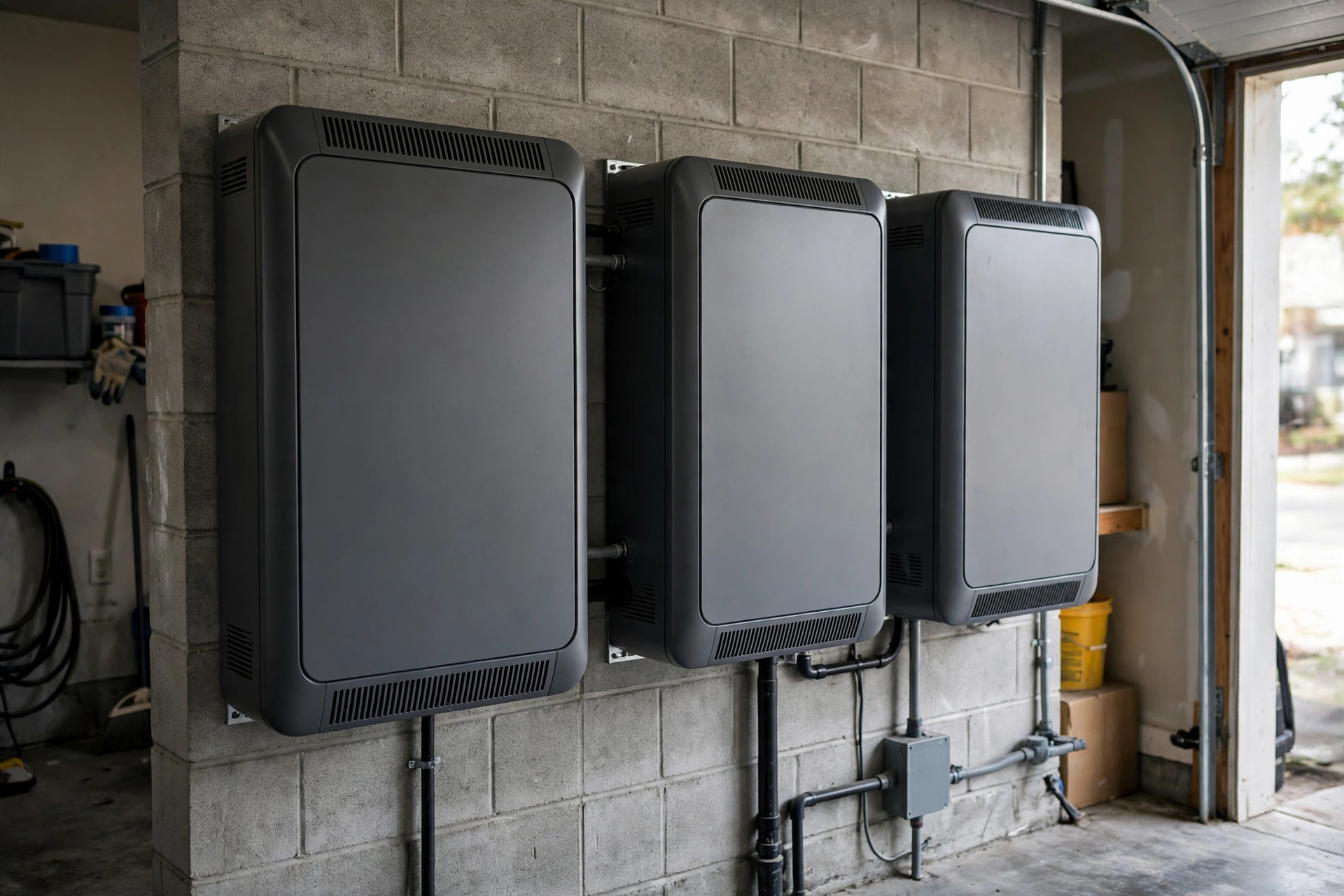
Pillar 01 · Energy Resilience
10kWh vs 13.5kWh vs 20kWh Home Battery: Which Size Is Right? (2026)
10kWh vs 13.5kWh vs 20kWh home battery compared: usable capacity, backup runtime, solar pairing, and which tie…

Storm Resilience
2026 Storm Season Grid Preparedness Guide
2026 hurricane season power outage preparedness: NOAA outlook, checklists for battery and generator owners, fu…
Pillar 01 · Energy Resilience
AC Coupled Battery Retrofit Cost 2026: What Adding Storage Really Costs
AC coupled battery retrofit cost in 2026: installed price ranges, what drives them up, and how AC coupling com…
Pillar 01 · Energy Resilience
Adding a Second Tesla Powerwall Cost: What Changes and What It Adds (2026)
Adding a second Tesla Powerwall costs roughly $7,000–$16,000 installed. Expansion vs full unit, Gateway reuse,…
Interactive Tool
Home Battery Size Calculator: What Size Do You Need?
How many kWh of battery storage do you need? Our free home battery size calculator estimates your backup need,…
Interactive Tool
Power Outage Cost Calculator: What Blackouts Cost You
What do blackouts really cost you? Our power outage cost calculator totals food loss, hotels, lost work, and f…