EcoFlow Delta Pro Ultra vs Tesla Powerwall 3: Home Backup Showdown (2026)
Key takeaways
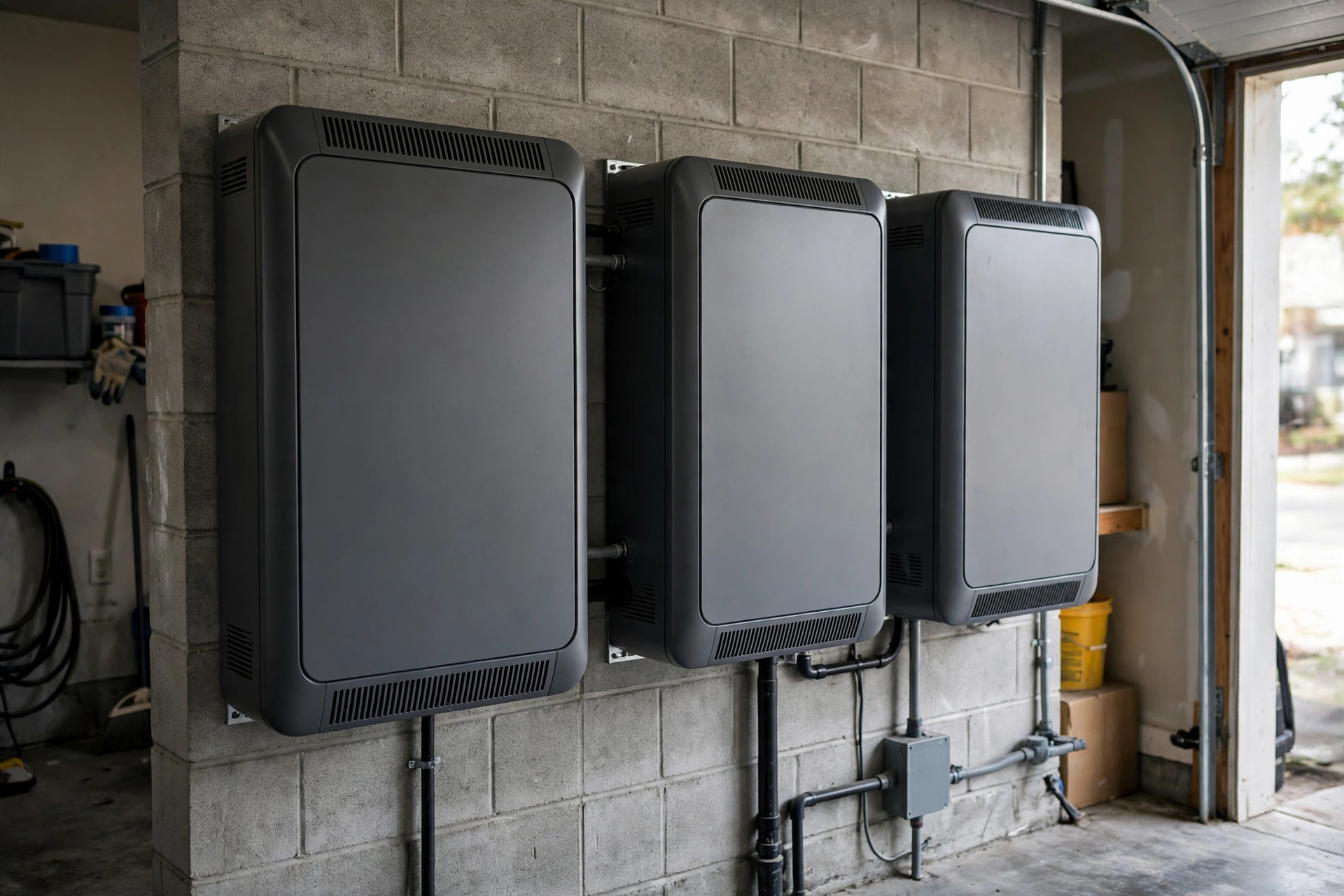
- The Delta Pro Ultra is modular and portable: it starts at 6kWh and scales to 90kWh, while a Powerwall 3 is a fixed 13.5kWh wall-mounted unit that stacks by adding whole units.
- Output favors the Powerwall 3 per unit (11.5kW continuous) over a single Delta Pro Ultra inverter (7.2kW), but EcoFlow's direct outlets and UPS function protect individual devices better during the transfer.
- Powerwall 3 is a professionally installed, permanent system with a Gateway; the Delta Pro Ultra can start as a portable station and graduate to whole-home backup with the Smart Home Panel 2.
- Solar integration is the deciding factor: Powerwall 3 is built around a high-capacity integrated solar inverter, while the Delta Pro Ultra suits homes that want backup first and solar second.
- Buy the Powerwall 3 for a set-and-forget permanent install; buy the Delta Pro Ultra if you rent, may move, or want backup you can start using the week it arrives.
EcoFlow Delta Pro Ultra vs Tesla Powerwall 3 is really a choice between two different philosophies: EcoFlow sells flexibility — a modular battery you can buy, move, and expand — while Tesla sells permanence — a wall-mounted system wired into your home that you never think about again. If you want the most adaptable backup, the Delta Pro Ultra wins; if you want the most invisible backup, the Powerwall 3 wins.
Both are serious whole-home contenders in 2026, and both use lithium iron phosphate (LFP) chemistry, which is the safer, longer-lived chemistry buyers should now expect at this price level. But they are not interchangeable. One is sold through installers as part of a designed system; the other is sold as a product you can order, unbox, and plug in. That single difference drives almost every other difference in this comparison, from cost structure to outage behavior to what happens when you move house.
The Short Answer: Which One Fits Your Home?
Choose the Tesla Powerwall 3 if you own your home, plan to stay, and want backup that behaves like a utility: automatic, silent, and invisible. It pairs with solar through its integrated inverter, manages itself through the Tesla app, and covers the whole house through a Gateway that islands your home from the grid during an outage.
Choose the EcoFlow Delta Pro Ultra if any of these apply: you rent or may move within a few years, you want backup without a multi-week installer project, you want to start small and add batteries later, or you want a system that can also power a job site, an RV, or a detached workshop. Its Smart Home Panel 2 option gives it a path to genuine whole-home backup, but you are never forced to take that path on day one.
A third group should think twice before either: homes with very large sustained loads (multiple electric HVAC systems plus an EV charger plus a well pump running simultaneously) may need multiple units of either system. Sizing comes before brand loyalty, and our 10kWh vs 13.5kWh vs 20kWh home battery guide walks through the capacity tiers before you commit to a brand.
EF ECOFLOW 12kWh Power Station: DELTA Pro Ultra with Extra Battery, 120/240V 7200W AC Output, LiFePO4 Home Battery Backup Expandable to 90kWh

Modular LFP home battery (expandable to 90kWh) that is the buyable half of this comparison: the portable-flexible alternative to the dealer-installed Powerwall 3.
*Affiliate Disclosure: As an Amazon Associate, Elevate Home earns from qualifying purchases. Pricing and availability subject to change.
EcoFlow Delta Pro Ultra vs Tesla Powerwall 3: Head-to-Head Specs
The table below compares the two systems on the numbers that actually change buying decisions. Where a figure depends on configuration — and with both systems it often does — the table notes the base unit and the expansion path rather than pretending one number covers every install.
Capacity and Expansion: Modular Steps vs Fixed Blocks
The Delta Pro Ultra's headline advantage is granularity. You start at 6kWh, add battery modules as your budget or your outage experience dictates, and — if you ever need serious capacity — build out to 90kWh with three inverters. For a household that has only ever lost power for a few hours, 6kWh covering the fridge, lights, internet, and phones is often enough, and buying more on day one would be wasted money.
The Powerwall 3 works in 13.5kWh blocks. That is a generous single block — enough for most homes' overnight essentials — but it is a block. If 13.5kWh is more than you need, you still buy 13.5kWh; if you need 20kWh, you buy two units and pay for 27kWh. The upside is simplicity: one unit, one warranty, one integrated design, and no decisions about how many modules to stack in a garage.
Expansion also interacts with the question every buyer asks first — can a home battery run a refrigerator overnight. The honest answer for both systems is yes, easily, with capacity to spare for lights and communications. The harder question is how many days of essentials you want, and that is where EcoFlow's smaller steps save money and Tesla's larger blocks save complexity.
Output: What Each System Can Actually Run
On continuous output, a single Powerwall 3 (11.5kW) out-muscles a single Delta Pro Ultra inverter (7.2kW). In practice, both run a modern home's essentials without drama: refrigerator, lighting, internet, well pump or sump, and a gas furnace's blower. The difference shows up at the margins — a large electric range plus an electric dryer plus central air conditioning starting simultaneously — where the Powerwall's higher single-unit output needs less load management, while a single EcoFlow inverter may need its owner to stagger big loads or add a second inverter.
Three EcoFlow inverters flip the comparison, delivering 21.6kW continuous, but that is a large, expensive system that most homes will never need. The practical read: compare one Powerwall 3 against one Delta Pro Ultra inverter with two batteries (12kWh), which is the configuration most buyers actually end up comparing on capacity, and size up from there only if your load calculation says so.
One genuinely distinctive EcoFlow advantage is direct use. The Delta Pro Ultra has outlets on the unit itself, including an uninterruptible-power-supply function on some outlets, so a computer or medical device plugged directly into it rides through the transfer without a blink. A Powerwall has no outlets; everything it protects must be wired through the home's circuits, and transfer behavior depends on the Gateway and the loads involved. If you have a device that cannot tolerate even a brief interruption, that distinction matters more than any spec-sheet output figure.
Solar Integration: Where Tesla Pulls Ahead
If you already have solar, or plan to install solar and storage together, the Powerwall 3 is the stronger solar machine. Its integrated inverter accepts a large solar array directly, with multiple MPPT inputs that handle strings facing different directions — the classic east-west roof problem — without extra hardware. For a solar-first household, this is the system the rest of the market is measured against, and it is why Tesla dominates installer quotes for solar-plus-storage.
The Delta Pro Ultra accepts solar too — up to 5.6kW per inverter — but it is a backup-first product with solar as a charging source, not a solar inverter that happens to include a battery. It charges from solar, from the grid, from an EV charger, and even from a gas generator with the right adapter, which is a flexibility the Powerwall cannot match. That charging versatility is a real asset during a long outage, when solar alone may not refill the battery fast enough: a generator top-up keeps the system cycling while the grid is down. But for daily solar self-consumption and export management, Tesla's integration is tighter and more automated.
Homes deciding between the two on solar grounds should also weigh the retrofit question covered in our guide to adding a battery to an existing generator setup: the cheapest solar-plus-storage system is often the one that reuses the most of what you already own.
Installation: A Weekend Project vs a Contractor Project
The Delta Pro Ultra arrives as a product. Unbox it, charge it, plug your essentials into it, and you have backup the same day. Whole-home backup through the Smart Home Panel 2 is a different story — that panel is wired into your electrical system by an electrician, needs permits in most jurisdictions, and turns the portable station into a genuine home system with automatic transfer and circuit-level control. The beauty is that the panel is optional and can come later; the battery is useful from day one either way.
The Powerwall 3 arrives as a project. A certified installer surveys your panel, installs the Gateway, mounts the unit, commissions the system, and handles the utility interconnection paperwork. Timelines run weeks, not days, and the install cost is a major share of the total. What you get in return is a system you never touch: no wheels, no outlets to manage, no decision about which circuits are backed up beyond the initial design, and a single vendor responsible for the whole chain.
For outage-prone households, the installation difference also changes the timeline of protection. Our guide to the best home batteries for outage-prone areas makes the same point: a battery that arrives before storm season protects you this season, while a battery still in the permitting queue does not.
Cost Structure: Hardware vs Installed System
Comparing these two on price requires comparing like with like, and the two are rarely sold like with like. The Delta Pro Ultra is bought as hardware — the unit, optionally extra batteries, optionally the Smart Home Panel 2 and its installation. The Powerwall 3 is bought as an installed system — hardware plus Gateway plus labor plus interconnection, quoted as one figure by an installer.
On hardware alone, the EcoFlow route is usually the cheaper way to a given amount of storage, and dramatically cheaper at small capacities, because you are not paying for a Gateway, a crew, and a permanent install to back up a fridge and a few circuits. On a whole-home, solar-integrated install, the gap narrows: once you add the Smart Home Panel 2 and professional installation to the EcoFlow, and compare against a Powerwall quote that includes everything, the Powerwall's integrated design becomes competitive — and its single-vendor warranty and support become part of the value.
The other cost driver is expansion. Adding EcoFlow batteries later is a purchase, not a project. Adding a second Powerwall later is a second install, though a simpler one than the first. Over a ten-year ownership horizon, the system that matches your actual capacity needs — rather than the one with the lowest headline price — is the one that costs less.
Outage Behavior, Apps, and Daily Life
Both systems offer storm modes that watch weather forecasts and pre-charge before severe weather — Tesla's Storm Watch and EcoFlow's equivalent storm features — and both offer time-of-use modes that charge overnight on cheap power and discharge during expensive peak hours. In daily use, the Tesla app is the more polished energy-management experience, with deep solar, vehicle, and home integration for households already in the Tesla ecosystem. The EcoFlow app is capable and improving, with per-circuit control through the Smart Home Panel 2, but it is managing a battery, not an ecosystem.
Reliability expectations should be set honestly for both. Neither system makes a home outage-proof: a battery is a finite reservoir, and during a multi-day outage, solar input and load discipline decide how long it lasts far more than brand. The households that report the best outage experiences with either system are the ones that sized for their essentials, set their reserve levels before the storm, and kept their biggest loads off during the outage.
The Verdict: Two Right Answers for Different Buyers
Buy the EcoFlow Delta Pro Ultra if you want backup that adapts to your life: start small, expand later, take it with you if you move, and use it as a portable power source in the meantime. It is the better choice for renters, for staged budgets, for homes without solar, and for anyone who wants protection this week rather than next quarter. If you go this route, the Smart Home Panel 2 is the upgrade that turns a great portable station into a genuine whole-home system, and it is worth budgeting for even if you defer it.
Buy the Tesla Powerwall 3 if you want backup that disappears into your home: a permanent, professionally installed system with the best solar integration in its class, a single app for your home energy, and a decade of set-and-forget operation. It is the better choice for homeowners with solar, for new solar-plus-storage installs, and for anyone who would rather pay an installer once than manage a system themselves.
If you are still torn, the tiebreaker is your timeline and your roof. Moving within five years or no solar on the roof points to EcoFlow; staying put with solar (or solar planned) points to Tesla. And if you want to see how EcoFlow's own lineup compares before you commit, our EcoFlow Delta Pro 3 vs Delta Pro Ultra guide sorts out the in-brand confusion first.
Frequently asked questions
Can the EcoFlow Delta Pro Ultra power a whole house like the Tesla Powerwall 3?
Yes, with the Smart Home Panel 2 installed by an electrician, the Delta Pro Ultra can back up home circuits automatically, like a Powerwall. Without the panel, it powers devices plugged directly into it or connected through a transfer switch. A single inverter covers essentials; larger homes need multiple inverters or multiple Powerwalls either way.
Which lasts longer, the Delta Pro Ultra or the Powerwall 3?
Both use LFP chemistry and carry long warranties — the Powerwall 3 has a 10-year warranty, and EcoFlow rates the Delta Pro Ultra around 3,500 cycles to 80% capacity. In practice, cycle life depends on how deeply and how often you cycle the battery; a backup-only battery cycled a few dozen times a year will outlast its warranty under either brand.
Does the Tesla Powerwall 3 work without solar panels?
Yes. A Powerwall 3 charges from the grid and provides backup and time-of-use arbitrage without any solar at all. Solar improves its economics substantially, but it is not a requirement — the same is true of the Delta Pro Ultra, which charges from the grid, solar, an EV charger, or a generator.
Can I take the EcoFlow Delta Pro Ultra with me if I move?
Yes — that is one of its biggest advantages over the Powerwall 3. The Delta Pro Ultra is wheeled and portable, so it moves with you. The Smart Home Panel 2 stays with the house, but the inverter and batteries themselves relocate. A Powerwall 3 is permanently wall-mounted and stays with the property.
Is the Delta Pro Ultra cheaper than a Powerwall 3?
On hardware alone, usually yes, especially at smaller capacities — you buy only the storage you need and skip the Gateway and full install. Once you add the Smart Home Panel 2 and professional installation for true whole-home backup, the gap narrows, and a Powerwall quote that includes everything can be competitive. Compare installed, like-for-like quotes for your home before deciding on price.
Keep reading
Pillar 01 · Energy Resilience
EcoFlow Delta Pro 3 vs Delta Pro Ultra: Which Should You Buy? (2026)
EcoFlow Delta Pro 3 vs Delta Pro Ultra compared: capacity, output, expansion, weight and installation, so you …
Pillar 01 · Energy Resilience
Adding a Second Tesla Powerwall Cost: What Changes and What It Adds (2026)
Adding a second Tesla Powerwall costs roughly $7,000–$16,000 installed. Expansion vs full unit, Gateway reuse,…
Pillar 01 · Energy Resilience
Best Home Battery for Outage Prone Areas 2026: Picks for Every Outage
Best home battery for outage prone areas 2026: installed vs portable picks, sizing math, and the verdict for s…
Pillar 01 · Energy Resilience
10kWh vs 13.5kWh vs 20kWh Home Battery: Which Size Is Right? (2026)
10kWh vs 13.5kWh vs 20kWh home battery compared: usable capacity, backup runtime, solar pairing, and which tie…
Pillar 01 · Energy Resilience
Can a Home Battery Run a Refrigerator Overnight? Runtime Math (2026)
Yes — most home batteries run a fridge overnight easily. See the runtime math, the startup surge to watch, and…
Battery Backup · Portable Power
Best Portable Power Station for Home Backup: 2026 Buyer's Guide
The best portable power station for home backup in 2026: sizing math, the specs that matter, top picks compare…